How to Automate Microsoft Teams

Microsoft Teams automates well inside its own estate. Power Automate has connectors for SharePoint, Outlook, Excel and hundreds of major products, and posts to a channel on almost any event. The systems with no connector, which in most companies is the interesting half, still need a person to go and look.

Teams is where the company's process actually lives

Microsoft Teams is the chat, meetings and files layer bundled with Microsoft 365, which means most companies did not so much choose it as receive it. That matters, because it ends up carrying more than conversation.

The channel structure usually mirrors the org chart, and the files tab is where the real version of a document lives. Approvals happen in it. Handovers happen in it. In a lot of firms the actual process, as distinct from the documented one, is whatever gets posted in a particular channel on a particular day of the week.

It also sits inside a governed estate. There is an IT department, a tenant, an admin consent screen, and a queue for getting anything installed. That changes what automation is realistic far more than any technical limit does.

The weekly update is assembled by hand

In most companies somebody spends Monday morning building a post.

They open three systems, copy numbers into a message, format it so it reads well on a phone, and post it to the leadership channel. Somebody else does the same for the operations channel on Thursday. A third person checks a queue twice a day and flags anything that has been sitting too long.

These are not junior tasks either. They tend to land on the person who understands the numbers, which means an experienced person spends a few hours a week transcribing figures from one screen to another.

And when that person is away, the update simply does not go out, which is the clearest sign it was never really a process.

The microsoft.com homepage, the app these three jobs run in. Microsoft Teams
Past the connector list The line-of-business system with no Power Automate connector can still put its numbers in a channel.
No IT ticket to raise Nothing gets installed into the tenant, so a team can start without waiting on an admin approval queue.
Approvals stay with people The channel gets the facts and the flag. What happens next is still somebody's decision to make.

Power Automate reaches everything Microsoft has a connector for

Teams has serious automation attached to it, and inside the Microsoft world it is genuinely strong.

Power Automate builds flows across hundreds of connectors, so a new SharePoint file, an Outlook email, a Forms response, an Excel row or a Planner task can all post to a channel, start an approval or update a record. Workflows can be attached directly to a channel. Adaptive Cards give a post buttons that write back. Approvals are a first-class feature rather than a convention.

The whole model rests on the connector list. Where a connector exists, this is excellent and you should use it rather than anything else. Where one does not, there is no route at all.

In most companies the systems without connectors are the specific ones: the industry package the business actually runs on, the regional supplier portal, the customer's own extranet, the internal tool a contractor built in 2011. Those hold the numbers people most want in the channel.

The systems outside the tenant can reach the channel too

The systems with no connector are still websites. A browser can open a website, and the connector list stops being the boundary.

The Monday leadership post, assembled from the three systems it currently takes a person to open. The queue that gets checked twice a day, checked every twenty minutes instead, with a message only when something has aged past its limit. The supplier portal that shows a delivery date nobody sees until a customer asks.

The industry system that runs the actual business, the one with no API and no export, reporting its own numbers into the channel where decisions get made about them.

There is a governance point here that works in your favour. Nothing is installed into the tenant, so there is no admin consent to obtain and no new app with standing permissions across the estate. The agent signs in the way a staff member does, sees what that person can see, and can be locked to an explicit list of sites.

The transcribing is the part to give away

The figure that goes into the post is on a screen in another system, and moving it across is typing. The judgement in the post is worth paying for. The transcription is not.

WebRun is an AI agent that works a real Chrome browser, signed in as you. It opens whatever holds the numbers, including the systems with no connector, reads what is on the screen, and posts the result into the Teams channel you choose.

It runs on your schedule in your own private environment, you can watch a run and stop it, and it can be restricted to a named set of domains. Anything that would go outside the company drafts and waits.

The workflows below are already built, and each one shows what it opens and in what order.

Questions people ask

Does our IT team need to approve an app in the tenant?

No. Nothing is installed into Microsoft 365 and no tenant-wide permissions are granted. The agent works the browser signed in as a normal user, so it sees exactly what that user can see.

Should we use this instead of Power Automate?

Not where a connector already exists. Power Automate is the better tool for anything inside the Microsoft estate. This is for the systems it has no connector for, and the two work together happily.

Can it be restricted to specific systems?

Yes. A workflow can be locked to an explicit list of domains, so an agent holding a session cannot wander into anything you did not name.

1,329 ready-made Microsoft Teams workflows

Each one names the apps it touches and the exact steps it takes. Open one to read what it will do, then turn it on.
Automated Rallly Poll Results Handoff
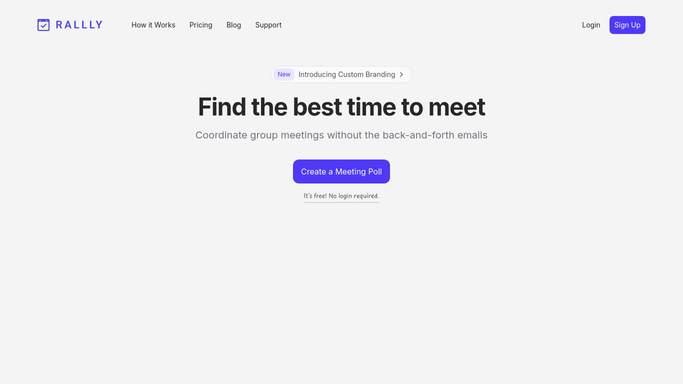
Every morning, WebRun opens Rallly, checks which scheduling polls have enough responses to call a winning time, creates a Trello card for the organizer to finalize it, and posts a Microsoft Teams alert.
RalllyMicrosoft TeamsTrello
Automated Qodo Unresolved Review Flag Chase
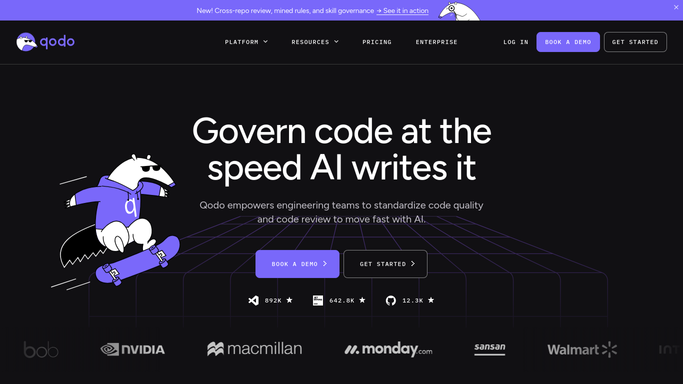
WebRun finds pull requests where Qodo flagged an issue that's sat unresolved for 2 days, creates a Trello card for it, and pings the team on Microsoft Teams.
QodoMicrosoft TeamsTrello
Automated ProtonVPN New Device Alerts
Every hour, WebRun checks your ProtonVPN account for new device connections, logs each one to a Trello board, and alerts Microsoft Teams the moment an unrecognized device connects.
ProtonVPNTrelloMicrosoft Teams
Automated Plane New Project Setup
When a new project is created in Plane, WebRun builds out the standard cycles and modules, schedules a kickoff meeting on Google Calendar, and posts a setup summary to Microsoft Teams.
PlaneGoogle CalendarMicrosoft Teams
Automated PingCode and Trello Sprint Reconciliation
WebRun compares the work items in your current PingCode sprint against the shared Trello board your cross functional partners track, flags anything missing from either side, and posts the mismatches to Microsoft Teams.
PingCodeMicrosoft TeamsTrello
Automated PDFfiller Document Expiry Reminders
WebRun checks your PDFfiller documents for expiration dates coming up, blocks a reminder slot on Google Calendar, and alerts the document owner in Microsoft Teams.
PDFfillerGoogle CalendarMicrosoft Teams
Automated Paylocity Open Enrollment Tracking
During open enrollment, WebRun checks Paylocity for who hasn't finished their benefits elections, adds the deadline to the benefits admin's calendar, and posts a Teams digest of who is still outstanding.
PaylocityGoogle CalendarMicrosoft Teams
Automated Paycor New Hire Onboarding Checklist
When a new hire lands in Paycor, WebRun builds a Trello onboarding checklist covering paperwork, direct deposit, and benefits, and posts a Teams message handing it to the hiring manager.
PaycorMicrosoft TeamsTrello
Automated Paperform Weekly Submission Scorecard
WebRun tallies the week's Paperform submissions and completion rate per form, posts the scorecard to Microsoft Teams, and opens a Trello card for any form whose completion rate dropped.
PaperformMicrosoft TeamsTrello
Automated Palo Alto Networks Review Reminders
WebRun checks Palo Alto Networks for firewall rules and certificates due for their periodic review, schedules the review date on Google Calendar, and posts a reminder to Microsoft Teams.
Palo Alto NetworksGoogle CalendarMicrosoft Teams
Automated OneTrust Overdue Task Chasing
Every week, WebRun reviews OneTrust for overdue data subject requests and assessment tasks, creates a Trello card for each owner, and posts a chase summary to Microsoft Teams.
OneTrustMicrosoft TeamsTrello
Automated OFX Weekly Transfer Scorecard
Every Monday, WebRun checks OFX for the week's transfers and the rates achieved, adds a rate watch reminder to Google Calendar, and posts a scorecard to Microsoft Teams.
OFXGoogle CalendarMicrosoft Teams
Automated OCBC Overdue Documentation Chase
WebRun checks OCBC for pending compliance or trade finance documents, creates a Trello card for anything overdue, and posts a reminder to Microsoft Teams.
OCBC BankMicrosoft TeamsTrello
Automated n8n Workflow Failure Handoff
Every hour, WebRun checks n8n's execution history for failed workflow runs, opens a Trello card with the error details, and posts it to Microsoft Teams so a teammate can pick it up.
n8nMicrosoft TeamsTrello
Automated Moosend Workflow Launch Checklist
When a new Moosend automation is built, WebRun confirms its trigger, emails, and exit point are all set, books a launch review on Google Calendar, and posts the checklist status to Teams.
MoosendGoogle CalendarMicrosoft Teams
Automated Mobikwik Bill Renewal Reminders
WebRun checks Mobikwik for upcoming bill payments and recharge plans, adds each due date to Google Calendar, and posts the week's reminders to Microsoft Teams.
MobikwikGoogle CalendarMicrosoft Teams
Automated MindMeister Daily Map Change Digest
Every morning, WebRun opens MindMeister, reads what changed on your shared maps since yesterday, checks Google Calendar for meetings tied to those topics, and posts a digest to Microsoft Teams.
MindMeisterGoogle CalendarMicrosoft Teams
Automated Milanote Creative Board Handoff
When a Milanote board is marked ready for handoff, WebRun summarizes its notes and boards, creates a Trello card for the next teammate with a link back, and posts a heads up in Microsoft Teams.
MilanoteTrelloMicrosoft Teams
Automated Merge Linked Account Sync Alerts
WebRun checks Merge for linked accounts stuck in an error or re-authentication state, books a fix window on Google Calendar, and alerts the integrations team on Microsoft Teams.
MergeGoogle CalendarMicrosoft Teams
Automated Mem Follow-Up Note Alerts
WebRun watches Mem for notes tagged follow-up or urgent that have sat untouched for a day, turns each into a Trello card, and pings the team in Microsoft Teams.
MemMicrosoft TeamsTrello
Automated Melio Bill Exception Alerts
WebRun checks Melio for bills awaiting approval or failed payments, creates a Trello card for each exception, and posts an alert to your accounts payable Teams channel.
MelioMicrosoft TeamsTrello
Automated Meetergo Calendar Sync Reconciliation
Every morning, WebRun opens Meetergo, lists every booking made since the last run, checks that each one has a matching Google Calendar event, and posts a Microsoft Teams alert for any booking that's missing or mismatched.
MeetergoGoogle CalendarMicrosoft Teams
Automated Mandrill Daily Send Volume Digest
Every morning, WebRun opens Mandrill, reads yesterday's send volume and bounce rate, posts the numbers to Teams, and creates a Trello card if the bounce rate looks high.
MandrillMicrosoft TeamsTrello
Automated Malt Mission Invite Alerts
WebRun watches Malt for new client mission invites, adds the response deadline to Google Calendar, alerts your team in Microsoft Teams, and drafts a proposal for you to review.
MaltGoogle CalendarMicrosoft Teams

Want one of these running on your own Microsoft Teams?

Show WebRun the process once and it will run it on schedule, in your own private browser environment.