Never let a follow-up note get buried
Every hour, WebRun opens Mem, checks notes tagged follow-up or urgent, finds any that have gone 24 hours without a linked task or update, creates a Trello card for each, and pings the team in Microsoft Teams so nothing tagged important gets lost in the notes.
- No credit card
- Under $0.01 per run
- Cancel anytime
How do I make sure urgent Mem notes don't get forgotten?
WebRun checks Mem hourly for notes tagged follow-up or urgent that have gone 24 hours with no linked task, creates a Trello card for each, and pings the team on Microsoft Teams naming who flagged it. Notes marked important stop getting buried in a growing list and instead turn into a tracked task within the hour.
- Tagged notes turn into a tracked task within the hour
- Nothing marked follow-up or urgent gets buried in the note list
- The person who flagged it gets pinged directly in Teams
Built for Executive assistants · founders · product managers · consultants
What does WebRun do on every run?
The exact actions WebRun takes, in order - in plain language, so you can adjust anything.
-
WebRun signs in and gets to work
Opens
mem.aiin a real browser with your saved login - no setup, no API keys. -
1
Mem - find stale follow-up notes
mem.ai
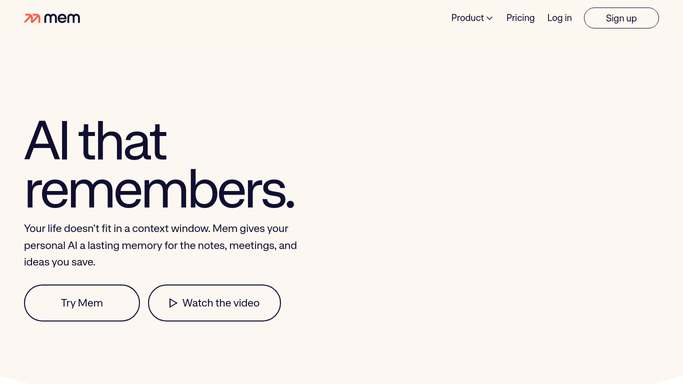
WebRun opens Mem to find stale follow-up notes. - Open Mem and filter notes tagged follow-up or urgent
- Find any untouched for 24 hours with no linked task
- Note the note's title and the person who tagged it
Done when Every stale follow-up note is listed with its tag and owner.
-
2
Trello - create a card for each note
trello.com How to Automate Trello

WebRun opens Trello to create a card for each note. - Open the follow-ups board and create a card per stale note
- Add a link back to the note in Mem
- Skip any note that already has a matching card
Done when Every stale note has a Trello card tracking it.
-
3
Microsoft Teams - ping the team
microsoft.com How to Automate Microsoft Teams

WebRun opens Microsoft Teams to ping the team. - Post a message naming each stale note and its new Trello card
- Tag the person who originally flagged the note
- Leave the follow-up itself to the person tagged
Done when The team has been pinged about every stale follow-up.
How is each run configured?
Secure by default
Connect once, stays signed in
WebRun signs in once and keeps each session in a persistent environment, so every run picks up right where it left off.
Every action is checked against this policy before it runs.
Questions, answered
Will it edit or delete the original note?
No. WebRun only reads tagged notes and creates a linked Trello card. The note in Mem is never changed or removed.
How does it decide a note is stale?
Any note tagged follow-up or urgent with no linked task or update after 24 hours. You can adjust that window.
Will the same note get flagged twice?
No. It checks Trello for an existing card before creating a new one, so a note is not duplicated across runs.
Related templates
Put this on autopilot.
Turn it on in minutes - or have our team set it up for you.