Catch Melio bills that need attention before they are late
Every morning, WebRun opens Melio, finds any bill still waiting on approval and any payment that failed, creates a Trello card for each exception with the vendor, amount, and due date, and posts a summary to your accounts payable Teams channel with overdue items flagged first.
- No credit card
- Under $0.01 per run
- Cancel anytime
How do I catch Melio bills stuck in approval before they are late?
WebRun checks Melio every morning for bills still waiting on approval and any payment that failed, and creates a Trello card for each one with the vendor, amount, and due date. It posts a summary to your accounts payable Teams channel with anything overdue flagged first, but never approves or sends a payment itself.
- Stuck bills get flagged before they go past due
- Every exception has a tracked Trello card
- Your AP channel sees overdue items first
Built for small business owners · bookkeepers · accounts payable teams · Melio users
What does WebRun do on every run?
The exact actions WebRun takes, in order - in plain language, so you can adjust anything.
-
WebRun signs in and gets to work
Opens
melio.comin a real browser with your saved login - no setup, no API keys. -
1
Melio - check bills pending approval or failed
melio.com
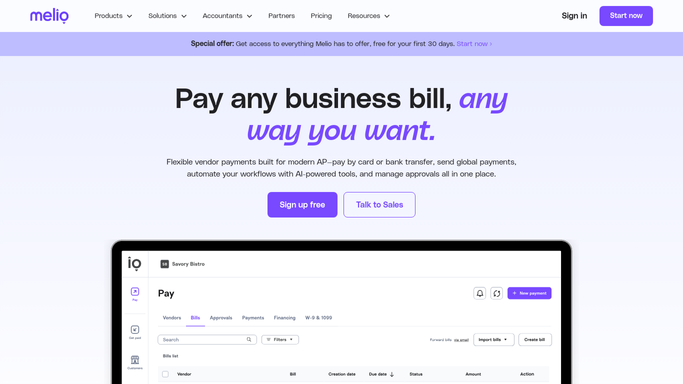
WebRun opens Melio to check bills pending approval or failed. - Open Melio and go to the bills dashboard
- Find any bill still waiting on approval and any payment that failed
- Note the vendor, amount, and due date for each
Done when Every bill needing attention is listed with its detail.
-
2
Trello - create a card per exception
trello.com How to Automate Trello

WebRun opens Trello to create a card per exception. - Create a card on the accounts payable board for each exception
- Set the due date on the card to match the bill's due date
- Move the card to done once the bill is approved or resolved
Done when Every exception has its own Trello card.
-
3
Microsoft Teams - post the exception alert
microsoft.com How to Automate Microsoft Teams

WebRun opens Microsoft Teams to post the exception alert. - Post an alert to the accounts payable channel listing today's exceptions
- Flag anything already past due first
- Never approve or send a payment. Leave that inside Melio for a human
Done when The team has today's exception list in Teams.
How is each run configured?
Secure by default
Connect once, stays signed in
WebRun signs in once and keeps each session in a persistent environment, so every run picks up right where it left off.
Every action is checked against this policy before it runs.
Questions, answered
Will WebRun approve or send a bill payment on its own?
No. WebRun only finds bills that need attention and reports them. Approving or sending a payment always stays a human action inside Melio.
What counts as an exception?
Any bill still waiting on approval close to its due date, and any payment that failed to go through, whatever the reason.
What happens once a bill is approved?
Its Trello card gets moved to done, so the board only ever shows what still genuinely needs a decision.
Related templates
Put this on autopilot.
Turn it on in minutes - or have our team set it up for you.