How to Automate Google Sheets

You automate Google Sheets in three layers. Formulas and functions handle anything that stays inside the sheet. Apps Script and scheduled triggers handle repeatable jobs on a timer. Getting the numbers in from tools that have no export is the layer most people still do by hand, and the one worth handing to an agent like WebRun.

Google Sheets quietly became the company database

Google Sheets, which plenty of people still call a Google Spreadsheet, is the free spreadsheet in Google Workspace. In most small companies it quietly became the place where the business is actually run. It holds the customer list, the job schedule, the stock count, the commission working and the numbers someone reads out on Monday morning.

It earned that job by being easy to get into. It opens in a browser, several people can type in it at once, and nobody has to ask an administrator for a licence. The bookkeeper, the office manager and the owner can all be in the same tab at the same time, which is more than can be said for most of the software those three were given.

So the spreadsheet sits downstream of every other tool you own. The booking system, the card terminal, the accounting package and the inbox all feed one sheet, because it is the only place all of it can sit side by side.

Every number in it arrives by hand

Almost none of the time spent on a spreadsheet is spent thinking. It goes on moving numbers into it.

Someone opens the booking system every morning, reads yesterday's total off a dashboard, and types it into a cell. Someone exports a report from the CRM, opens the CSV, deletes three columns and pastes the rest into a tab. Someone checks four supplier portals for prices that changed and updates a column by hand. Someone copies the same figures into a second, tidier sheet for a manager who will never open the first one.

Each takes a few minutes, which is exactly why nobody ever fixes them. They become visible only when the person who does them is on holiday and the sheet goes stale for a fortnight, or when a number gets typed wrong and a decision gets made on it.

The google.com homepage, the app these three jobs run in. Google Sheets
Filling the sheet Yesterday's orders, bookings, balances and ad spend, collected from wherever they live and written into the right row before you open the tab.
Working through the sheet Taking each row and doing something with it somewhere else: a reminder sent, a price checked, a status looked up and written back.
Getting the sheet read Turning the tab nobody opens into a short summary that lands in the place your team already looks every morning.

Formulas only reach what is already open to them

The sheet does more on its own than most people use, and it is worth knowing how far that reaches before paying for anything. One sheet can read a range out of another and stay in step with it. A long tab can be filtered down to a short one that updates itself. A table on a public web page can be pulled in and refreshed. Apps Script will run a job on a timer, so a nightly tidy-up or an emailed snapshot really can be set and forgotten.

Every one of those has the same ceiling. They can only reach what is already open to them: another spreadsheet, a public page, a tool with an API and someone on hand to write against it.

The numbers you actually want are almost never in those places. They are behind a login, on a screen, in a supplier portal or a bank or a booking system or a twenty-year-old piece of trade software, sitting there in plain sight with no export button anywhere near it. That is the wall, and it is the reason someone in your office is still retyping figures at nine in the morning.

A spreadsheet that goes and fetches for itself

Change that, and the question stops being what can I import and becomes what do I want to know.

You buy from six suppliers, and every one shows live prices and stock behind its own login. That can be a column instead: this morning's price against what you paid last time, so the line that moved is obvious before you order.

You ship. Tracking numbers go out and somebody spends an afternoon pasting them into courier sites one at a time. Those statuses can be sitting in the sheet by the time you open it, with anything that stopped moving pushed to the top.

The same trick works on anything you can see in a browser. What your competitors are charging today. Which of your listings slipped off the first page. The takings from a system that only ever shows them on a dashboard. Whether the permit you are waiting on has changed status yet. None of it needs an API, a developer, or an integration somebody else has to build first.

One rule holds across all of it: automate the collecting, keep the deciding. A sheet that fills itself overnight is a gift. A sheet that emails your customers on its own is a risk, and should never send without a person saying yes.

An agent does the retyping

Between the portal where the number lives and the cell it belongs in sits a person. Only the deciding needs one.

WebRun is an AI agent that works a real Chrome browser, signed in as you. It opens the supplier portal, reads the price off the screen, and writes it into the right row of your spreadsheet. Because it uses the browser rather than an API, it reaches anything you can reach: no key to generate, no add-on, no integration that has to exist first.

It runs on your schedule in your own private environment. You can watch a run and stop it mid-way, and anything irreversible drafts and waits for you.

The workflows below are already built. Each one names the apps it touches and the steps it takes, so you can read what it does before you switch it on.

Questions people ask

Do I need to turn on the Google Sheets API or share my spreadsheet?

No. WebRun opens Google Sheets in a real browser signed in as you, so it works with the access you already have. There is no API key, no add-on and no change to the sharing settings on the file.

Will it overwrite the data already in my sheet?

Only where you point it. Most workflows append a new row or write into one named column, and each template spells out which cells it touches before you turn it on. Writing to a raw tab that your working tabs read from keeps typed work safe either way.

Can it pull numbers out of a tool that has no export button?

Yes, and that is usually the reason to use it. WebRun reads the figure off the screen the way a person would, then writes it into your spreadsheet, so a dashboard with no export is no longer a dead end.

4,178 ready-made Google Sheets workflows

Each one names the apps it touches and the exact steps it takes. Open one to read what it will do, then turn it on.
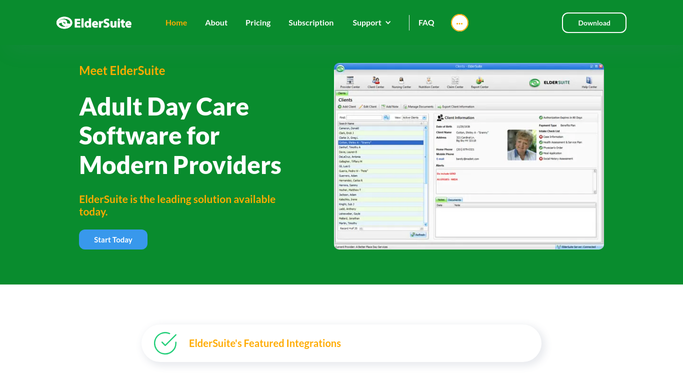
Automated ElderSuite Activity Participation Report
Every Monday, WebRun opens ElderSuite, pulls last week's activity attendance for every program, builds a participation report in Google Sheets, and emails your activities director a summary of engagement trends.
ElderSuiteGoogle SheetsGmail
Automated Sigmund Aftercare Referral Tracking
WebRun checks every discharged patient's aftercare referral status in Sigmund Software each morning, logs where each referral stands to a tracker sheet, drafts a check in email to any outside provider who hasn't confirmed intake, and alerts the team in Slack about stalled referrals.
Sigmund SoftwareGoogle SheetsGmail
Automated Cerbo Abnormal Biomarker Alerts
Throughout the day, WebRun scans new Cerbo lab results for any biomarker outside its reference range, ranks each by how far out of range and whether it's trending worse, and logs it to a running critical values tracker in Google Sheets.
CerboGoogle Sheets
Automated Mangomint Package Expiry Reminders
Every morning, WebRun finds clients with a prepaid laser package expiring within 30 days in Mangomint, drafts a personalized Klaviyo reminder to book their remaining sessions, and logs the queue to Google Sheets.
MangomintKlaviyoGoogle Sheets
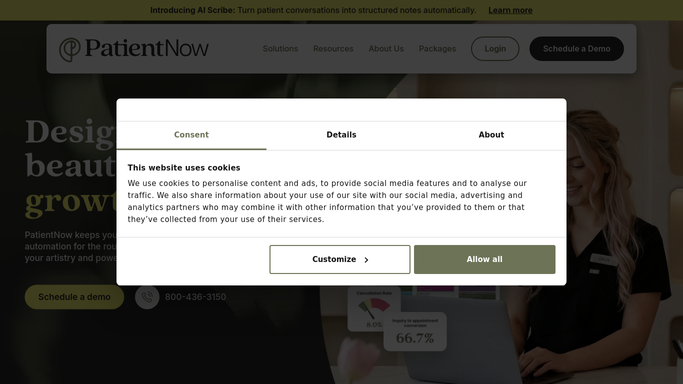
Automated PatientNow Before and After Photo Reports
WebRun scans PatientNow every Monday for patients who crossed a body weight loss milestone with before and after photos on file, logs each to a Google Sheet, and drafts a permission request in Mailchimp asking if they'd like to be featured.
PatientNowGoogle SheetsMailchimp
Automated AestheticsPro Photo Consent Checklist
Every night, WebRun checks AestheticsPro for treatment photos taken that day, cross checks each patient's signed photo release, logs any gap to Google Sheets, and flags it to your team in Slack before the photo is used anywhere.
AestheticsProGoogle SheetsSlack
Healthie Automated Food and Symptom Log Review
WebRun reviews each client's food and symptom logs in Healthie since the last check, flags repeated symptom spikes or missed logging streaks, records them to a tracking sheet, and alerts you in Slack so you can review before the next session.
HealthieGoogle SheetsSlack
Automated Antibiotic Prior Auth Tracking
Every Monday, WebRun checks CureMD for antibiotic orders needing prior authorization, updates a Google Sheets tracker with each payer and status, and alerts billing in Slack when one stalls or nears expiration.
CureMDGoogle SheetsSlack
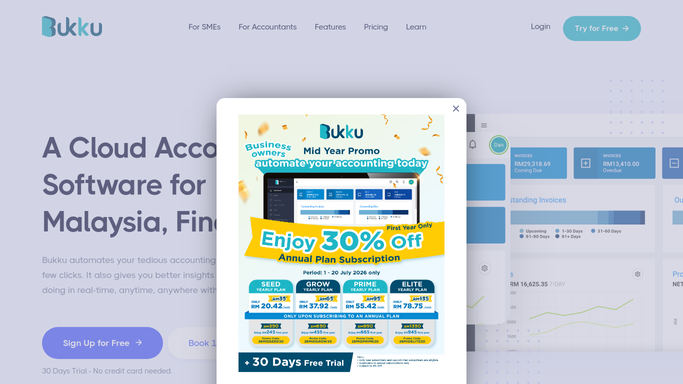
Automated Bukku Aging Receivables Report
Every Monday, WebRun opens Bukku, buckets every unpaid invoice into current, 30, 60, and 90-plus days overdue, logs the full aging breakdown to a sheet, and sends you a WhatsApp summary of your biggest exposure.
BukkuGoogle SheetsWhatsApp
Automated Alegra Receivables Aging Report
Every Monday, WebRun opens Alegra, pulls every open invoice, ranks them by balance and aging bucket into a Google Sheet, and pings your finance team in Slack the moment it's ready.
AlegraGoogle SheetsSlack
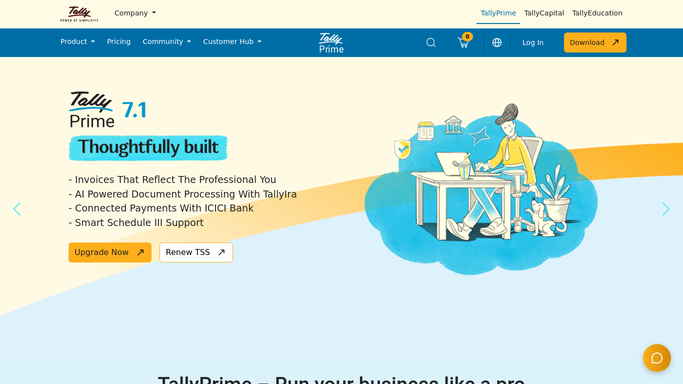
Automated Tally Bank Reconciliation Check
Every Monday, WebRun compares TallyPrime's bank book against the statement lines logged in Google Sheets, flags every unmatched entry, and alerts your finance team on Telegram.
Tally SolutionsGoogle SheetsTelegram
Automated Qoyod Branch Performance Comparison
Every Monday, WebRun opens Qoyod, pulls last week's sales and margin for each branch, builds a ranked comparison in Google Sheets, and posts your management team a Slack summary of which branch is leading and which needs attention.
QoyodGoogle SheetsSlack
Automated Wafeq Audit Trail Export
Before each audit or compliance review, WebRun exports the full change log from Wafeq, organizes it into a sheet, and emails your compliance lead a summary.
WafeqGoogle SheetsGmail
Automated iKhokha Capital Repayment Alerts
Every night, WebRun checks how much your iK Capital advance took from today's card sales, logs the running balance, and posts a Slack alert so you always know what you owe and what you kept.
iKhokhaGoogle SheetsSlack
Automated Yoco Capital Repayment Tracker
Every Monday, WebRun checks how much of your Yoco Capital advance was repaid from last week's card sales, logs it against the loan balance in Xero, and updates a payoff tracker so you always know what's left.
YocoXeroGoogle Sheets
Automated SASSIE Client Results Report Drafts
Every Monday, WebRun pulls the past week's completed and approved shops for each client program from SASSIE, compiles the scores and flagged issues into a Google Sheet, and drafts a summary email in Gmail for your account manager to review and send.
SASSIEGoogle SheetsGmail
Automated BCC Software Address Hygiene Reports
Triggered whenever a list finishes CASS and NCOA processing in BCC Software, WebRun compiles the records that failed standardization or came back unmatched, drafts a correction request to the client in Gmail, leaves it unsent for review, and logs the error rate to Google Sheets.
BCC SoftwareGmailGoogle Sheets
Automated LoanPro Borrower Info Updates
When a borrower asks to update their contact or payment info, WebRun opens LoanPro to pull the current record, logs the requested change to a Google Sheet next to the current values, and pings staff on Telegram to verify and approve it before anything is changed.
LoanProGoogle SheetsTelegram
Automated Credit Repair Cloud Referral Thank-Yous
Every morning, WebRun checks Credit Repair Cloud for new clients tagged with a referral source, drafts a personal thank you email to the referring affiliate in Gmail, leaves it unsent for review, and logs the referral in Google Sheets for payout tracking.
Credit Repair CloudGmailGoogle Sheets
Automated RDN Agent Productivity Report
Every Monday, WebRun tallies each agent's assignments, recoveries, and close rate from RDN into one weekly productivity report.
RDN (Recovery Database Network)Google SheetsSlack
Automated Amtelco Abandoned Call Flags
WebRun checks Amtelco each hour for calls that hung up before being answered, logs every one to Google Sheets, and pings Telegram when a client's abandon rate spikes.
AmtelcoGoogle SheetsTelegram
Automated Occupier CAM Reconciliation Flags
When a landlord posts a CAM reconciliation, WebRun compares the billed actuals in Occupier against budget and lease caps, logs the variance to Google Sheets, and drafts a query email in Gmail for anything over threshold.
OccupierGoogle SheetsGmail
Automated O-Valet Daily Cars Parked Report
Every night, WebRun totals how many vehicles were parked in O-Valet that day, breaks the count down by hour and by level, logs it to a running sheet, and posts your manager a Slack digest.
O-ValetGoogle SheetsSlack
UpKeep Automated Asset Warranty Expiry Alerts
Every Monday, WebRun checks asset warranty end dates in UpKeep, logs anything expiring in the next 60 days to a register, and posts Slack so someone can decide on a service contract before coverage lapses.
UpKeepGoogle SheetsSlack

Want one of these running on your own Google Sheets?

Show WebRun the process once and it will run it on schedule, in your own private browser environment.