Export a clean audit trail before every review
Every quarter, ahead of your audit or compliance review, WebRun opens Wafeq, exports the full change log of who created, edited, or approved each record, organizes it into a sheet by user and record type, and emails your compliance lead a summary so the trail is ready before an auditor ever asks for it.
- No credit card
- Under $0.01 per run
- Cancel anytime
How do I prepare an audit trail export before a compliance review?
WebRun exports Wafeq's full change log every quarter ahead of your audit or compliance review, capturing who created, edited, or approved every invoice, bill, and journal entry. It organizes the export by user and record type in a sheet, flags anything edited after approval, and emails your internal compliance lead a summary, so the trail is ready before an auditor ever asks.
- The audit trail is exported and organized before an auditor ever asks
- Post approval edits get flagged by name instead of buried in a raw log
- Nothing goes to an outside auditor without your compliance lead's say so
Built for compliance and audit leads · controllers preparing for review · accounting firms with audited clients · regulated businesses on Wafeq
What does WebRun do on every run?
The exact actions WebRun takes, in order - in plain language, so you can adjust anything.
-
WebRun signs in and gets to work
Opens
app.wafeq.com/audit-login a real browser with your saved login - no setup, no API keys. -
1
Wafeq - export the full change log
wafeq.com How to Automate Wafeq
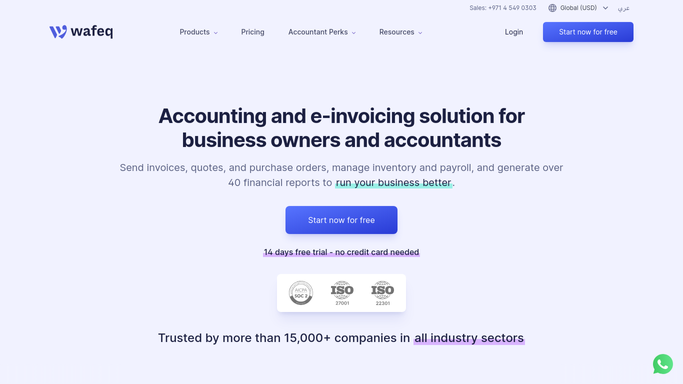
WebRun opens Wafeq to export the full change log. - Open Wafeq and export the change log for the review period
- Capture who created, edited, or approved each invoice, bill, and journal entry
- Note any record edited after it was originally approved
Done when The full change log for the period is exported with every edit attributed.
-
2
Google Sheets - organize the audit trail
google.com How to Automate Google Sheets

WebRun opens Google Sheets to organize the audit trail. - Organize the export by user, record type, and action
- Count edits per user and flag any record edited after approval
- Keep the raw export on one tab and a summary view on another
Done when The audit trail sheet has both the raw log and a summary view.
-
3
Gmail - send the summary to your compliance lead
gmail.com How to Automate Gmail

WebRun opens Gmail to send the summary to your compliance lead. - Draft and send an email to your internal compliance lead with the summary and a link to the full sheet
- Call out any post approval edits by name
- Keep sharing with an outside auditor as your compliance lead's manual decision
Done when Your compliance lead has the summary and full export before the review starts.
How is each run configured?
Secure by default
Connect once, stays signed in
WebRun signs in once and keeps each session in a persistent environment, so every run picks up right where it left off.
Every action is checked against this policy before it runs.
Questions, answered
Does it send the audit trail directly to an outside auditor?
No. The summary and export go only to your internal compliance lead. Sharing anything with an outside auditor stays their manual decision.
What counts as a flagged record?
Any invoice, bill, or journal entry edited after it was already approved gets called out by name in the summary, since that's what auditors usually ask about first.
Can I run this before an unscheduled review, not just quarterly?
Yes. The export covers whatever period you set, so it works the same on demand as it does on the regular quarterly schedule.
Related templates
Put this on autopilot.
Turn it on in minutes - or have our team set it up for you.