Send you a daily ad-spend and ROAS report
Every morning, WebRun opens Google Ads and Meta Ads Manager, pulls yesterday's spend, clicks, conversions, and ROAS for each active campaign, appends the data to a Google Sheet, and sends a clean daily digest to Slack.
- No credit card
- Under $0.01 per run
- Cancel anytime
How can I automatically get a daily ad-spend and ROAS report from Google and Meta Ads?
Every morning, WebRun opens Google Ads and Meta Ads Manager, pulls yesterday's spend, clicks, conversions, and ROAS for each active campaign, appends the data to Google Sheets, and sends a clean daily digest to Slack - so you start every day knowing exactly where your budget went.
- Yesterday's spend and ROAS are waiting in Slack every morning
- Google Sheets is updated daily - a running record of campaign performance
- Cross-platform data from Google and Meta is combined in one digest
Built for paid media managers · performance marketing teams · e-commerce marketing teams · digital agencies
What does WebRun do on every run?
The exact actions WebRun takes, in order - in plain language, so you can adjust anything.
-
WebRun signs in and gets to work
Opens
ads.google.comin a real browser with your saved login - no setup, no API keys. -
1
Google Ads - pull yesterday's campaign metrics
ads.google.com
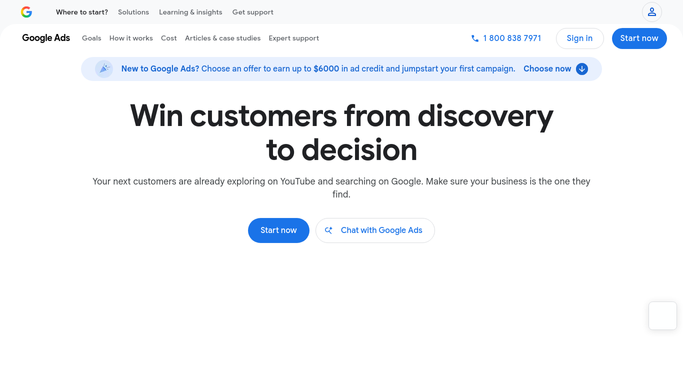
WebRun opens Google Ads to pull yesterday's campaign metrics. - Open Google Ads and navigate to Campaigns
- Set the date range to Yesterday and export the columns: campaign name, spend, clicks, conversions, conversion value, and ROAS
- Capture every active campaign's data
Done when Yesterday's Google Ads metrics are captured for all active campaigns.
-
2
Meta Ads Manager - pull yesterday's Meta campaign metrics
facebook.com

WebRun opens Meta Ads Manager to pull yesterday's Meta campaign metrics. - Open Meta Ads Manager and set the date range to Yesterday
- Export the same columns: campaign name, spend, link clicks, results, cost per result, and ROAS
- Capture data for all active campaigns across Facebook and Instagram
Done when Yesterday's Meta Ads metrics are captured for all active campaigns.
-
3
Google Sheets - append all metrics to the tracker
google.com How to Automate Google Sheets

WebRun opens Google Sheets to append all metrics to the tracker. - Open the Ad Performance tracker sheet
- Append a row per campaign per platform with date, spend, clicks, conversions, and ROAS
- Highlight any campaign where ROAS fell below your target threshold in red
Done when All yesterday's metrics are logged in the sheet with threshold flags applied.
-
4
Slack - send the daily spend digest
slack.com How to Automate Slack

WebRun opens Slack to send the daily spend digest. - Post a daily digest to #paid-ads with total spend across platforms, top-performing campaigns, and any campaigns flagged for low ROAS
- Include yesterday's totals alongside the 7-day average for context
Done when The morning digest is in Slack with spend, ROAS, and trend context.
How is each run configured?
Secure by default
Connect once, stays signed in
WebRun signs in once and keeps each session in a persistent environment, so every run picks up right where it left off.
Every action is checked against this policy before it runs.
Questions, answered
Does it make any changes to my campaigns?
No - this is a read-only report. It pulls data and logs it; it never touches bids, budgets, or campaign status.
Can I add more metrics to the report?
Yes. Tell WebRun which columns you care about - impression share, CPM, frequency - and it will pull and display those alongside the defaults.
What if one platform had zero spend yesterday?
It will note that in the digest so you know the gap is intentional rather than a data error.
Related templates
 Instagram›
Put this on autopilot.
Turn it on in minutes - or have our team set it up for you.