How to Automate Google Sheets

You automate Google Sheets in three layers. Formulas and functions handle anything that stays inside the sheet. Apps Script and scheduled triggers handle repeatable jobs on a timer. Getting the numbers in from tools that have no export is the layer most people still do by hand, and the one worth handing to an agent like WebRun.

Google Sheets quietly became the company database

Google Sheets, which plenty of people still call a Google Spreadsheet, is the free spreadsheet in Google Workspace. In most small companies it quietly became the place where the business is actually run. It holds the customer list, the job schedule, the stock count, the commission working and the numbers someone reads out on Monday morning.

It earned that job by being easy to get into. It opens in a browser, several people can type in it at once, and nobody has to ask an administrator for a licence. The bookkeeper, the office manager and the owner can all be in the same tab at the same time, which is more than can be said for most of the software those three were given.

So the spreadsheet sits downstream of every other tool you own. The booking system, the card terminal, the accounting package and the inbox all feed one sheet, because it is the only place all of it can sit side by side.

Every number in it arrives by hand

Almost none of the time spent on a spreadsheet is spent thinking. It goes on moving numbers into it.

Someone opens the booking system every morning, reads yesterday's total off a dashboard, and types it into a cell. Someone exports a report from the CRM, opens the CSV, deletes three columns and pastes the rest into a tab. Someone checks four supplier portals for prices that changed and updates a column by hand. Someone copies the same figures into a second, tidier sheet for a manager who will never open the first one.

Each takes a few minutes, which is exactly why nobody ever fixes them. They become visible only when the person who does them is on holiday and the sheet goes stale for a fortnight, or when a number gets typed wrong and a decision gets made on it.

The google.com homepage, the app these three jobs run in. Google Sheets
Filling the sheet Yesterday's orders, bookings, balances and ad spend, collected from wherever they live and written into the right row before you open the tab.
Working through the sheet Taking each row and doing something with it somewhere else: a reminder sent, a price checked, a status looked up and written back.
Getting the sheet read Turning the tab nobody opens into a short summary that lands in the place your team already looks every morning.

Formulas only reach what is already open to them

The sheet does more on its own than most people use, and it is worth knowing how far that reaches before paying for anything. One sheet can read a range out of another and stay in step with it. A long tab can be filtered down to a short one that updates itself. A table on a public web page can be pulled in and refreshed. Apps Script will run a job on a timer, so a nightly tidy-up or an emailed snapshot really can be set and forgotten.

Every one of those has the same ceiling. They can only reach what is already open to them: another spreadsheet, a public page, a tool with an API and someone on hand to write against it.

The numbers you actually want are almost never in those places. They are behind a login, on a screen, in a supplier portal or a bank or a booking system or a twenty-year-old piece of trade software, sitting there in plain sight with no export button anywhere near it. That is the wall, and it is the reason someone in your office is still retyping figures at nine in the morning.

A spreadsheet that goes and fetches for itself

Change that, and the question stops being what can I import and becomes what do I want to know.

You buy from six suppliers, and every one shows live prices and stock behind its own login. That can be a column instead: this morning's price against what you paid last time, so the line that moved is obvious before you order.

You ship. Tracking numbers go out and somebody spends an afternoon pasting them into courier sites one at a time. Those statuses can be sitting in the sheet by the time you open it, with anything that stopped moving pushed to the top.

The same trick works on anything you can see in a browser. What your competitors are charging today. Which of your listings slipped off the first page. The takings from a system that only ever shows them on a dashboard. Whether the permit you are waiting on has changed status yet. None of it needs an API, a developer, or an integration somebody else has to build first.

One rule holds across all of it: automate the collecting, keep the deciding. A sheet that fills itself overnight is a gift. A sheet that emails your customers on its own is a risk, and should never send without a person saying yes.

An agent does the retyping

Between the portal where the number lives and the cell it belongs in sits a person. Only the deciding needs one.

WebRun is an AI agent that works a real Chrome browser, signed in as you. It opens the supplier portal, reads the price off the screen, and writes it into the right row of your spreadsheet. Because it uses the browser rather than an API, it reaches anything you can reach: no key to generate, no add-on, no integration that has to exist first.

It runs on your schedule in your own private environment. You can watch a run and stop it mid-way, and anything irreversible drafts and waits for you.

The workflows below are already built. Each one names the apps it touches and the steps it takes, so you can read what it does before you switch it on.

Questions people ask

Do I need to turn on the Google Sheets API or share my spreadsheet?

No. WebRun opens Google Sheets in a real browser signed in as you, so it works with the access you already have. There is no API key, no add-on and no change to the sharing settings on the file.

Will it overwrite the data already in my sheet?

Only where you point it. Most workflows append a new row or write into one named column, and each template spells out which cells it touches before you turn it on. Writing to a raw tab that your working tabs read from keeps typed work safe either way.

Can it pull numbers out of a tool that has no export button?

Yes, and that is usually the reason to use it. WebRun reads the figure off the screen the way a person would, then writes it into your spreadsheet, so a dashboard with no export is no longer a dead end.

4,178 ready-made Google Sheets workflows

Each one names the apps it touches and the exact steps it takes. Open one to read what it will do, then turn it on.
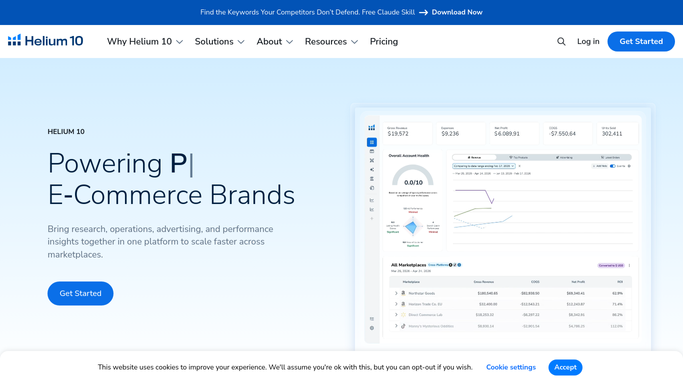

Helium 10 Automated Amazon Price Change Pre-Flight Check
Before any bulk price change, WebRun checks your current Buy Box ownership, margin, and competitor prices in Helium 10 and Seller Central, then logs a pre-flight checklist to Google Sheets so you know every change is safe before it goes live.
Helium 10Amazon Seller CentralGoogle Sheets
Automated Air Cargo On-Time Performance Report
WebRun pulls flight departure and arrival data from Awery each week, calculates on-time performance metrics by lane and carrier, and posts a formatted report to Google Sheets and Slack for your management team.
AweryGoogle SheetsSlack
Automated Alumni Review Request Drafts for Treatment Centers
WebRun checks Kipu Health weekly for patients who completed treatment 30 to 60 days ago, drafts a personalized review request for each alumni for staff review, and queues approved messages for dispatch via Mailchimp so your reputation grows without compromising patient privacy.
Kipu HealthMailchimpGoogle Sheets
Automated Yard Equipment Maintenance Due Alerts
WebRun checks yard equipment records in YardView for trailers, spotters, and dock levelers with maintenance due within 14 days, and sends a Telegram alert to your maintenance team plus a weekly work-order list to Google Sheets.
YardViewTelegramGoogle Sheets
Automated Telehealth Review Request Drafts
After a completed Doxy.me visit, WebRun drafts a brief review request email in Gmail for staff to approve, so satisfied patients are prompted to share their experience without any automated outreach.
Doxy.meGmailGoogle Sheets
Automated Tax Resolution Payment Reconciliation
WebRun compares payments recorded in QuickBooks against IRS balance data in Canopy, flags any discrepancies, and delivers a reconciliation digest to your team via Google Sheets.
CanopyQuickBooksGoogle Sheets
Inntopia Automated Season Pass Renewal Reminders
WebRun checks Inntopia for season pass holders whose passes expire soon and drafts a timely renewal reminder via Twilio SMS so your team can review and send before the deadline.
InntopiaTwilioGoogle Sheets
PointClickCare Automated Resident Balance Follow-Up
WebRun reviews PointClickCare each week for resident and responsible-party balances past 30 days, logs them in a Google Sheet, and drafts a courteous balance-reminder letter in Gmail for your business office to review and send.
PointClickCareGoogle SheetsGmail
Printavo Automated Quote Follow-Up Drafts
Every morning, WebRun scans Printavo for quotes sent but not approved, drafts a polite follow-up for each customer, and queues them in Gmail for your review.
PrintavoGmailGoogle Sheets
Automated Wholesale Coffee Quote Follow-Up Drafts
WebRun checks your Google Sheet of open wholesale quotes each morning, finds ones that have gone unanswered for 3 days, and drafts a polite follow-up email in Gmail for each prospect, ready for your approval.
Google SheetsCropsterGmail
Automated Return Inspection Disposition Digest
Every evening, WebRun opens ReverseLogix, tallies the day's inspected returns by grade and disposition (restock, refurbish, scrap, vendor return), and drops a concise summary into Google Sheets for your ops and finance teams.
ReverseLogixGoogle Sheets
Automated Produce Pro Price List Update Rollout
When commodity prices change in Produce Pro, WebRun drafts a price-update email for each customer segment and posts a change summary to the sales Slack channel so reps can quote confidently the same day.
Produce ProGmailGoogle Sheets
Printful Automated Weekly Profit Margin Report
Every Monday, WebRun pulls your Printful fulfillment costs and order revenue for the past 7 days, calculates gross margin per product, and logs a ranked profitability report to Google Sheets so you know exactly where to invest and where to cut.
PrintfulGoogle Sheets
Automated Pizzeria Review Request SMS via Slice
After each completed Slice order, WebRun drafts a friendly review-request text for your approval so satisfied customers get a personal nudge at exactly the right moment.
SliceTwilioGoogle Sheets
Automated Pediatric Referral Status Tracking
WebRun checks Office Practicum each morning for open specialist referrals, logs their status in a Google Sheet, and posts a Slack digest to your care coordinator listing referrals that are overdue for a follow-up.
Office PracticumGoogle SheetsSlack
Automated Dental Referral Tracking for Oral Surgery
WebRun checks DSN Software each week for open referrals from dentists, logs their status in Google Sheets, and sends the referring dentist coordinator a Slack summary so no referral falls through the cracks.
DSN SoftwareGoogle SheetsSlack
Automated Nephrology Referral Tracking
WebRun checks Acumen daily for inbound nephrology referrals without a scheduled appointment, logs stalled referrals to Google Sheets, and posts an action list to Slack so none fall through the cracks.
AcumenGoogle SheetsSlack
Automated Cinema Private Hire Enquiry Follow-Ups
Every morning, WebRun finds new private hire enquiry form submissions from the past 24 hours, cross-checks availability in Vista, drafts a personalised follow-up email in Gmail with available sessions, and logs each enquiry in Google Sheets.
VistaGmailGoogle Sheets
Automated LTL Carrier On-Time Performance Reporting
WebRun pulls carrier transit data from SMC3, calculates on-time delivery rates by carrier and lane, and emails your logistics team a formatted weekly scorecard.
SMC3Google SheetsMailchimp
Automated Land Survey Lead Intake and Routing
When a new project inquiry lands, WebRun reads the scope and location, matches it to the right survey crew lead, and drafts a personalised acknowledgment email for your review.
Carlson SoftwareGoogle SheetsGmail
Automated Therap Service Authorization Expiry Tracking
WebRun checks Therap weekly for service authorizations expiring soon, logs each to a Google Sheets tracker, and alerts billing staff in Slack so renewals are submitted before services are interrupted.
TherapGoogle SheetsSlack
Automated Oversize Load Status Digest
WebRun pulls the current status of every active oversize load from ProMiles each morning, compiles a concise digest with permit status, route position, and any alerts, and posts it to your Telegram ops group so your whole team starts the day informed.
ProMilesTelegramGoogle Sheets
Automated Equipment Quote Follow-Up Drafts
WebRun checks e-Emphasys for quotes that have gone quiet, drafts a polite follow-up email for each one, and queues them in Gmail for your rep to review and send.
e-EmphasysGmailGoogle Sheets
Automated Etsy Refund Exception Flags
Every morning, WebRun checks your Etsy open cases and refund requests, flags patterns that look unusual such as repeat refunders or high-value claims, logs them in Google Sheets, and sends you a Telegram alert.
EtsyMarmaleadGoogle Sheets

Want one of these running on your own Google Sheets?

Show WebRun the process once and it will run it on schedule, in your own private browser environment.