Follow up on open wholesale quotes before they go cold
Every morning, WebRun scans your open-quote Google Sheet, finds prospects who have not responded in 3 days, cross-checks their account status in Cropster, and drafts a polite follow-up email in Gmail for each one, left unsent for your review.
- No credit card
- Under $0.01 per run
- Cancel anytime
How do I automatically follow up on open wholesale coffee quotes?
Every morning, WebRun scans your open-quote Google Sheet, finds prospects who have not responded in 3 days, verifies they have not yet converted in Cropster, and drafts a personalized follow-up email in Gmail for each one. Your reps review and send the drafts, so no quote goes cold without a timely, human-approved nudge.
- No unanswered quote goes past 3 days without a follow-up drafted
- Converted prospects are automatically excluded so reps never double-contact
- Personalized drafts take seconds to review and send, not minutes to write
Built for wholesale coffee roasters · roastery sales reps · owner-operators managing new accounts
What does WebRun do on every run?
The exact actions WebRun takes, in order - in plain language, so you can adjust anything.
-
WebRun signs in and gets to work
Opens
docs.google.com/spreadsheetsin a real browser with your saved login - no setup, no API keys. -
1
Google Sheets - find quotes unanswered for 3 or more days
google.com How to Automate Google Sheets

WebRun opens Google Sheets to find quotes unanswered for 3 or more days. - Open the open-quotes tracking Google Sheet
- Filter rows to quotes sent 3 or more days ago with no response logged
- Collect the prospect name, contact email, quote date, products quoted, and total value for each
Done when All stale, unanswered quotes are listed with their prospect details and quoted values.
-
2
Cropster - check prospect account status
cropster.com How to Automate Cropster
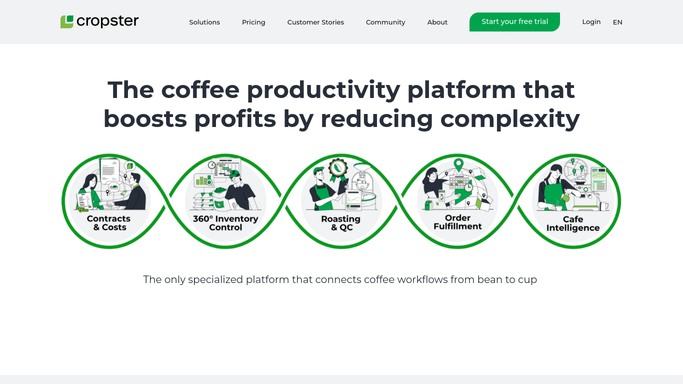
WebRun opens Cropster to check prospect account status. - Look up each prospect in Cropster to check whether they have since become an active account
- Skip any prospect who converted to a customer since the quote was sent
- Flag any prospect who was previously declined or put on hold
Done when Each stale quote is confirmed as still open in Cropster, with converted or declined prospects removed.
-
3
Gmail - draft follow-up email per quote
gmail.com How to Automate Gmail

WebRun opens Gmail to draft follow-up email per quote. - Draft a short, friendly follow-up email for each remaining open quote
- Reference the original quote date and the products offered to make the message feel personal
- Save each draft unsent in Gmail for your rep to review and send when ready
Done when A follow-up draft is waiting in Gmail for every unanswered quote, unsent pending rep approval.
How is each run configured?
Secure by default
Connect once, stays signed in
WebRun signs in once and keeps each session in a persistent environment, so every run picks up right where it left off.
Every action is checked against this policy before it runs.
Questions, answered
Will it send follow-up emails to prospects automatically?
No. Every follow-up is saved as a Gmail draft and left unsent. Your rep reads it, adjusts the tone if needed, and hits send when they are ready. No prospect is contacted without a human decision.
What if the same prospect has two open quotes?
It groups multiple open quotes under one follow-up draft so a single email covers all outstanding proposals for that prospect, rather than sending two separate emails.
How do I mark a quote as responded to so it is not followed up again?
Add a response date or a status of Responded in the Google Sheet. WebRun checks that column each morning and skips any quote with a response date logged.
Related templates
Put this on autopilot.
Turn it on in minutes - or have our team set it up for you.