How to Automate Driver Schedule
Driver Schedule automates the roster itself: Auto-Assign Scheduling fills open trips and shifts from stated availability, the Trip Import Tool brings a broker's trips in, and License and Compliance Tracking holds the expiry dates. What keeps changing the day sits on the broker's portal, which is where an agent like WebRun works.
 Written by
Marta Ellison
Automation strategist
Written by
Marta Ellison
Automation strategist
 Reviewed by
Julian Adeniyi
Retail operations
Reviewed by
Julian Adeniyi
Retail operations
Driver Schedule holds the roster for a workforce that is never in the building
A transportation company has an office with four desks in it and a workforce nobody at those desks can see. The drivers are in vehicles, somewhere between a house and a dialysis clinic, or a depot and a loading dock, and the only reason anybody knows where is that a screen says so.
Driver Schedule is that screen. It is driver management and scheduling software: the roster, who is available on which days, who is clocked in, who has time off booked, which vehicle went out and what its last inspection turned up. The companies on it run trucks, last-mile delivery, limousines, waste and construction fleets, driving schools, and non-emergency medical transportation moving older people to dialysis and to the eye doctor.
The staff at those desks do one job all day, in a hundred small pieces: match a person who is allowed to drive to a trip that has to happen, then do it again the moment something moves.
The trips change faster than the board does
The schedule built on Friday is not the schedule that runs on Monday, and nothing about that is unusual.
A broker sends over next week's authorized trips. A rider's dialysis slot moves an hour. A facility discharges somebody at four instead of two and the will-call arrives with no notice. A driver texts at six in the morning to say his back has gone. A medical certificate expired last Thursday and nobody noticed until the compliance folder was opened. The fuel card statement lands and somebody has to work out whether the miles on it match the miles that got billed.
Each of those is five minutes. There are forty of them in a day, they arrive in six different places, and the person absorbing them is also the person answering the phone when a rider's daughter calls to ask where the car is.
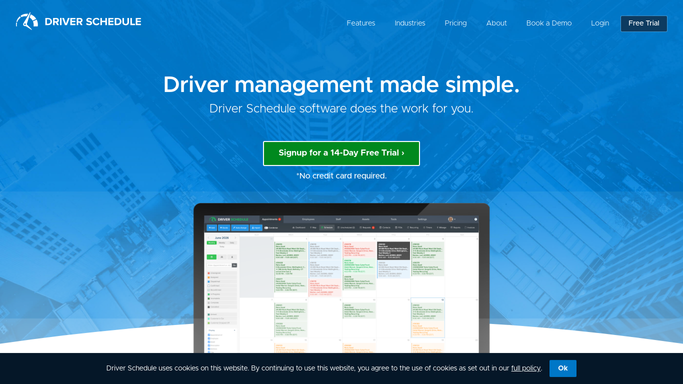
Auto-Assign fills the shifts nobody wants to fill by hand
The scheduling itself is the part Driver Schedule has genuinely taken off the desk, and an operator who has not switched all of it on is paying wages for the difference.
Auto-Assign Scheduling puts drivers against open appointments, trips, routes and shifts using their availability and stated work preferences, spreads the hours evenly rather than landing them on whoever answers first, and will do a single day or a full week in one pass. The Trip Import Tool brings a broker's trips and appointments into the program instead of somebody keying them. Driver Availability, Time-Off Tracking and the time clock keep the roster honest about who can actually be assigned. License and Compliance Tracking holds the expiry dates, Asset Inspections keeps the vehicle records, and the mobile app lets a driver punch in, pick up shifts, report a vehicle problem and message the office without ringing it.
All of that runs on what is already inside the program. The facts that keep rewriting the day belong to somebody else: the broker's portal, the facility's schedule, the state licensing site, the fuel card account. Those open for a person with a login and for nothing else.
A manifest that checks itself against the broker
Give a scheduler's logins to something that will use them at five in the morning and the shape of the day changes.
The broker's portal read before dispatch, so trips added, cancelled or reassigned overnight sit next to the run they affect instead of turning up as a driver at an empty house. Standing orders checked against what the portal now says, because a recurring Tuesday ride quietly ending is the kind of thing a driver discovers. Every licence and medical certificate checked against the issuing site on its own cycle, ahead of the expiry rather than after it, and vehicle registration and inspection renewals watched the same way.
Then the money. What the broker authorized set against what the manifest says actually ran, so a trip denied for a missing signature surfaces while it can still be fixed. Fuel card and toll statements matched to the mileage the runs recorded. Ride volume by broker and by weekday, so a contract that is quietly shrinking is visible before the invoice explains it.
One line stays fixed. Reading portals and checking dates can run unattended. Anything that moves a booking, or that reaches a rider or their family, is prepared and left for a person.
The portal reading happens before the first pickup
Half past five is the right time to read a broker portal, and the wrong time to set an alarm for a dispatcher who will be on the phone from six.
WebRun is an AI agent that works a real Chrome browser, signed in the way your office is. It opens the broker's site, the licensing page or the fuel card account, reads what is on the screen, and lines it up against the roster and the runs Driver Schedule already holds.
It runs on a schedule you set, in your own private environment, and a workflow can be locked to a named list of domains. Nothing reaches a rider without a person sending it. Each workflow below names the sites it opens.
Questions people ask
Will it move trips on the schedule by itself?
No. It reads the broker's portal and reports what changed, then hands that to a dispatcher. Anything that reassigns a driver, or that reaches a rider or a family member, is prepared and waits for a person to send it.
Our broker already sends us a trip file. Is this different?
It covers what happens after the file. The Trip Import Tool brings the batch in; this reads the portal through the day for the additions, cancellations and denials that landed once the file had already been generated.
Does this need an integration built into Driver Schedule?
No. It works a browser signed in the way your office already is, so it uses the access your staff have. Nothing is wired into your Driver Schedule account, and there is no developer work before the first run.
12 ready-made Driver Schedule workflows
Each one names the apps it touches and the exact steps it takes. Open one to read what it will do, then turn it on.






Want one of these running on your own Driver Schedule?
Show WebRun the process once and it will run it on schedule, in your own private browser environment.