Turn family ride requests into scheduled trips
The moment a family submits a ride request through your Google Form, WebRun reads the resident, date, time, and destination, checks driver and vehicle availability in Driver Schedule, creates a pending booking, and drafts a confirmation email in Gmail for your coordinator to review before it goes out.
- No credit card
- Under $0.01 per run
- Cancel anytime
How do I automatically turn family ride requests into scheduled trips?
WebRun reads each new Google Form ride request for the resident, date, time, and destination, checks driver and vehicle availability in Driver Schedule, and creates a pending booking. It then drafts a confirmation email in Gmail and leaves it unsent, so your coordinator reviews and sends it, turning a family's request into a scheduled trip within minutes instead of a day of back and forth calls.
- Ride requests get a pending booking within minutes of being submitted
- Coordinators review one drafted email instead of writing each confirmation from scratch
- Requests with no availability are flagged instead of silently booked
Built for NEMT intake coordinators · assisted living transportation staff · family caregivers requesting rides · senior living front desk teams
What does WebRun do on every run?
The exact actions WebRun takes, in order - in plain language, so you can adjust anything.
-
WebRun signs in and gets to work
Opens
docs.google.com/formsin a real browser with your saved login - no setup, no API keys. -
1
Google Forms - read the new ride request
google.com

WebRun opens Google Forms to read the new ride request. - Read the new response for resident name, requested date, time, and destination
- Capture any notes, like a wheelchair or a second passenger
- Flag incomplete responses missing a required field
Done when Every new ride request is captured with the resident, date, time, and destination.
-
2
Driver Schedule - check availability and book a pending ride
driverschedule.com How to Automate Driver Schedule
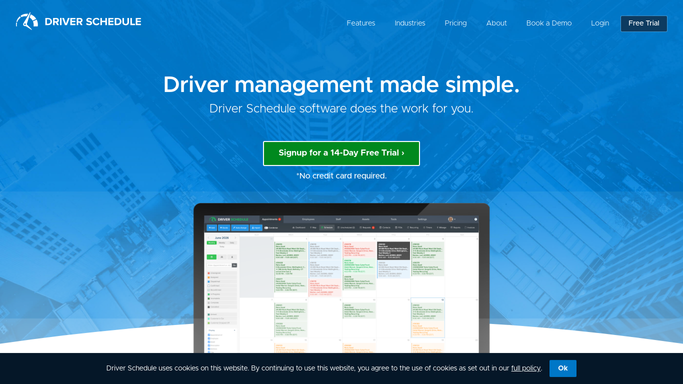
WebRun opens Driver Schedule to check availability and book a pending ride. - Check driver and vehicle availability for the requested date and time
- Create the ride as a pending booking against the best available driver
- Leave the request unassigned if nothing is available and flag it instead
Done when Every complete request has a pending booking, or is flagged as unavailable.
-
3
Gmail - draft the confirmation email
gmail.com How to Automate Gmail

WebRun opens Gmail to draft the confirmation email. - Draft a confirmation email to the family with the pending pickup time and driver
- For unavailable requests, draft an alternative times message instead
- Leave every draft unsent for the coordinator to review
Done when A drafted, unsent email is ready for every request, confirmation or alternative.
How is each run configured?
Secure by default
Connect once, stays signed in
WebRun signs in once and keeps each session in a persistent environment, so every run picks up right where it left off.
Every action is checked against this policy before it runs.
Questions, answered
Does it email the family without anyone reviewing it first?
No. Every confirmation is drafted and left unsent in Gmail. Your coordinator reviews and sends it, WebRun never emails a family on its own.
What happens if no driver is available at the requested time?
The request is flagged instead of booked, and WebRun drafts an alternative times email for your coordinator to send instead of confirming a ride that cannot happen.
Is the pending booking final once WebRun creates it?
No. It is a pending hold in Driver Schedule, not a confirmed ride. Your coordinator can adjust or reassign it before the confirmation email goes out.
Related templates
Put this on autopilot.
Turn it on in minutes - or have our team set it up for you.