Give your team today's ride schedule every morning
Every morning, WebRun opens Driver Schedule, reads every ride booked for the day, logs each pickup, resident, driver, and destination to a Google Sheet, and posts a formatted digest to Slack so your dispatch team starts the day with the full schedule in one place.
- No credit card
- Under $0.01 per run
- Cancel anytime
How do I automatically send my team today's ride schedule?
WebRun opens Driver Schedule every morning, reads every ride booked for the day, and logs each pickup, resident, driver, and destination to a Google Sheet. It then posts a formatted digest to Slack before the first pickup, so your dispatch team starts the day with the full ride schedule in one place instead of checking Driver Schedule ride by ride.
- Dispatch has the full day's ride list in Slack before the first pickup
- Rides with no driver assigned are flagged before pickup time, not after
- No one has to open Driver Schedule manually to see what the day looks like
Built for assisted living transportation coordinators · NEMT dispatchers · senior living communities · adult day program transportation
What does WebRun do on every run?
The exact actions WebRun takes, in order - in plain language, so you can adjust anything.
-
WebRun signs in and gets to work
Opens
app.driverschedule.comin a real browser with your saved login - no setup, no API keys. -
1
Driver Schedule - pull today's ride bookings
driverschedule.com How to Automate Driver Schedule
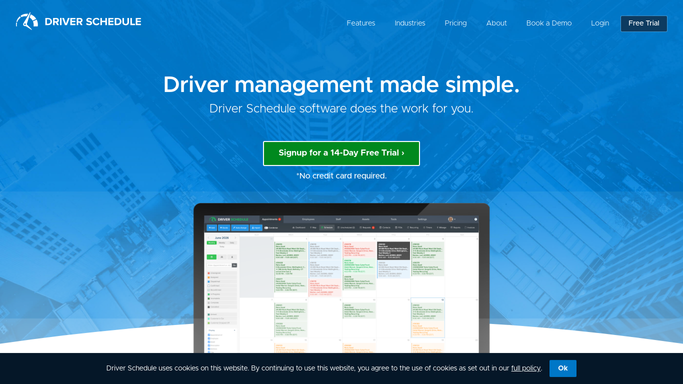
WebRun opens Driver Schedule to pull today's ride bookings. - Open Driver Schedule and pull every ride booked for today
- Capture the resident, pickup time, pickup address, destination, and assigned driver for each ride
- Flag any ride that still has no driver assigned
Done when Every ride booked for today is listed with its pickup time, driver, and destination.
-
2
Google Sheets - log the day's schedule
google.com How to Automate Google Sheets

WebRun opens Google Sheets to log the day's schedule. - Open the daily ride log sheet
- Append today's rides in pickup time order
- Highlight any ride still missing a driver
Done when The day's full ride list is logged and sorted by pickup time.
-
3
Slack - post the morning digest
slack.com How to Automate Slack

WebRun opens Slack to post the morning digest. - Post the day's ride count and first pickup time to the dispatch channel
- List each ride with its time, resident, driver, and destination
- Call out any ride still needing a driver at the top of the message
Done when Dispatch has the full day's ride schedule in Slack before the first pickup.
How is each run configured?
Secure by default
Connect once, stays signed in
WebRun signs in once and keeps each session in a persistent environment, so every run picks up right where it left off.
Every action is checked against this policy before it runs.
Questions, answered
Does the digest include private resident health details?
No. It lists pickup times, drivers, and destinations only, and stays inside your internal Slack channel. It is not sent or shown to anyone outside your organization.
What happens to rides with no driver assigned yet?
They are flagged at the top of the digest so dispatch can assign a driver before the pickup window, instead of finding out at pickup time.
Can it cover more than one community or route at once?
Yes. It reads every ride Driver Schedule has booked for the day, so multiple routes, vehicles, and communities all show up in the same morning digest.
Related templates
Put this on autopilot.
Turn it on in minutes - or have our team set it up for you.