Keep every vehicle on top of its maintenance schedule
Every morning, WebRun opens Driver Schedule, reads each vehicle's current mileage and assigned routes, checks that mileage against its service intervals in Fleetio, and posts a Slack alert for any vehicle due for maintenance soon, with a drafted work order ready for the fleet manager to confirm.
- No credit card
- Under $0.01 per run
- Cancel anytime
How do I get early alerts before a transportation vehicle is due for maintenance?
WebRun reads each vehicle's current mileage in Driver Schedule every morning, checks it against the service intervals in Fleetio, and flags any vehicle within 500 miles or two weeks of its next service. It drafts a work order in Fleetio for each and posts a Slack alert to the fleet manager, so maintenance gets booked ahead of time instead of a vehicle breaking down mid route.
- Vehicles get flagged for service 500 miles or two weeks before they are due
- Work orders are drafted and ready, so booking service takes one click instead of a phone call
- Vehicles booked on today's routes are called out so maintenance never collides with a scheduled ride
Built for NEMT fleet managers · assisted living transportation staff · paratransit operators · senior living fleet administrators
What does WebRun do on every run?
The exact actions WebRun takes, in order - in plain language, so you can adjust anything.
-
WebRun signs in and gets to work
Opens
app.driverschedule.comin a real browser with your saved login - no setup, no API keys. -
1
Driver Schedule - read current vehicle mileage
driverschedule.com How to Automate Driver Schedule
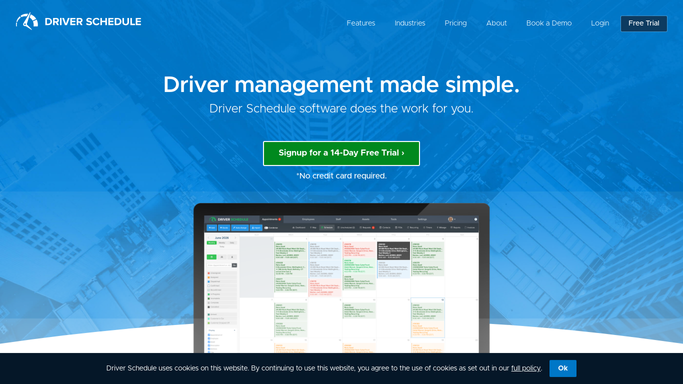
WebRun opens Driver Schedule to read current vehicle mileage. - Open Driver Schedule and pull current mileage for every active vehicle
- Note which vehicles are booked on today's routes
- Capture each vehicle's last recorded service date
Done when Every active vehicle's current mileage and today's route assignment are captured.
-
2
Fleetio - check maintenance intervals
fleetio.com How to Automate Fleetio

WebRun opens Fleetio to check maintenance intervals. - Check each vehicle's mileage against its service interval in Fleetio
- Flag any vehicle within 500 miles or 2 weeks of its next service
- Draft a maintenance work order for each flagged vehicle, left unconfirmed
Done when Every vehicle due for service soon has a drafted work order waiting for confirmation.
-
3
Slack - alert the fleet manager
slack.com How to Automate Slack

WebRun opens Slack to alert the fleet manager. - Post an alert to the fleet channel listing every vehicle due for service soon
- Flag any vehicle that is booked on today's route but close to due
- Link to the drafted work order for each
Done when The fleet manager has today's maintenance alerts and draft work orders in Slack.
How is each run configured?
Secure by default
Connect once, stays signed in
WebRun signs in once and keeps each session in a persistent environment, so every run picks up right where it left off.
Every action is checked against this policy before it runs.
Questions, answered
Does it take a vehicle out of service automatically?
No. It only flags the vehicle and drafts a work order in Fleetio. Your fleet manager confirms the work order before a vehicle is pulled from the route schedule.
How far ahead does it warn you about upcoming service?
It flags a vehicle once it is within 500 miles or two weeks of its next scheduled service, so there is time to book the appointment before the vehicle is due.
What if a flagged vehicle is already booked on today's routes?
It calls that out specifically in the Slack alert, so the fleet manager can plan around today's rides instead of the vehicle going out unaware it is close to due.
Related templates
Put this on autopilot.
Turn it on in minutes - or have our team set it up for you.