How to Automate Microsoft Teams

Microsoft Teams automates well inside its own estate. Power Automate has connectors for SharePoint, Outlook, Excel and hundreds of major products, and posts to a channel on almost any event. The systems with no connector, which in most companies is the interesting half, still need a person to go and look.

Teams is where the company's process actually lives

Microsoft Teams is the chat, meetings and files layer bundled with Microsoft 365, which means most companies did not so much choose it as receive it. That matters, because it ends up carrying more than conversation.

The channel structure usually mirrors the org chart, and the files tab is where the real version of a document lives. Approvals happen in it. Handovers happen in it. In a lot of firms the actual process, as distinct from the documented one, is whatever gets posted in a particular channel on a particular day of the week.

It also sits inside a governed estate. There is an IT department, a tenant, an admin consent screen, and a queue for getting anything installed. That changes what automation is realistic far more than any technical limit does.

The weekly update is assembled by hand

In most companies somebody spends Monday morning building a post.

They open three systems, copy numbers into a message, format it so it reads well on a phone, and post it to the leadership channel. Somebody else does the same for the operations channel on Thursday. A third person checks a queue twice a day and flags anything that has been sitting too long.

These are not junior tasks either. They tend to land on the person who understands the numbers, which means an experienced person spends a few hours a week transcribing figures from one screen to another.

And when that person is away, the update simply does not go out, which is the clearest sign it was never really a process.

The microsoft.com homepage, the app these three jobs run in. Microsoft Teams
Past the connector list The line-of-business system with no Power Automate connector can still put its numbers in a channel.
No IT ticket to raise Nothing gets installed into the tenant, so a team can start without waiting on an admin approval queue.
Approvals stay with people The channel gets the facts and the flag. What happens next is still somebody's decision to make.

Power Automate reaches everything Microsoft has a connector for

Teams has serious automation attached to it, and inside the Microsoft world it is genuinely strong.

Power Automate builds flows across hundreds of connectors, so a new SharePoint file, an Outlook email, a Forms response, an Excel row or a Planner task can all post to a channel, start an approval or update a record. Workflows can be attached directly to a channel. Adaptive Cards give a post buttons that write back. Approvals are a first-class feature rather than a convention.

The whole model rests on the connector list. Where a connector exists, this is excellent and you should use it rather than anything else. Where one does not, there is no route at all.

In most companies the systems without connectors are the specific ones: the industry package the business actually runs on, the regional supplier portal, the customer's own extranet, the internal tool a contractor built in 2011. Those hold the numbers people most want in the channel.

The systems outside the tenant can reach the channel too

The systems with no connector are still websites. A browser can open a website, and the connector list stops being the boundary.

The Monday leadership post, assembled from the three systems it currently takes a person to open. The queue that gets checked twice a day, checked every twenty minutes instead, with a message only when something has aged past its limit. The supplier portal that shows a delivery date nobody sees until a customer asks.

The industry system that runs the actual business, the one with no API and no export, reporting its own numbers into the channel where decisions get made about them.

There is a governance point here that works in your favour. Nothing is installed into the tenant, so there is no admin consent to obtain and no new app with standing permissions across the estate. The agent signs in the way a staff member does, sees what that person can see, and can be locked to an explicit list of sites.

The transcribing is the part to give away

The figure that goes into the post is on a screen in another system, and moving it across is typing. The judgement in the post is worth paying for. The transcription is not.

WebRun is an AI agent that works a real Chrome browser, signed in as you. It opens whatever holds the numbers, including the systems with no connector, reads what is on the screen, and posts the result into the Teams channel you choose.

It runs on your schedule in your own private environment, you can watch a run and stop it, and it can be restricted to a named set of domains. Anything that would go outside the company drafts and waits.

The workflows below are already built, and each one shows what it opens and in what order.

Questions people ask

Does our IT team need to approve an app in the tenant?

No. Nothing is installed into Microsoft 365 and no tenant-wide permissions are granted. The agent works the browser signed in as a normal user, so it sees exactly what that user can see.

Should we use this instead of Power Automate?

Not where a connector already exists. Power Automate is the better tool for anything inside the Microsoft estate. This is for the systems it has no connector for, and the two work together happily.

Can it be restricted to specific systems?

Yes. A workflow can be locked to an explicit list of domains, so an agent holding a session cannot wander into anything you did not name.

1,329 ready-made Microsoft Teams workflows

Each one names the apps it touches and the exact steps it takes. Open one to read what it will do, then turn it on.

Automated Bukalapak Buyer Chat Replies
Every hour, WebRun checks your Bukalapak chats for buyer messages still waiting on a reply, drafts an answer for approval, queues them oldest first in Airtable, and posts to Teams.
BukalapakAirtableMicrosoft Teams
Automated Bloomfire Unanswered Question Queue
Every morning, WebRun finds the questions sitting unanswered in Bloomfire, posts the open queue to Slack, and nudges the likely expert in Microsoft Teams so the library actually answers people.
BloomfireSlackMicrosoft Teams
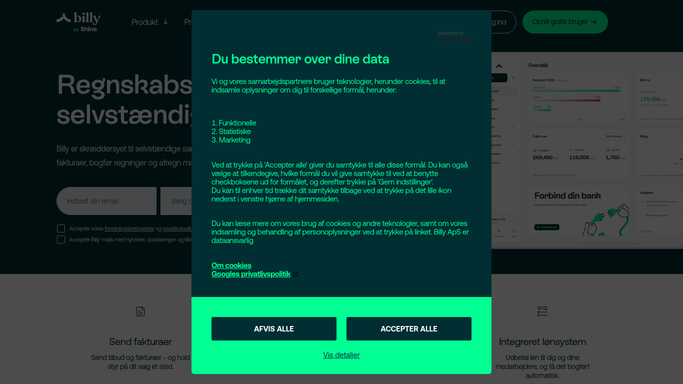
Automatic Billy Payment Reconciliation
When a payment lands, WebRun opens Billy, matches the bank line to an open invoice, logs the result in Airtable, and tells your finance channel in Microsoft Teams what still has no home.
BillyAirtableMicrosoft Teams
Automated Base44 App Health Checks
Every morning, WebRun opens each published Base44 app, confirms it loads, counts new users and records since yesterday, and posts the results to Microsoft Teams and Telegram.
Base44Microsoft TeamsTelegram
Automated Barracuda Quarantine Triage
Every hour, WebRun reviews what Barracuda has quarantined, picks out the messages that look like genuine business mail, and hands your admin a short release queue.
Barracuda NetworksSlackMicrosoft Teams
Automated Ayoa Weekly Workload Balance
Every Monday, WebRun reads your Ayoa task boards, counts what each teammate is due to deliver this week, and posts a workload balance to Slack and Microsoft Teams.
AyoaSlackMicrosoft Teams
Automated Archbee Docs Search Gap Reports
Every Monday, WebRun reads what readers searched for in your Archbee spaces and did not find, ranks the gaps in Google Sheets, and posts the writing backlog to Microsoft Teams.
ArchbeeGoogle SheetsMicrosoft Teams
Automated Amplenote Action Item Handoff
Every morning, WebRun reads yesterday's Amplenote notes, pulls out the tasks that belong to other people, and sends each teammate only their own actions.
AmplenoteSlackMicrosoft Teams
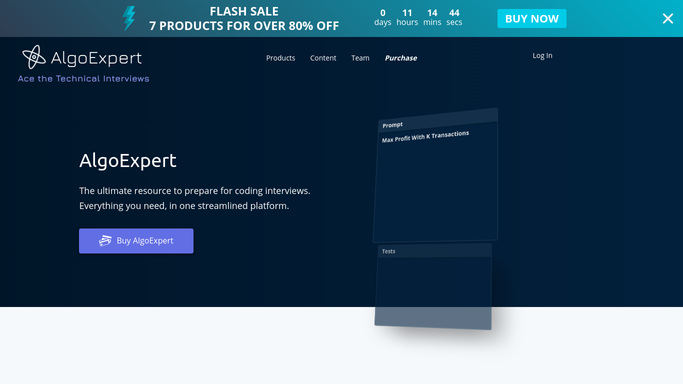
Automated AlgoExpert Practice Queues
Every morning, WebRun reads your AlgoExpert progress, picks three unsolved questions from your weakest categories, posts them to Microsoft Teams, and sends the queue to your Telegram.
AlgoExpertMicrosoft TeamsTelegram
Automated Adapt.io Contact List Enrichment
Upload a list and WebRun looks up each contact in Adapt.io, fills the missing titles and emails, and returns the completed file with the unmatched rows named.
Adapt.ioMicrosoft TeamsWhatsApp
Automated Act-On Lead Score Handoffs
Every hour, WebRun finds Act-On contacts whose lead score just crossed your threshold, texts the owning rep through Twilio, and posts the handoff to Microsoft Teams.
Act-OnTwilioMicrosoft Teams
Automated 1688 Order Shipment Tracking
Every morning, WebRun reads your placed 1688 orders and their tracking, logs each shipment in Airtable, and posts the late ones to Microsoft Teams.
1688AirtableMicrosoft Teams
Automated Zomato Review Reply Drafts
Every morning, WebRun reads your new Zomato reviews and ratings, drafts a reply to each one for your approval in Notion, and posts the day's summary to Microsoft Teams.
ZomatoNotionMicrosoft Teams
Automated Zoho People Onboarding Tracking
Every morning, WebRun checks each new hire's onboarding tasks in Zoho People, keeps a status page per starter in Notion, and posts the outstanding steps to Microsoft Teams.
Zoho PeopleMicrosoft TeamsNotion
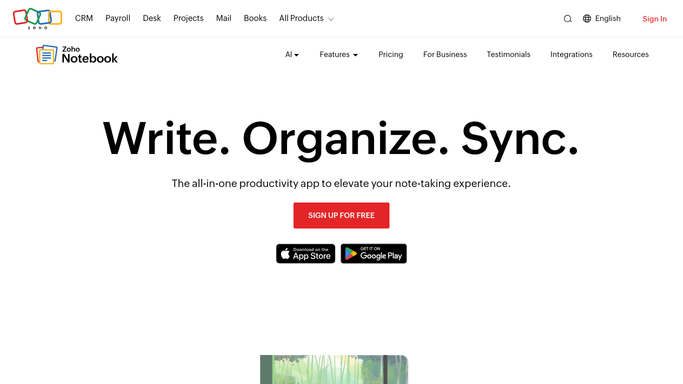
Automated Zoho Notebook Tidy-Up Reports
Every Monday, WebRun reviews your Zoho Notebook cards, finds the untagged, unfiled, and near-duplicate ones, and posts a short tidy list with suggestions to Teams.
Zoho NotebookMicrosoft TeamsTwilio
Automated Zoho Cliq Dormant Channel Review
Every Monday, WebRun reviews your Zoho Cliq channels, finds the ones with no recent activity, and shows you the owner, the members and the last message date for each.
Zoho CliqTelegramMicrosoft Teams
Automated Zoho Bookings No-Show Scorecard
Every Monday, WebRun totals last week's Zoho Bookings no-shows and cancellations by staff member and service, posts the scorecard to Microsoft Teams, and sends the headline numbers to Telegram.
Zoho BookingsMicrosoft TeamsTelegram
Automated Yandex Mail Invoice Filing
Every Monday, WebRun searches Yandex Mail for last week's invoice and receipt attachments, files them into one folder, posts the index to Microsoft Teams, and texts the count.
Yandex MailTwilioMicrosoft Teams
Automated Workflowy Stale Item Review
Every Monday, WebRun sweeps your Workflowy tags for open bullets that have sat untouched, posts the stale list to Microsoft Teams, and pings Telegram about the oldest.
WorkflowyMicrosoft TeamsTelegram
Automatic Web.de Spam Folder Rescue
Every morning, WebRun reads your Web.de spam folder, moves genuine mail from known senders back to the inbox, logs the rescues in Notion, and posts anything doubtful to Microsoft Teams.
Web.deNotionMicrosoft Teams
Automated Walmart Supply Reorder Lists
Every Monday, WebRun reads your Walmart order history, works out what is due to be reordered, builds the cart at current prices, emails you the list, and posts it to Microsoft Teams for approval.
WalmartMicrosoft TeamsGmail
Automated Vonage Billing Usage Monitoring
Every Monday, WebRun reads your Vonage billing and usage pages, works out which charge line moved and on which extension, records it in Notion, and posts the finding to Microsoft Teams.
VonageNotionMicrosoft Teams
Automated Viber Photo and File Archiving
Every night, WebRun saves the day's Viber photos and files to your archive folder named by sender, posts an index to Microsoft Teams, and drafts a Gmail summary.
ViberMicrosoft TeamsGmail
Automated Verint Forecast Accuracy Review
Every Monday, WebRun compares last week's Verint forecast against actual interaction volume by interval, posts the biggest misses to Microsoft Teams, and summarises them in Telegram.
VerintMicrosoft TeamsTelegram

Want one of these running on your own Microsoft Teams?

Show WebRun the process once and it will run it on schedule, in your own private browser environment.