How to Automate Microsoft Teams

Microsoft Teams automates well inside its own estate. Power Automate has connectors for SharePoint, Outlook, Excel and hundreds of major products, and posts to a channel on almost any event. The systems with no connector, which in most companies is the interesting half, still need a person to go and look.

Teams is where the company's process actually lives

Microsoft Teams is the chat, meetings and files layer bundled with Microsoft 365, which means most companies did not so much choose it as receive it. That matters, because it ends up carrying more than conversation.

The channel structure usually mirrors the org chart, and the files tab is where the real version of a document lives. Approvals happen in it. Handovers happen in it. In a lot of firms the actual process, as distinct from the documented one, is whatever gets posted in a particular channel on a particular day of the week.

It also sits inside a governed estate. There is an IT department, a tenant, an admin consent screen, and a queue for getting anything installed. That changes what automation is realistic far more than any technical limit does.

The weekly update is assembled by hand

In most companies somebody spends Monday morning building a post.

They open three systems, copy numbers into a message, format it so it reads well on a phone, and post it to the leadership channel. Somebody else does the same for the operations channel on Thursday. A third person checks a queue twice a day and flags anything that has been sitting too long.

These are not junior tasks either. They tend to land on the person who understands the numbers, which means an experienced person spends a few hours a week transcribing figures from one screen to another.

And when that person is away, the update simply does not go out, which is the clearest sign it was never really a process.

The microsoft.com homepage, the app these three jobs run in. Microsoft Teams
Past the connector list The line-of-business system with no Power Automate connector can still put its numbers in a channel.
No IT ticket to raise Nothing gets installed into the tenant, so a team can start without waiting on an admin approval queue.
Approvals stay with people The channel gets the facts and the flag. What happens next is still somebody's decision to make.

Power Automate reaches everything Microsoft has a connector for

Teams has serious automation attached to it, and inside the Microsoft world it is genuinely strong.

Power Automate builds flows across hundreds of connectors, so a new SharePoint file, an Outlook email, a Forms response, an Excel row or a Planner task can all post to a channel, start an approval or update a record. Workflows can be attached directly to a channel. Adaptive Cards give a post buttons that write back. Approvals are a first-class feature rather than a convention.

The whole model rests on the connector list. Where a connector exists, this is excellent and you should use it rather than anything else. Where one does not, there is no route at all.

In most companies the systems without connectors are the specific ones: the industry package the business actually runs on, the regional supplier portal, the customer's own extranet, the internal tool a contractor built in 2011. Those hold the numbers people most want in the channel.

The systems outside the tenant can reach the channel too

The systems with no connector are still websites. A browser can open a website, and the connector list stops being the boundary.

The Monday leadership post, assembled from the three systems it currently takes a person to open. The queue that gets checked twice a day, checked every twenty minutes instead, with a message only when something has aged past its limit. The supplier portal that shows a delivery date nobody sees until a customer asks.

The industry system that runs the actual business, the one with no API and no export, reporting its own numbers into the channel where decisions get made about them.

There is a governance point here that works in your favour. Nothing is installed into the tenant, so there is no admin consent to obtain and no new app with standing permissions across the estate. The agent signs in the way a staff member does, sees what that person can see, and can be locked to an explicit list of sites.

The transcribing is the part to give away

The figure that goes into the post is on a screen in another system, and moving it across is typing. The judgement in the post is worth paying for. The transcription is not.

WebRun is an AI agent that works a real Chrome browser, signed in as you. It opens whatever holds the numbers, including the systems with no connector, reads what is on the screen, and posts the result into the Teams channel you choose.

It runs on your schedule in your own private environment, you can watch a run and stop it, and it can be restricted to a named set of domains. Anything that would go outside the company drafts and waits.

The workflows below are already built, and each one shows what it opens and in what order.

Questions people ask

Does our IT team need to approve an app in the tenant?

No. Nothing is installed into Microsoft 365 and no tenant-wide permissions are granted. The agent works the browser signed in as a normal user, so it sees exactly what that user can see.

Should we use this instead of Power Automate?

Not where a connector already exists. Power Automate is the better tool for anything inside the Microsoft estate. This is for the systems it has no connector for, and the two work together happily.

Can it be restricted to specific systems?

Yes. A workflow can be locked to an explicit list of domains, so an agent holding a session cannot wander into anything you did not name.

1,329 ready-made Microsoft Teams workflows

Each one names the apps it touches and the exact steps it takes. Open one to read what it will do, then turn it on.


Automated Saleor Order Fulfillment Digests
Every morning, WebRun checks the Saleor dashboard for new orders, books a fulfillment window on Google Calendar, and posts the order summary to Microsoft Teams.
SaleorGoogle CalendarMicrosoft Teams
Automated RocketReach List Verification
When a new target list is built in RocketReach, WebRun checks that every contact has a verified email and current title, books the outreach kickoff on Google Calendar, and posts the setup status to Microsoft Teams.
RocketReachGoogle CalendarMicrosoft Teams
Automated Roblox Experience Engagement Scorecard
Every Monday, WebRun checks Roblox for the experience's weekly visits and engagement, notes the trend against the next content drop on Google Calendar, and posts the scorecard to the studio in Microsoft Teams.
RobloxGoogle CalendarMicrosoft Teams
Automated Riot Games Match Schedule Tracking
Every morning, WebRun checks Riot Games for the roster's upcoming matches and account status, updates the match prep board in Trello, and notifies the coaching staff in Microsoft Teams.
Riot GamesTrelloMicrosoft Teams
Automated Revolut Multi Currency Balance Digest
Every morning, WebRun checks balances across your Revolut currency accounts, posts the digest to Microsoft Teams, and flags a top up reminder on Google Calendar if one is low.
RevolutGoogle CalendarMicrosoft Teams
Automated Reply.io Weekly Sequence Scorecard
Every Friday, WebRun tallies Reply.io sequence performance for the week, posts the scorecard to Microsoft Teams, and logs a coaching card in Trello for the underperforming sequences.
Reply.ioMicrosoft TeamsTrello
Automated Rent.com Inquiry Routing
WebRun checks Rent.com for new inquiries on your listings, posts an alert to Microsoft Teams, and creates a Trello card so a leasing agent can follow up.
Rent.comMicrosoft TeamsTrello
Automated Remitly Pending Transfer Tracking
WebRun checks Remitly for transfers still in pending or processing, creates a Trello card for anything over a day old, and posts the list to Microsoft Teams.
RemitlyMicrosoft TeamsTrello
Automated Remind Message Delivery Reconciliation
WebRun checks which Remind announcements were delivered and read, books a calendar reminder to re-send to parents who haven't opened them, and posts a digest to Microsoft Teams for office staff.
RemindGoogle CalendarMicrosoft Teams
Automated Raz-Kids Daily Reading Digest
WebRun checks daily books read and quiz scores in Raz-Kids, posts a digest to Microsoft Teams for your reading specialists, and creates a Trello card for students falling behind their level.
Raz-KidsMicrosoft TeamsTrello
Automated Rackspace Email Weekly Scorecard
Every Monday, WebRun reviews the past week in Rackspace Email, tallies volume, unread backlog, and top senders, adds the summary to a recurring Google Calendar review block, and posts it to Microsoft Teams.
Rackspace EmailGoogle CalendarMicrosoft Teams
Automated QuickFile VAT and MTD Setup Checklist
When you add a new client in QuickFile, WebRun checks their VAT scheme and Making Tax Digital settings are configured, holds a calendar reminder for anything outstanding, and posts the checklist to Microsoft Teams.
QuickFileGoogle CalendarMicrosoft Teams
Automated QQ Mail Stale Thread Chasing
Every morning, WebRun finds QQ Mail threads with no reply after 3 days, drafts a reply for you to review, creates a Trello card for each, and posts the chase list to Microsoft Teams.
QQ MailMicrosoft TeamsTrello
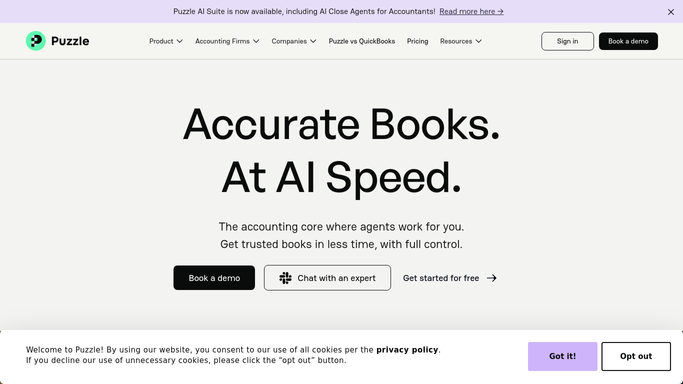
Automated Puzzle Uncategorized Transaction Handoff
WebRun checks Puzzle for transactions still uncategorized, creates a Trello card for your accountant to review them in a batch, and posts a heads up in Microsoft Teams.
PuzzleTrelloMicrosoft Teams
Automated PUBG Tournament Schedule Tracking
Every Monday, WebRun checks PUBG for the tournament schedule and any new patch notes affecting your roster, adds match and patch dates to Google Calendar, and posts the weekly briefing to Microsoft Teams.
PUBGGoogle CalendarMicrosoft Teams
Automated PropertyGuru Listing Tracking
Every morning, WebRun checks your saved PropertyGuru searches for new listings and price changes, logs each one to a Trello board, and posts the digest to Microsoft Teams.
PropertyGuruMicrosoft TeamsTrello
Automated Pipeliner CRM Pipeline Scorecards
Every Monday, WebRun totals your Pipeliner CRM pipeline by stage and owner, posts the scorecard to Microsoft Teams, and creates a Trello card for any deal that has slipped its close date.
Pipeliner CRMMicrosoft TeamsTrello
Automated Pingdom Downtime Alerts
Every few minutes, WebRun checks Pingdom for any check that goes down, posts the incident to Microsoft Teams immediately, and books a calendar reminder for a post incident review once it's back up.
PingdomGoogle CalendarMicrosoft Teams
Automated PicMonkey Weekly Output Scorecard
WebRun tallies PicMonkey graphics created this week, checks them against the Google Calendar content plan, and posts a weekly scorecard to Microsoft Teams.
PicMonkeyGoogle CalendarMicrosoft Teams
Automated Perforce Pending Changelist Chase
Every morning, WebRun checks Perforce for changelists shelved or pending for days without submitting, posts a reminder to Microsoft Teams, and creates a Trello card per stale changelist.
PerforceMicrosoft TeamsTrello
Automated Paletton Color Scheme Logging
When a new color scheme is finalized in Paletton for a project, WebRun logs the palette values on the project Trello card and posts to Microsoft Teams that the palette is ready for the design system.
PalettonTrelloMicrosoft Teams
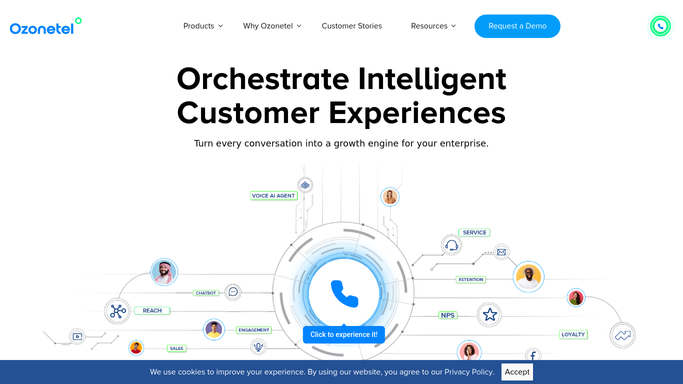
Automated Ozonetel Queue SLA Breach Alerts
WebRun watches Ozonetel queue wait times against your SLA target, alerts the supervisor in Microsoft Teams, and books a coverage review on Google Calendar.
OzonetelMicrosoft TeamsGoogle Calendar
Automated Opendoor Value Estimate Tracking
Every week, WebRun checks your watchlist of addresses for updated home value estimates on Opendoor, logs the check to Google Calendar, and alerts your team in Microsoft Teams when an estimate moves.
OpendoorGoogle CalendarMicrosoft Teams
Automated Onet Poczta Handoff and Scheduling
Every morning, WebRun checks Onet Poczta for new messages that need a specific teammate's attention, adds any with a deadline to Google Calendar, and notifies the assigned person in Microsoft Teams.
Onet PocztaGoogle CalendarMicrosoft Teams

Want one of these running on your own Microsoft Teams?

Show WebRun the process once and it will run it on schedule, in your own private browser environment.