Score your Roblox experience's engagement weekly
Every Monday, WebRun opens Roblox, checks the experience's weekly visits, average play time, and engagement from the creator dashboard, notes the trend against the next planned content drop on Google Calendar, and posts the scorecard to the studio in Microsoft Teams so the next update ships with real data behind it.
- No credit card
- Under $0.01 per run
- Cancel anytime
How do I track weekly engagement on my Roblox experience?
WebRun checks Roblox every Monday for a UGC experience's weekly visits and engagement, notes the trend against the next content drop on Google Calendar, and posts a scorecard to the studio in Microsoft Teams. Game studios plan the next update with a current read on engagement instead of guessing at player interest.
- The studio reviews engagement before every content drop
- Engagement dips surface a week before the next update ships
- Weekly trends are visible without pulling numbers by hand
Built for Roblox game studios · UGC developers · game production teams · indie game studios
What does WebRun do on every run?
The exact actions WebRun takes, in order - in plain language, so you can adjust anything.
-
WebRun signs in and gets to work
Opens
www.roblox.com/loginin a real browser with your saved login - no setup, no API keys. -
1
Roblox - check the experience's weekly visits and engagement
roblox.com
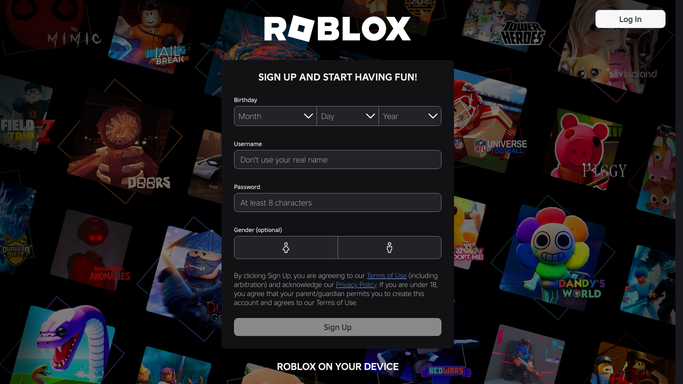
WebRun opens Roblox to check the experience's weekly visits and engagement. - Open the creator dashboard and check this week's visits
- Note average play time and engagement trend
- Compare against the prior week
Done when This week's visits and engagement are captured.
-
2
Google Calendar - note the trend against the next content drop
calendar.google.com How to Automate Google Calendar

WebRun opens Google Calendar to note the trend against the next content drop. - Open the next planned content drop on the studio calendar
- Note this week's trend against it for context
- Flag if engagement is dropping ahead of the update
Done when The trend is noted against the next content drop date.
-
3
Microsoft Teams - post the scorecard to the studio
microsoft.com How to Automate Microsoft Teams

WebRun opens Microsoft Teams to post the scorecard to the studio. - Post the week's visits and engagement trend to the studio channel
- Note how it compares to the prior week
- Flag anything worth discussing before the next drop
Done when The studio has this week's engagement scorecard.
How is each run configured?
Secure by default
Connect once, stays signed in
WebRun signs in once and keeps each session in a persistent environment, so every run picks up right where it left off.
Every action is checked against this policy before it runs.
Questions, answered
Will it publish an update or change the experience?
No. WebRun only reads the creator dashboard's visit and engagement data. Publishing an update or changing the experience is left to the development team.
Where do the engagement numbers come from?
Directly from the experience's own Roblox creator dashboard, so nothing in the scorecard is estimated.
How does the calendar tie in?
The scorecard is read alongside the date of the next planned content drop, so the studio can see whether engagement is holding up before the update ships.
Related templates
Put this on autopilot.
Turn it on in minutes - or have our team set it up for you.