Hand off uncategorized transactions to your accountant
WebRun checks Puzzle for transactions still uncategorized, creates a Trello card for your accountant to review them in a batch, and posts a heads up in Microsoft Teams.
- No credit card
- Under $0.01 per run
- Cancel anytime
How do I get uncategorized Puzzle transactions reviewed daily?
WebRun checks Puzzle every morning for transactions still uncategorized, groups them into a single reviewable batch, and creates a Trello card assigned to your accountant with the count and total. It posts a short Teams heads up too, so uncategorized transactions get reviewed in a daily batch instead of piling up unseen.
- Uncategorized transactions get reviewed daily instead of piling up
- Your accountant gets one batched card, not a stream of individual alerts
- No card is created on days when everything is already categorized
Built for startups · accountants · bookkeepers · finance leads
What does WebRun do on every run?
The exact actions WebRun takes, in order - in plain language, so you can adjust anything.
-
WebRun signs in and gets to work
Opens
app.puzzleapp.ioin a real browser with your saved login - no setup, no API keys. -
1
Puzzle - find transactions still uncategorized
puzzle.io
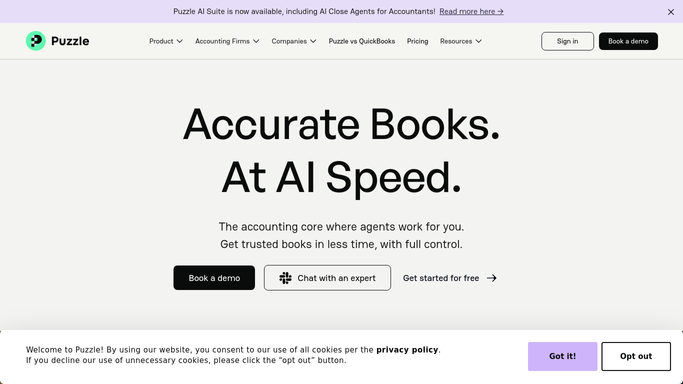
WebRun opens Puzzle to find transactions still uncategorized. - Open Puzzle and list transactions from the last 24 hours still uncategorized
- Note the amount and merchant for each
- Group them so similar transactions are easy to batch review
Done when Every uncategorized transaction from the last day is listed.
-
2
Trello - create a Trello card for the accountant
trello.com How to Automate Trello

WebRun opens Trello to create a Trello card for the accountant. - Create a card summarizing today's uncategorized transactions for review
- Include the count and total amount
- Assign the card to your accountant
Done when A review card exists for today's uncategorized batch.
-
3
Microsoft Teams - post a heads up to Teams
microsoft.com How to Automate Microsoft Teams

WebRun opens Microsoft Teams to post a heads up to Teams. - Post a short heads up with the count of uncategorized transactions
- Link to the Trello card for detail
- Skip the post if nothing is uncategorized
Done when The team knows whether a categorization batch is waiting today.
How is each run configured?
Secure by default
Connect once, stays signed in
WebRun signs in once and keeps each session in a persistent environment, so every run picks up right where it left off.
Every action is checked against this policy before it runs.
Questions, answered
Does it categorize the transactions itself?
No. It only groups them into a reviewable batch and hands it to your accountant. Categorizing is still a human decision inside Puzzle.
Will it create a card every single day?
Only on days when there are new uncategorized transactions. If Puzzle shows everything categorized, it skips the card and the Teams post.
Does it change any transaction record?
No. It only reads which transactions are uncategorized in Puzzle and reports on them.
Related templates
Put this on autopilot.
Turn it on in minutes - or have our team set it up for you.