How to Automate LithosPOS
LithosPOS covers the counter itself: barcode scale and label ready checkout, item variants, batch tracking with expiry alerts, automated stock replenishment at reorder points, store-to-store transfers, loyalty and multi-store reporting. Supplier price lists, harvest area notices and competitor boards live on outside logins, and that is the round an agent like WebRun makes.
 Written by
Owen Hartley
Workflow engineer
Written by
Owen Hartley
Workflow engineer
 Reviewed by
Ben Kirkwood
Solutions engineer
Reviewed by
Ben Kirkwood
Solutions engineer
The fish counter reprices itself every morning
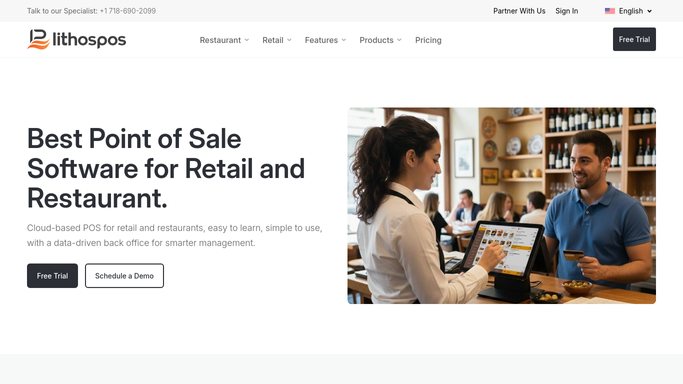
LithosPOS is a cloud point of sale for retail and restaurants with a back office that spans however many outlets a business runs. Its retail side is built for shops that sell by weight as much as by unit, and it publishes a setup for fish and poultry counters specifically, alongside supermarkets, grocery, bakery and fresh produce.
A seafood counter is a harder retail problem than it looks. Almost nothing has a fixed price. A kilo of whatever came in this morning is worth what it cost at the market plus whatever margin the day allows, and it is worth less by Thursday. The same species sells by weight, by piece, and sometimes by size grade. A scale prints the barcode the register then reads.
So the till holds the day's price list, the species on the slab, the batch that came in and the regulars who ring ahead. Change a price there and the whole counter changes with it.
Tomorrow's cost is settled at a market the shop never visits
The selling is quick. What takes the morning is everything decided before the doors open.
Wholesale prices come from suppliers who publish them on their own portals or send a list, and the numbers move daily. What actually landed is a separate question from what was ordered. Shellfish carry another one on top: harvest areas open and close, and those notices are published by a fisheries or health authority on its own site, not by anybody's point of sale.
Then the counter's own promises. Holiday preorders taken three weeks ago need confirming against what is coming in. A restaurant account has an invoice nobody has chased. A regular who came every Friday has not been in since June. Somebody writes the day's price board by hand, photographs it, posts it, and does the same thing again tomorrow.
Scale integration and reorder points stop at the shop door
LithosPOS handles the counter well, and a shop using it as a billing screen alone is missing most of what it bought.
Inventory Management covers item variants and composite items, with batch tracking and expiry alerts, which is the difference between a fresh counter and a guessing game. The retail setup is barcode scale and label ready, so weighed items price correctly at the register without anyone retyping a figure. Automated stock replenishment raises purchase orders when an item hits its reorder point, and store-to-store stock transfer moves stock between outlets in real time, which is how a slow line at one stall reaches a busy one. Customer & Loyalty runs reward points and gift cards, and the Dashboard App puts the day's takings and margins on a phone.
All of it runs on stock the shop received and sales the register rang up.
What it cannot do is go and find out what tomorrow costs. The supplier's price list, the auction result, the harvest area status for the beds a shellfish batch came from, the competitor counter's board two streets away and a restaurant customer's own ordering page all sit on sites the point of sale has never seen and has no way to open.
A price board that knows what the boats brought in
The price board can be set from what the outside pages say this morning, not from phone calls.
Supplier price lists gathered before opening and set against last week's cost and the current shelf price, so the species whose cost jumped is visible before the board is written. Harvest area status and shellfish safety notices from the authority's own site checked against the batches actually on ice, so nothing on sale traces back to a bed that closed on Tuesday. Competitor counter prices on the three or four species customers genuinely compare.
The customer side works the same way. Holiday preorders lined up against what is confirmed to land, so the calls that need making are a short list rather than all of them. Restaurant account balances read back and set beside this month's orders. Regulars who have gone quiet named, with what they used to buy every week.
Gathering all of that runs unattended. A price change, a message to a customer and a decision to pull a batch from sale are prepared and left for a person, because the person is the one holding the licence.
The morning price list gets drafted overnight
Those numbers are already on screens that somebody signs into at six in the morning. Signing in is not the skilled part of running a fish counter.
WebRun is an AI agent that works a real Chrome browser, signed in as you. It opens a supplier's ordering portal, a fisheries authority's notice page or a competitor's site, reads what is on it, and sets the answer beside the stock, cost and sales figures out of LithosPOS.
Anything that changes a price, messages a customer or takes a batch off the counter is drafted and waits for you.
The workflows below are already built, and each one names the sites it opens.
Questions people ask
Will it change our counter prices on its own?
No. It gathers the supplier costs and competitor prices, sets them against your current shelf price, and drafts the new price list. Pricing a perishable counter is a judgement call, so a person reviews it and applies it.
Our suppliers send price lists by message, not through a portal. Does that work?
It reads whatever a person can open in a browser, so a supplier portal, a web-based inbox or an order page all work. If a list only ever arrives on paper, that part still needs a person to key it in.
Can it act on a shellfish harvest closure by itself?
No, and it should not. It reads the authority's notice, matches it to the batches you have on the counter, and raises it immediately. Withdrawing stock from sale is a decision with a licence behind it, so it waits for a person.
12 ready-made LithosPOS workflows
Each one names the apps it touches and the exact steps it takes. Open one to read what it will do, then turn it on.


Want one of these running on your own LithosPOS?
Show WebRun the process once and it will run it on schedule, in your own private browser environment.