Catch low stock before you sell out
Every morning before you open, WebRun opens LithosPOS, checks stock on hand for every species against your par level, adds anything running low to a Google Sheet restock list, and pings you on Telegram so you can order before the day's rush.
- No credit card
- Under $0.01 per run
- Cancel anytime
How do I get alerted before fresh catch stock runs low?
WebRun checks your LithosPOS stock every morning before opening, comparing what's on hand for each species to the par level you set. It adds anything running low, or sold out, to a Google Sheets restock list and pings you on Telegram with the most urgent gaps, so you can order before the day's rush starts.
- Low stock on fast moving species is flagged before the doors open
- Restock decisions use live LithosPOS stock counts, not a memory or a guess
- Sold out species get caught the same morning, not after a customer asks
Built for seafood markets · fishmongers · fish market managers · seafood counter staff
What does WebRun do on every run?
The exact actions WebRun takes, in order - in plain language, so you can adjust anything.
-
WebRun signs in and gets to work
Opens
lithospos.comin a real browser with your saved login - no setup, no API keys. -
1
LithosPOS - check stock against par levels
lithospos.com How to Automate LithosPOS
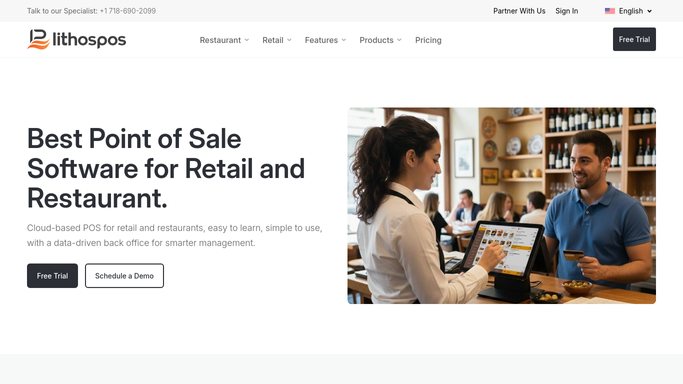
WebRun opens LithosPOS to check stock against par levels. - Open LithosPOS and pull stock on hand for every species
- Compare each to its par level
- Flag anything at or below par, and anything sold out
Done when Every species is checked against its par level.
-
2
Google Sheets - build the restock list
google.com How to Automate Google Sheets

WebRun opens Google Sheets to build the restock list. - Add each flagged species to today's restock list
- Include stock on hand, par level, and usual supplier
- Clear yesterday's list so only today's gaps show
Done when Today's restock list has every species that needs ordering.
-
3
Telegram - alert you to order today
telegram.org How to Automate Telegram

WebRun opens Telegram to alert you to order today. - Send a message with the count of species running low
- List the most urgent, sold out or nearly out, by name
- Link to the full restock list in Sheets
Done when You have this morning's low stock alert in Telegram.
How is each run configured?
Secure by default
Connect once, stays signed in
WebRun signs in once and keeps each session in a persistent environment, so every run picks up right where it left off.
Every action is checked against this policy before it runs.
Questions, answered
Does it reorder stock automatically?
No. It only builds a restock list and alerts you. Placing the actual order with your supplier is always your call.
How does it know what counts as low?
It compares live LithosPOS stock on hand to the par level you set for each species, so the threshold is always yours.
What about items I don't track by par level?
Anything without a par level set is skipped, so the list only ever shows species you've told it to watch.
Related templates
Put this on autopilot.
Turn it on in minutes - or have our team set it up for you.