Recap each day's catch sales for you
Every night, WebRun opens LithosPOS, totals what sold by weight and by piece for each species, adds the totals to a running Google Sheet, and posts a short digest to Slack with today's top sellers and total revenue.
- No credit card
- Under $0.01 per run
- Cancel anytime
How do I get a nightly recap of my seafood market's catch sales?
WebRun closes out your LithosPOS sales every night, totaling what sold by weight and by piece for each species, and adds the numbers to a running Google Sheets log. It then posts a short Slack digest with total revenue and your top sellers, so you know how the day went before you lock up.
- Tonight's top sellers and total revenue land in Slack before close
- Every species sold by weight or piece is totaled automatically each night
- A full month of daily totals builds up in one running Google Sheet
Built for seafood markets · fishmongers · fish market managers · independent fish stalls
What does WebRun do on every run?
The exact actions WebRun takes, in order - in plain language, so you can adjust anything.
-
WebRun signs in and gets to work
Opens
lithospos.comin a real browser with your saved login - no setup, no API keys. -
1
LithosPOS - total today's catch sales
lithospos.com How to Automate LithosPOS
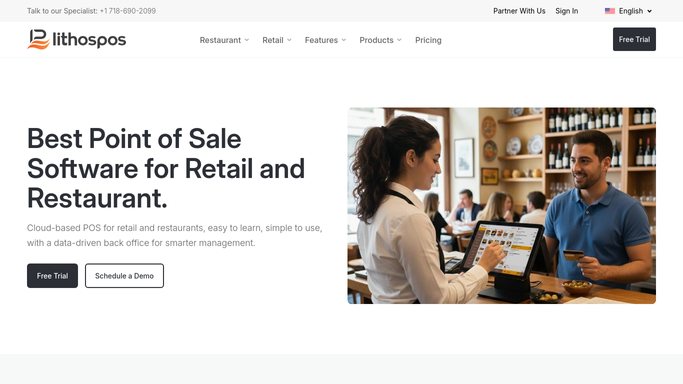
WebRun opens LithosPOS to total today's catch sales. - Open LithosPOS and pull today's completed sales
- Total revenue and quantity sold by weight and by piece for each species
- Note the top 3 sellers by revenue
Done when Every species sold today has a revenue and quantity total.
-
2
Google Sheets - log the daily totals
google.com How to Automate Google Sheets

WebRun opens Google Sheets to log the daily totals. - Open the daily sales log and add a new row for today
- Record each species, quantity, and revenue alongside the date
- Keep the running month to date total up to date
Done when Today's totals are saved in the running sales log.
-
3
Slack - post the sales digest
slack.com How to Automate Slack

WebRun opens Slack to post the sales digest. - Post today's total revenue and top 3 sellers to the shop channel
- Flag any species with zero sales today
- Leave the full breakdown linked for anyone who wants detail
Done when Tonight's digest is posted in Slack.
How is each run configured?
Secure by default
Connect once, stays signed in
WebRun signs in once and keeps each session in a persistent environment, so every run picks up right where it left off.
Every action is checked against this policy before it runs.
Questions, answered
Does it change anything in LithosPOS?
No. It only reads today's completed sales. It never edits a price, a sale, or an inventory record.
What if the market closes early or late?
Run it whenever the register closes for the night. The digest always covers whatever sales are marked complete in LithosPOS at the time it runs.
Can I see more than tonight's digest?
Yes. Every night's totals are added to the same Google Sheet, so you can scroll back and compare any day or week.
Related templates
Put this on autopilot.
Turn it on in minutes - or have our team set it up for you.