Follow up on holiday seafood preorders
Every morning during your holiday preorder window, WebRun opens LithosPOS, finds preorders that are still unconfirmed or unpaid, drafts a personal WhatsApp follow up for each customer, and drafts a Mailchimp reminder to everyone with a holiday order about the pickup schedule, both left unsent for your review.
- No credit card
- Under $0.01 per run
- Cancel anytime
How do I follow up on unconfirmed holiday seafood preorders?
WebRun checks LithosPOS every morning during a holiday preorder window for orders still unconfirmed or unpaid, and drafts a personal WhatsApp follow up for each customer plus a Mailchimp reminder about pickup dates for the full list. Every message stays unsent for staff to review, so no customer gets contacted about their holiday order without a human sending it.
- Unconfirmed holiday orders get a follow up before the pickup rush hits
- Every message and reminder stays a draft until staff choose to send it
- Confirmed and paid orders are skipped automatically from live LithosPOS status
Built for seafood markets · fishmongers · fish market holiday preorders · seasonal seafood retailers
What does WebRun do on every run?
The exact actions WebRun takes, in order - in plain language, so you can adjust anything.
-
WebRun signs in and gets to work
Opens
lithospos.comin a real browser with your saved login - no setup, no API keys. -
1
LithosPOS - find unconfirmed holiday preorders
lithospos.com How to Automate LithosPOS
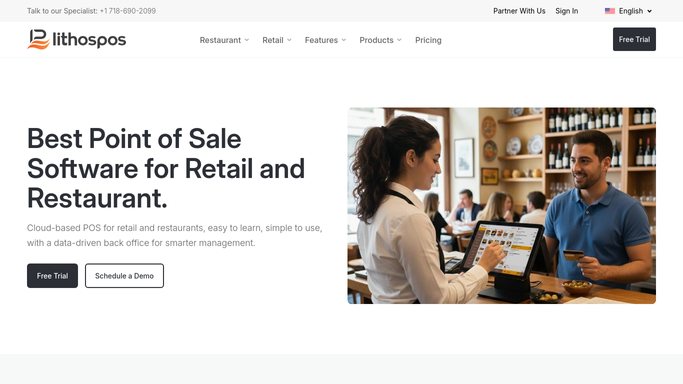
WebRun opens LithosPOS to find unconfirmed holiday preorders. - Open LithosPOS and pull holiday preorders still unconfirmed or unpaid
- Capture the customer, order, and deposit status for each
- Skip anyone already confirmed and paid in full
Done when Every unconfirmed or unpaid holiday preorder is listed.
-
2
WhatsApp - draft a personal follow up
whatsapp.com How to Automate WhatsApp

WebRun opens WhatsApp to draft a personal follow up. - Draft a personal follow up for each unconfirmed customer
- Reference their order and ask them to confirm or pay the balance
- Leave every message unsent for staff to review and send
Done when Every unconfirmed customer has a drafted follow up waiting.
-
3
Mailchimp - draft the pickup schedule reminder
mailchimp.com How to Automate Mailchimp

WebRun opens Mailchimp to draft the pickup schedule reminder. - Draft a reminder email to everyone with a holiday preorder about pickup dates and times
- Leave it as an unsent campaign
- Never send it without your review
Done when The pickup schedule reminder sits ready for your review.
How is each run configured?
Secure by default
Connect once, stays signed in
WebRun signs in once and keeps each session in a persistent environment, so every run picks up right where it left off.
Every action is checked against this policy before it runs.
Questions, answered
Will it contact customers without me reviewing first?
No. Every WhatsApp follow up and the Mailchimp reminder sit as unsent drafts. Staff review and send each one, nothing goes out automatically.
Which preorders get a follow up?
Only ones still unconfirmed or with an unpaid balance in LithosPOS. Anyone already confirmed and paid is skipped.
What happens after the holiday window ends?
Turn it off or pause it. It's built to run through your preorder window, then sit idle until the next one.
Related templates
Put this on autopilot.
Turn it on in minutes - or have our team set it up for you.