How to Automate Google Sheets

You automate Google Sheets in three layers. Formulas and functions handle anything that stays inside the sheet. Apps Script and scheduled triggers handle repeatable jobs on a timer. Getting the numbers in from tools that have no export is the layer most people still do by hand, and the one worth handing to an agent like WebRun.

Google Sheets quietly became the company database

Google Sheets, which plenty of people still call a Google Spreadsheet, is the free spreadsheet in Google Workspace. In most small companies it quietly became the place where the business is actually run. It holds the customer list, the job schedule, the stock count, the commission working and the numbers someone reads out on Monday morning.

It earned that job by being easy to get into. It opens in a browser, several people can type in it at once, and nobody has to ask an administrator for a licence. The bookkeeper, the office manager and the owner can all be in the same tab at the same time, which is more than can be said for most of the software those three were given.

So the spreadsheet sits downstream of every other tool you own. The booking system, the card terminal, the accounting package and the inbox all feed one sheet, because it is the only place all of it can sit side by side.

Every number in it arrives by hand

Almost none of the time spent on a spreadsheet is spent thinking. It goes on moving numbers into it.

Someone opens the booking system every morning, reads yesterday's total off a dashboard, and types it into a cell. Someone exports a report from the CRM, opens the CSV, deletes three columns and pastes the rest into a tab. Someone checks four supplier portals for prices that changed and updates a column by hand. Someone copies the same figures into a second, tidier sheet for a manager who will never open the first one.

Each takes a few minutes, which is exactly why nobody ever fixes them. They become visible only when the person who does them is on holiday and the sheet goes stale for a fortnight, or when a number gets typed wrong and a decision gets made on it.

The google.com homepage, the app these three jobs run in. Google Sheets
Filling the sheet Yesterday's orders, bookings, balances and ad spend, collected from wherever they live and written into the right row before you open the tab.
Working through the sheet Taking each row and doing something with it somewhere else: a reminder sent, a price checked, a status looked up and written back.
Getting the sheet read Turning the tab nobody opens into a short summary that lands in the place your team already looks every morning.

Formulas only reach what is already open to them

The sheet does more on its own than most people use, and it is worth knowing how far that reaches before paying for anything. One sheet can read a range out of another and stay in step with it. A long tab can be filtered down to a short one that updates itself. A table on a public web page can be pulled in and refreshed. Apps Script will run a job on a timer, so a nightly tidy-up or an emailed snapshot really can be set and forgotten.

Every one of those has the same ceiling. They can only reach what is already open to them: another spreadsheet, a public page, a tool with an API and someone on hand to write against it.

The numbers you actually want are almost never in those places. They are behind a login, on a screen, in a supplier portal or a bank or a booking system or a twenty-year-old piece of trade software, sitting there in plain sight with no export button anywhere near it. That is the wall, and it is the reason someone in your office is still retyping figures at nine in the morning.

A spreadsheet that goes and fetches for itself

Change that, and the question stops being what can I import and becomes what do I want to know.

You buy from six suppliers, and every one shows live prices and stock behind its own login. That can be a column instead: this morning's price against what you paid last time, so the line that moved is obvious before you order.

You ship. Tracking numbers go out and somebody spends an afternoon pasting them into courier sites one at a time. Those statuses can be sitting in the sheet by the time you open it, with anything that stopped moving pushed to the top.

The same trick works on anything you can see in a browser. What your competitors are charging today. Which of your listings slipped off the first page. The takings from a system that only ever shows them on a dashboard. Whether the permit you are waiting on has changed status yet. None of it needs an API, a developer, or an integration somebody else has to build first.

One rule holds across all of it: automate the collecting, keep the deciding. A sheet that fills itself overnight is a gift. A sheet that emails your customers on its own is a risk, and should never send without a person saying yes.

An agent does the retyping

Between the portal where the number lives and the cell it belongs in sits a person. Only the deciding needs one.

WebRun is an AI agent that works a real Chrome browser, signed in as you. It opens the supplier portal, reads the price off the screen, and writes it into the right row of your spreadsheet. Because it uses the browser rather than an API, it reaches anything you can reach: no key to generate, no add-on, no integration that has to exist first.

It runs on your schedule in your own private environment. You can watch a run and stop it mid-way, and anything irreversible drafts and waits for you.

The workflows below are already built. Each one names the apps it touches and the steps it takes, so you can read what it does before you switch it on.

Questions people ask

Do I need to turn on the Google Sheets API or share my spreadsheet?

No. WebRun opens Google Sheets in a real browser signed in as you, so it works with the access you already have. There is no API key, no add-on and no change to the sharing settings on the file.

Will it overwrite the data already in my sheet?

Only where you point it. Most workflows append a new row or write into one named column, and each template spells out which cells it touches before you turn it on. Writing to a raw tab that your working tabs read from keeps typed work safe either way.

Can it pull numbers out of a tool that has no export button?

Yes, and that is usually the reason to use it. WebRun reads the figure off the screen the way a person would, then writes it into your spreadsheet, so a dashboard with no export is no longer a dead end.

4,178 ready-made Google Sheets workflows

Each one names the apps it touches and the exact steps it takes. Open one to read what it will do, then turn it on.

TDO Software Automated Waitlist Slot Filling
When a cancellation opens a slot, WebRun finds the best-matched waitlist patient in TDO Software and prepares a draft outreach message for your coordinator to review and send.
TDO SoftwareGoogle SheetsTwilio
MAM Autopart Automated Vendor Cost Change Digest
Every Monday, WebRun compares this week's vendor invoices in MAM Software Autopart to the recorded buy prices and posts a digest of any cost variances to the purchasing manager so margin erosion is caught before it compounds.
MAM Software AutopartGoogle SheetsSlack
DMSi Agility Automated Vendor Cost Change Digest
Every Monday, WebRun reviews vendor cost updates posted in DMSi Agility over the past week, calculates the margin impact by SKU, and sends a digest to your pricing team in Slack so they can adjust sell prices before margins erode.
DMSi AgilitySlackGoogle Sheets
Automated Freight Quote Follow-Up Drafts
Every morning, WebRun checks your open quote log, finds every quote sent more than 48 hours ago with no response, and drafts a polite follow-up email in Gmail for your sales team to review and send before the load is tendered elsewhere.
J. J. Keller EncompassGmailGoogle Sheets
Labelmaster Automated Hazmat Quote Follow-Up Drafts
WebRun finds open dangerous goods shipping quotes that have not had a customer response in 48 hours, drafts a follow-up email for each, and queues them in Gmail for your coordinator to review and send.
LabelmasterGmailGoogle Sheets
Automated Ocean Freight POD Chaser
WebRun checks Terminal49 each morning for containers that have been discharged and picked up but still lack a signed POD, then drafts a chaser email to the freight forwarder or trucker for your approval.
Terminal49GmailGoogle Sheets
Automated FranConnect Franchise Lead Routing
When a new franchise candidate lead arrives in FranConnect, WebRun reads their profile, scores their fit, and routes them to the right development rep with a Slack alert so no strong candidate waits.
FranConnectSlackGoogle Sheets
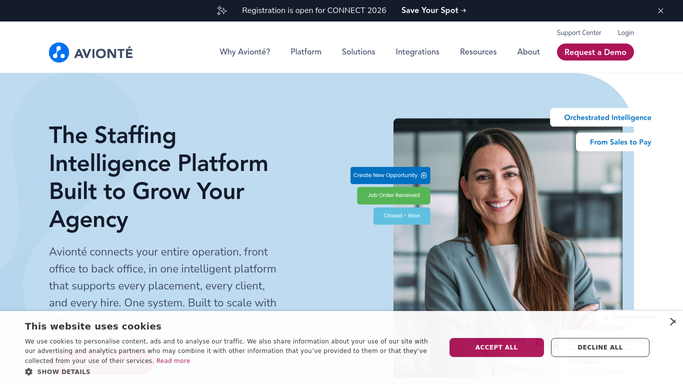
Automated Avionte Client Review Request Drafts
After a placement completes its first billing cycle in Avionte, WebRun drafts a satisfaction review request email to the client contact in Gmail for your account manager to review and send.
AvionteGmailGoogle Sheets
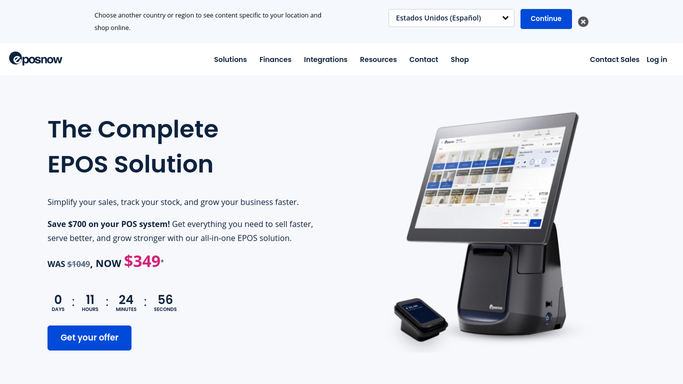
Automated Epos Now Shift Coverage Monitoring
Every morning, WebRun checks yesterday's Epos Now staff clock-in data against the scheduled shift roster and posts a Slack alert for any gap or unexpected absence so managers can react quickly.
Epos NowGoogle SheetsSlack
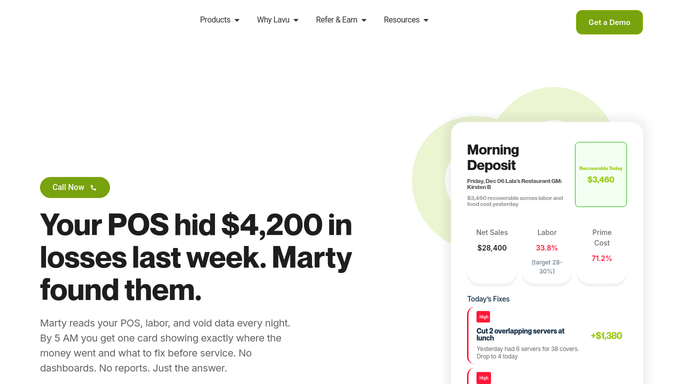
Automated Lavu POS Weekly Top-Seller Report
Every Monday, WebRun reads the previous week's item-level sales from Lavu, ranks your top sellers by revenue and quantity, and delivers the ranked list to Google Sheets for menu planning.
LavuGoogle SheetsSlack
Aplos Automated Fund Reconciliation Digest
At month-end, WebRun opens Aplos, compares each fund's general ledger balance against bank transactions, flags unreconciled items, and posts a clean digest to your finance Slack channel.
AplosGoogle SheetsSlack
Automated Grantee Payment Request Follow-Up
WebRun identifies grantees who have not submitted payment requests or drawdown documentation on time, logs each case, and drafts a follow-up for your team to approve before sending.
SubmittableGoogle SheetsGmail
Automated Month-End Reconciliation Digest for CFOs
At month-end, WebRun opens Fathom for each client entity, checks that all payments are reconciled in Xero, flags any unreconciled items, and posts a clean reconciliation status digest to Slack.
FathomXeroGoogle Sheets
BizEquity Automated Fee Reconciliation Digest
Every Monday, WebRun matches payments received in QuickBooks against open valuation engagements in BizEquity, flags any engagement that has been delivered but remains unpaid, and delivers a reconciliation summary to the billing team.
BizEquityQuickBooksGoogle Sheets
Avalara Exemption Certificate Expiry Tracking
WebRun scans Avalara CertCapture for certificates expiring in the next 60 days, logs each one in Google Sheets, and drafts a renewal request for your review so nothing lapses unnoticed.
AvalaraGoogle SheetsTwilio
Automated LTC Pharmacy Prior Auth Expiry Tracking
Every morning, WebRun scans FrameworkLTC for resident prior authorizations expiring in the next 30 days, builds a renewal worklist sorted by days remaining, and posts it to your billing and clinical teams so renewals are submitted before coverage lapses.
FrameworkLTCGoogle SheetsGmail
Automated Anesthesia Provider Utilization Digest
Every Monday, WebRun opens Graphium Health, pulls the prior week's case volume, time units, and OR utilization for each active anesthesia provider, and delivers a digest to your group administrator so staffing decisions are grounded in real data.
Graphium HealthGoogle SheetsSlack
Automated RamSoft Radiologist Credential Expiry Tracking
Every Monday, WebRun checks your credentialing records and RamSoft provider roster for upcoming license, DEA, and board-certification expirations, and posts the at-risk list to Slack so your credentialing team can act before any deadline passes.
RamSoftSlackGoogle Sheets
Automated Birth Center Referral Tracking
WebRun logs referrals sent from Maternity Neighborhood to specialists or labs, tracks whether a response or report has returned, and posts a weekly referral status digest to Slack so nothing is lost in transition.
Maternity NeighborhoodSlackGoogle Sheets
Automated FQHC UDS Quality Measure Tracking
Every week, WebRun pulls your current UDS measure performance from Azara DRVS and posts a concise digest to your quality team's Slack channel, so you stay on track for year-end reporting without last-minute scrambling.
Azara HealthcareSlackGoogle Sheets
TDO Software Automated Staff Credential Expiry Tracking
Every Monday, WebRun checks your staff credential records and posts your office manager a Google Sheets tracker and a Slack digest of licenses, CPR certs, and DEA registrations expiring in the next 90 days.
TDO SoftwareGoogle SheetsSlack
MAM Autopart Automated Slow-Moving Inventory Report
Every Monday, WebRun analyses sales history in MAM Software Autopart to find SKUs with no movement in the past 90 days and posts a slow-movers report to the purchasing manager so dead stock is cleared before it accumulates further.
MAM Software AutopartGoogle SheetsSlack
DMSi Agility Automated Slow-Moving Inventory Report
Every Monday, WebRun scans DMSi Agility for SKUs with no sales activity in the past 90 days, calculates the carrying cost by branch, and posts a slow-mover report to Slack so your purchasing team can plan markdowns or returns to free up capital.
DMSi AgilityGoogle SheetsSlack
Automated Proof of Delivery Chaser for Carriers
Every morning, WebRun checks your load management records in J. J. Keller Encompass against your delivery log, finds every completed load that still lacks a signed POD, and drafts a chase email to the driver or broker for your dispatcher to review.
J. J. Keller EncompassGmailGoogle Sheets

Want one of these running on your own Google Sheets?

Show WebRun the process once and it will run it on schedule, in your own private browser environment.