How to Automate Bukku
Bukku automates the ledger itself. Invoice reminders and automated statements chase customers, SmartRecon matches bank transactions, the Digital Shoebox turns receipts into bills, and e-invoices go to LHDN MyInvois with a button. Checking the bank, the marketplace and the tax portal against what your books say is where an agent like WebRun helps.
 Written by
Marta Ellison
Automation strategist
Written by
Marta Ellison
Automation strategist
 Reviewed by
Hannah Vogel
Finance operations
Reviewed by
Hannah Vogel
Finance operations
A Malaysian SME keeps its whole ledger in Bukku
Bukku is a homegrown Malaysian cloud accounting product, built for SME owners and for the accountants who keep their books. Invoices, supplier bills, expense claims, stock balances, the fixed asset register and Malaysian SST all sit in one place, in the shapes a business here is actually taxed and invoiced in.
Picture a trading company in Klang. Three people in the office, sixty customers on credit terms, a dozen suppliers, and orders arriving through a marketplace as well as over WhatsApp. Every invoice is raised in Bukku, every bill is recorded there, and the accountant opens it in March to close the year.
At that size it is not one system among several. It is the record: what is in it is what the company believes about itself, and the owner, the bookkeeper and the tax agent all work from the same screen.
The ringgit going out is easier to see than the ringgit coming in
Raising the invoice takes a minute. Confirming that the money arrived takes the rest of the month.
A customer transfers online and says nothing about it. The credit lands under a reference that matches no name in the ledger, and somebody works out which of sixty balances it belongs to before the next reminder reaches a person who has already paid.
The marketplace settles on its own calendar, one lump covering forty orders with commission and shipping already deducted, and that figure has to be broken back down before it means anything. A supplier bill falls due on Friday and nobody is sure the account can cover it until somebody opens the bank.
Then the returns. SST is filed on its own cycle, and an e-invoice a buyer rejected is a status on a government portal rather than a thing that walks over and taps you on the shoulder.
Every one of those is a separate login, opened between customers by whoever has ten free minutes.
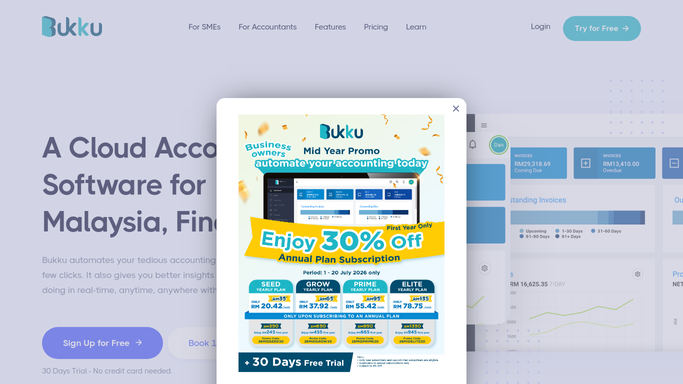
SmartRecon reaches the bank feed and stops at the bank feed
Bukku automates more of this than most owners use, and none of it should be switched off for anything else.
Invoice reminder chases customers without being asked, Automated statements send each contact their running account, and Repeating invoices raise the monthly ones on their own. Smart bank recon and SmartRecon match transactions against the ledger, with automatic bank reconciliation published for Maybank, and the Digital Shoebox turns a photographed receipt into a bill. On the compliance side, e-invoices go to LHDN's MyInvois with a button click, singly or in bulk, with submission status coming back, and Bukku sits on the Peppol network as a service provider accredited by MDEC.
All of that works on entries Bukku already holds, or on a channel it was built to receive.
The rest of the month happens somewhere else entirely. The marketplace seller centre, the payment gateway dashboard, a second bank, the customs portal and a supplier's price list each have their own login, their own layout and no interest in your ledger. That is not a gap in the software; it is simply where the answer is kept.
The ledger can go and check the portals itself
A ledger that can read the bank each morning stops running a month behind the money.
Yesterday's credits read at the bank and matched against open invoices by amount and timing, so the customer who paid on Sunday is off the chase list before Monday's reminder goes near them. The marketplace settlement report opened and set against the orders it covers, so the difference between what you invoiced and what landed is a line to read rather than an evening with a calculator.
Each e-invoice followed on MyInvois until it is validated or rejected, with the rejected ones named and the reason attached while there is still room to fix them. Supplier bills falling due this week listed against the balance genuinely in the account. This month's price from your main supplier set beside the amount on their last bill, so an increase is visible without anyone opening two PDFs side by side.
Aging receivables assembled oldest first before the shutters go up, and a repeat customer's history checked before more credit is extended, so the answer is a number instead of a feeling.
None of it needs an API, a developer, or an export button the other site was never going to build.
Bukku stays the record; the checking moves off your desk
Nobody started a trading company in order to reconcile a seller centre against a bank statement before breakfast. Somebody does it anyway, because the answer only exists on those screens.
WebRun is an AI agent that works a real Chrome browser, signed in the way you sign in. It opens your bank, a marketplace dashboard or MyInvois, compares what each shows against what your books say is outstanding, and hands back a short list: who paid, what was rejected, what is short.
It runs on your schedule in your own private environment, locked to a named list of domains if you want, and any run can be watched and stopped. Matching runs unattended, but a change to a ledger entry or a message to a customer waits for you: chasing someone who has already paid is the mistake that costs a customer.
Each workflow below names the screens it opens.
Questions people ask
My customers pay by online transfer with no reference. Can this still match them?
Yes, and that is the main job. It reads the credits that actually reached the bank and lines them up against open invoices by amount, date and any partial reference, then flags the ones that look settled. Anything ambiguous comes back as a suggestion for you to confirm rather than a posted entry.
Bukku chases my customers for me already. What is missing?
Confirmation. Invoice reminder and Automated statements know what was sent; they do not know what came back, because the money lands in a bank account and a marketplace dashboard under references that match nothing. The agent reads those and takes the settled names off the list before the next reminder goes.
Can it change entries in my accounts?
Not on its own. The pattern is read and report: findings arrive as a list, and any correction to an invoice, a bill or a balance is prepared for you to make. Your books stay yours to edit, which also means a wrong match is a suggestion you reject rather than damage you undo.
12 ready-made Bukku workflows
Each one names the apps it touches and the exact steps it takes. Open one to read what it will do, then turn it on.




Want one of these running on your own Bukku?
Show WebRun the process once and it will run it on schedule, in your own private browser environment.