Know exactly what's left to reconcile
Every night, WebRun opens Bukku, reviews the day's bank feed against your ledger, counts how many transactions matched automatically, logs the unmatched ones to a tracking sheet with their amount and date, and emails your bookkeeper a short reconciliation summary to review each morning.
- No credit card
- Under $0.01 per run
- Cancel anytime
How do I get a daily bank reconciliation summary from Bukku?
Every night, WebRun opens Bukku, compares that day's bank feed against your ledger, and counts what matched automatically versus what needs a look. It logs unmatched transactions to a tracking sheet with their amount and date, then emails your bookkeeper a short summary each morning, so reconciliation gaps get caught daily instead of piling up until month end.
- Unmatched transactions surface the next morning, not at month end
- Your bookkeeper opens a ready summary instead of digging through the bank feed
- Reconciliation gaps get a running, dated record automatically
Built for Malaysian SMEs · bookkeepers · finance managers · accounting firms
What does WebRun do on every run?
The exact actions WebRun takes, in order - in plain language, so you can adjust anything.
-
WebRun signs in and gets to work
Opens
app.bukku.myin a real browser with your saved login - no setup, no API keys. -
1
Bukku - compare bank feed to ledger
bukku.my How to Automate Bukku
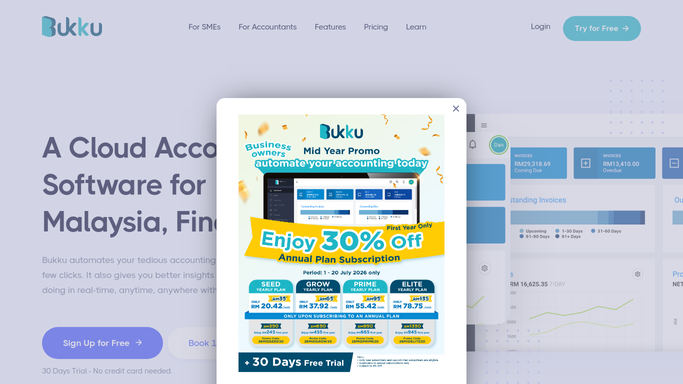
WebRun opens Bukku to compare bank feed to ledger. - Open Bukku's bank reconciliation screen for each connected account
- Read how many transactions matched automatically today
- List every unmatched transaction with its date, amount, and description
Done when Today's matched count and every unmatched transaction are captured.
-
2
Google Sheets - log unmatched transactions
google.com How to Automate Google Sheets

WebRun opens Google Sheets to log unmatched transactions. - Open the reconciliation tracking sheet
- Log each unmatched transaction with its date, amount, and description
- Mark any item resolved since yesterday as closed
Done when The tracking sheet reflects every open unmatched item.
-
3
Gmail - email the summary to your bookkeeper
gmail.com How to Automate Gmail

WebRun opens Gmail to email the summary to your bookkeeper. - Draft a short email to your bookkeeper with today's matched count and the unmatched list
- Link the tracking sheet for the full detail
- Send the summary. It contains only your own bank and ledger figures, never customer data
Done when Your bookkeeper has this morning's reconciliation summary in their inbox.
How is each run configured?
Secure by default
Connect once, stays signed in
WebRun signs in once and keeps each session in a persistent environment, so every run picks up right where it left off.
Every action is checked against this policy before it runs.
Questions, answered
Does it change or force-match any transactions?
No. WebRun only reads your bank feed and ledger status in Bukku and reports what matched and what did not. Matching a transaction is still done by you or your bookkeeper in Bukku.
Is it sending any customer or payment data by email?
No. The email only contains your own bank and ledger figures, matched counts, and unmatched transaction lines, nothing about individual customers.
What counts as unmatched?
Any bank transaction Bukku could not automatically pair with a ledger entry that night. It stays on the list until it is matched or written off in Bukku.
Related templates
Put this on autopilot.
Turn it on in minutes - or have our team set it up for you.