Catch LHDN e-invoice rejections early
Every morning, WebRun opens Bukku, reviews the LHDN submission status of every e-invoice issued since yesterday, logs any rejected or long-pending ones to a tracking sheet with the error reason, and sends you a Telegram alert so nothing sits unresolved.
- No credit card
- Under $0.01 per run
- Cancel anytime
How do I catch rejected LHDN e-invoices automatically?
WebRun checks the LHDN submission status of every e-invoice issued through Bukku each morning, flags any marked rejected or stuck pending, and logs the error reason to a tracking sheet. It then sends you a Telegram alert listing what needs fixing, so a rejected e-invoice gets corrected the same day instead of surfacing at month end reconciliation.
- Rejected e-invoices get caught the same morning, not at month end
- Every submission status is checked daily without manual log-ins
- Common LHDN error reasons are surfaced before they repeat
Built for Malaysian SMEs · bookkeepers · finance managers · accounting firms
What does WebRun do on every run?
The exact actions WebRun takes, in order - in plain language, so you can adjust anything.
-
WebRun signs in and gets to work
Opens
app.bukku.myin a real browser with your saved login - no setup, no API keys. -
1
Bukku - check e-invoice submission status
bukku.my How to Automate Bukku
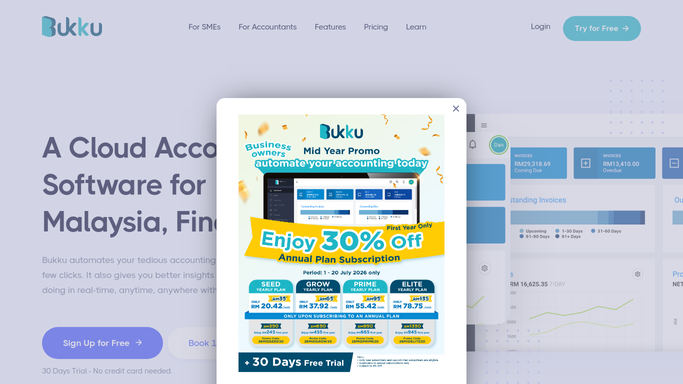
WebRun opens Bukku to check e-invoice submission status. - Open Bukku and go to the e-Invoice submission log
- Filter to invoices submitted in the last 24 hours
- Read the LHDN status on each: Valid, Rejected, or Pending beyond the normal window
- Capture the rejection reason LHDN returned for each rejected invoice
Done when Every e-invoice submitted since yesterday has a confirmed LHDN status.
-
2
Google Sheets - log rejected and pending invoices
google.com How to Automate Google Sheets

WebRun opens Google Sheets to log rejected and pending invoices. - Open the e-invoice tracking sheet
- Log each rejected or overdue-pending invoice with its customer, amount, and LHDN error reason
- Mark any invoice already logged and resolved as closed
Done when The tracking sheet reflects every open e-invoice issue.
-
3
Telegram - alert you to fix issues
telegram.org How to Automate Telegram

WebRun opens Telegram to alert you to fix issues. - Send you a message listing today's rejected and stuck e-invoices with the reason for each
- Note which ones look like a simple fix, such as a missing buyer TIN
- Leave the correction and resubmission in Bukku for you to make
Done when You have today's e-invoice exceptions in Telegram before you start work.
How is each run configured?
Secure by default
Connect once, stays signed in
WebRun signs in once and keeps each session in a persistent environment, so every run picks up right where it left off.
Every action is checked against this policy before it runs.
Questions, answered
Will it resubmit rejected e-invoices to LHDN on its own?
No. WebRun only flags rejected or stuck e-invoices and reports the error reason. Resubmitting to LHDN is a filing action, so it always waits for you to correct and resend it from Bukku.
How does it know an e-invoice was rejected?
It reads the live LHDN submission status on each e-invoice inside Bukku every morning, so a rejection or a pending item stuck past the normal window shows up the same day it happens.
What if an invoice is still processing normally?
It only flags invoices that are rejected or pending longer than expected. Anything moving through LHDN's validation on a normal timeline is left alone.
Related templates
Put this on autopilot.
Turn it on in minutes - or have our team set it up for you.