Start every day knowing how your Ortto campaigns did
Every morning, WebRun opens Ortto, checks yesterday's campaign sends, opens, and conversions across active journeys, posts a digest to Microsoft Teams, and creates a Trello card for any journey that stalled or needs a closer look.
- No credit card
- Under $0.01 per run
- Cancel anytime
How do I get a daily digest of my Ortto campaign performance?
WebRun checks Ortto every morning for yesterday's campaign sends, opens, and conversions, posts a digest to Microsoft Teams, and creates a Trello card for any journey that stalled or needs attention. The team starts the day knowing exactly what happened overnight without opening Ortto first thing.
- The team starts every day with yesterday's results already summarized
- A stalled journey gets a Trello card the same morning, not days later
- No one has to open Ortto just to check what happened overnight
Built for marketing teams · lifecycle marketers · growth teams · marketing operations
What does WebRun do on every run?
The exact actions WebRun takes, in order - in plain language, so you can adjust anything.
-
WebRun signs in and gets to work
Opens
ortto.comin a real browser with your saved login - no setup, no API keys. -
1
Ortto - check yesterday's campaign performance
ortto.com
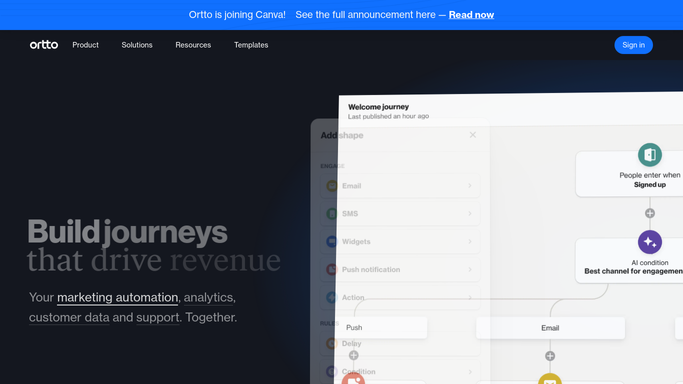
WebRun opens Ortto to check yesterday's campaign performance. - Open Ortto and list campaigns and journeys active in the last 24 hours
- Record sends, opens, and conversions for each
- Note any journey that stalled or shows an error
Done when Every active campaign and journey has current numbers.
-
2
Microsoft Teams - post the daily digest
microsoft.com How to Automate Microsoft Teams

WebRun opens Microsoft Teams to post the daily digest. - Post yesterday's send, open, and conversion numbers to the team channel
- Highlight the best performing campaign of the day
- Keep the digest to one message so it is easy to scan
Done when The team has yesterday's digest in Microsoft Teams.
-
3
Trello - log journeys that need attention
trello.com How to Automate Trello

WebRun opens Trello to log journeys that need attention. - Create a card for any journey that stalled or shows an error
- Include the journey name and what looked wrong
- Leave the fix itself to the marketer who owns the journey
Done when Every stalled or errored journey has a matching Trello card.
How is each run configured?
Secure by default
Connect once, stays signed in
WebRun signs in once and keeps each session in a persistent environment, so every run picks up right where it left off.
Every action is checked against this policy before it runs.
Questions, answered
Does it fix a stalled journey automatically?
No. WebRun only flags a stalled or errored journey with a Trello card. Fixing the journey itself is left to the marketer who owns it.
Will I get a digest even on a quiet day?
Yes. The digest posts every morning regardless of volume, so a quiet day is reported just as clearly as a busy one.
How does it decide a journey needs attention?
It looks for journeys that stalled, errored, or show activity well below their usual pattern, not normal day-to-day variation.
Related templates
Put this on autopilot.
Turn it on in minutes - or have our team set it up for you.