Track your ActiveCampaign results every morning
Every morning, WebRun opens ActiveCampaign, pulls yesterday's campaign sends including opens, clicks, and unsubscribes plus any new automation-triggered deals, logs the numbers as a row in Google Sheets, and updates a Notion marketing dashboard page with the summary.
- No credit card
- Under $0.01 per run
- Cancel anytime
How do I get a daily digest of my ActiveCampaign campaign performance?
WebRun checks ActiveCampaign every morning, pulls the previous day's campaign opens, clicks, and unsubscribes along with any automation-triggered deals, and logs the results to Google Sheets while updating a Notion marketing dashboard, so your team starts each day with current campaign numbers instead of digging through ActiveCampaign reports themselves.
- Campaign results land in your dashboard before the team's morning standup
- No more manually pulling ActiveCampaign reports each day
- Unusual unsubscribe spikes get flagged the same morning
Built for marketing teams · email marketers · small business owners · growth teams
What does WebRun do on every run?
The exact actions WebRun takes, in order - in plain language, so you can adjust anything.
-
WebRun signs in and gets to work
Opens
www.activecampaign.com/loginin a real browser with your saved login - no setup, no API keys. -
1
ActiveCampaign - pull yesterday's campaign results
activecampaign.com
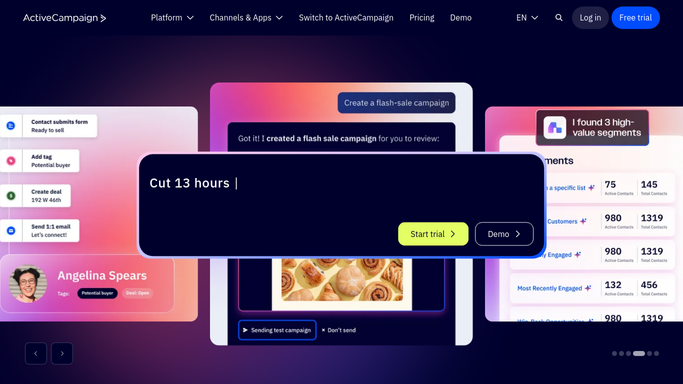
WebRun opens ActiveCampaign to pull yesterday's campaign results. - Open ActiveCampaign and filter campaigns sent in the last 24 hours
- Record opens, clicks, and unsubscribes for each campaign
- Note any new deals created by automations overnight
Done when Every campaign sent yesterday has its results captured.
-
2
Google Sheets - log the daily numbers
google.com How to Automate Google Sheets

WebRun opens Google Sheets to log the daily numbers. - Open the marketing tracking sheet
- Add a new row with the date, campaign name, and each metric
- Carry forward the running totals for the month
Done when The sheet has one row per campaign sent yesterday.
-
3
Notion - update the marketing dashboard
notion.so How to Automate Notion

WebRun opens Notion to update the marketing dashboard. - Open the marketing dashboard page in Notion
- Update the campaign summary block with yesterday's totals
- Flag any campaign whose unsubscribe rate looks unusually high
Done when The Notion dashboard reflects yesterday's ActiveCampaign activity.
How is each run configured?
Secure by default
Connect once, stays signed in
WebRun signs in once and keeps each session in a persistent environment, so every run picks up right where it left off.
Every action is checked against this policy before it runs.
Questions, answered
Does it ever email my ActiveCampaign contacts?
No. WebRun only reads campaign performance data. It never sends, edits, or schedules a campaign on its own.
How current is the data?
It reads live results straight from ActiveCampaign each morning, so the digest reflects whatever has synced overnight.
Where do I see the numbers?
In a running Google Sheet log and a Notion dashboard page that WebRun updates every day, so both your spreadsheet and your team wiki stay current.
Related templates
Put this on autopilot.
Turn it on in minutes - or have our team set it up for you.