Chase behavior incident follow ups before they're forgotten
Every morning, WebRun opens StoriiCare, reviews behavior incidents logged in the past week, checks which still need a follow up action, updates an open items tracker in Google Drive, and posts a Slack list to the care team with anything open more than 3 days flagged first.
- No credit card
- Under $0.01 per run
- Cancel anytime
How do I make sure behavior incident follow ups don't get missed?
Every morning, WebRun checks StoriiCare for behavior incidents still needing a follow up, a care plan update, a family notification, a physician call, and logs each open item in Google Drive with its age and owner. It then posts the list to your care team in Slack with anything open more than 3 days flagged first, so nothing quietly slips.
- No behavior incident follow up goes more than 3 days without a flag
- The care team works from one list instead of re-checking each incident note
- Follow up ownership is tracked by name, not left to whoever remembers
Built for memory care charge nurses · directors of nursing · dementia unit care teams · assisted living clinical staff
What does WebRun do on every run?
The exact actions WebRun takes, in order - in plain language, so you can adjust anything.
-
WebRun signs in and gets to work
Opens
app.storiicare.comin a real browser with your saved login - no setup, no API keys. -
1
StoriiCare - find behavior incidents needing follow up
storiicare.com How to Automate StoriiCare
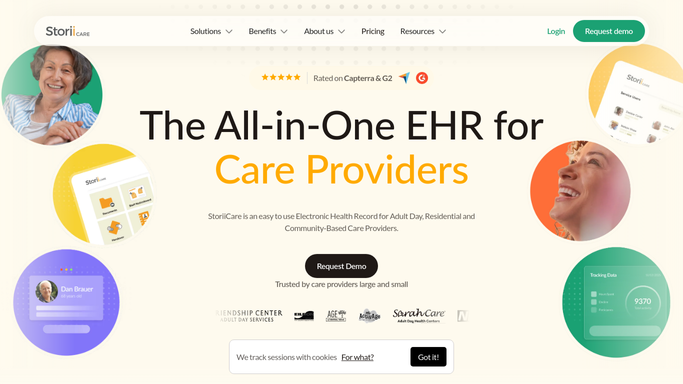
WebRun opens StoriiCare to find behavior incidents needing follow up. - Open StoriiCare and review behavior incidents logged in the past week
- Check which ones still need a follow up action: a care plan update, a family notification, a physician call
- Note how many days each follow up has been open
Done when Every open behavior incident follow up is identified with its age.
-
2
Google Drive - log open follow up items
drive.google.com How to Automate Google Drive

WebRun opens Google Drive to log open follow up items. - Open the shared incident follow up tracker in Google Drive
- Log each open item with the incident date, the action needed, and who owns it
- Move any completed follow up to the closed list
Done when The tracker in Drive reflects every open and closed follow up.
-
3
Slack - alert the care team
slack.com How to Automate Slack

WebRun opens Slack to alert the care team. - Post the list of open follow ups to the care team channel
- Put anything open more than 3 days at the top
- Tag the owner responsible for each item
Done when The care team has today's open follow up list in Slack with owners tagged.
How is each run configured?
Secure by default
Connect once, stays signed in
WebRun signs in once and keeps each session in a persistent environment, so every run picks up right where it left off.
Every action is checked against this policy before it runs.
Questions, answered
Does it decide what the follow up action should be?
No. It only reads what your team already logged as the needed action in StoriiCare, a care plan update, a family notification, a physician call, and tracks whether it happened.
Will it notify the family about an incident?
No. It only alerts your internal care team in Slack. Any family notification about a behavior incident is still made by a staff member directly.
How old does a follow up have to be to get flagged?
Anything still open shows up daily, and anything open more than 3 days moves to the top of the list so it doesn't keep sliding.
Related templates
Put this on autopilot.
Turn it on in minutes - or have our team set it up for you.