Flag bookings at risk before bad weather hits
Every evening, WebRun opens Inflatable Office, lists tomorrow's bookings with their delivery addresses, checks the National Weather Service forecast for wind gusts and rain at each site, drafts a heads up text for any customer whose event crosses your safety cutoff, and posts your team a weather risk list in Slack before trucks are loaded.
- No credit card
- Under $0.01 per run
- Cancel anytime
How do I automatically flag bounce house bookings at risk from bad weather?
WebRun checks the National Weather Service forecast every evening against tomorrow's bookings in Inflatable Office, and when wind or rain at a delivery address crosses your safety cutoff, it drafts a heads up text for that customer in Twilio and posts your team a Slack risk list, so nobody discovers a rainout while loading the truck.
- Customers get a heads up text queued before the truck is loaded, not after
- Only bookings that cross your wind or rain cutoff get flagged
- Your team sees tonight's full risk list in Slack before the morning rush
Built for bounce house rental operators · inflatable and water slide rental businesses · party rental delivery crews · event rental owners
What does WebRun do on every run?
The exact actions WebRun takes, in order - in plain language, so you can adjust anything.
-
WebRun signs in and gets to work
Opens
www.inflatableoffice.comin a real browser with your saved login - no setup, no API keys. -
1
Inflatable Office - list tomorrow's bookings and addresses
inflatableoffice.com How to Automate Inflatable Office

WebRun opens Inflatable Office to list tomorrow's bookings and addresses. - Open Inflatable Office and list every booking scheduled for tomorrow
- Capture the delivery address, event start time, and customer contact for each
- Note which bookings are outdoor setups versus covered or indoor
Done when Every one of tomorrow's bookings is listed with its address and contact.
-
2
National Weather Service - check wind and rain at each site
weather.gov
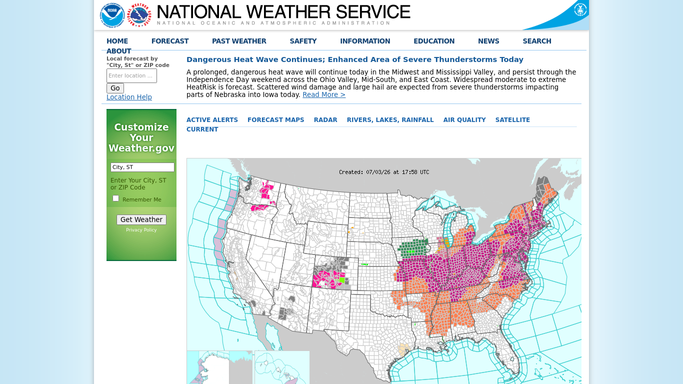
WebRun opens National Weather Service to check wind and rain at each site. - Check the forecast for each delivery address, focused on the event's setup and run window
- Capture predicted wind gusts, rain chance, and any advisory for that window
- Flag any outdoor booking where wind or rain crosses your safety cutoff
Done when Every outdoor booking has a forecast reading against your safety cutoff.
-
3
Twilio - draft a heads up text per at risk customer
twilio.com How to Automate Twilio

WebRun opens Twilio to draft a heads up text per at risk customer. - Draft a short heads up text for each flagged customer, noting the forecast and your rescheduling or refund policy
- Keep the tone reassuring and give the customer a clear next step
- Queue every text in Twilio for your team to review and send. Do not send any text automatically
Done when A heads up text is queued and waiting for review for every flagged customer.
-
4
Slack - post the weather risk list to your team
slack.com How to Automate Slack

WebRun opens Slack to post the weather risk list to your team. - Post the weather risk list to your operations channel, grouped by delivery time
- Include the forecast reading and the queued text status for each flagged booking
Done when Your team has tonight's weather risk list in Slack before the trucks are loaded.
How is each run configured?
Secure by default
Connect once, stays signed in
WebRun signs in once and keeps each session in a persistent environment, so every run picks up right where it left off.
Every action is checked against this policy before it runs.
Questions, answered
Will it cancel a booking or text the customer on its own?
No. WebRun only queues the heads up text in Twilio for your team to review and send. No booking is canceled and no customer is contacted until a person approves it.
How does it decide which bookings are at risk?
It checks the National Weather Service forecast for each delivery address against the wind and rain cutoff you set, so only bookings that actually cross your threshold get flagged.
What if the forecast improves overnight?
Each evening's run reads the forecast fresh, so if the outlook clears up the next run simply will not flag that booking again. Already queued texts still need your team's call.
Related templates
Put this on autopilot.
Turn it on in minutes - or have our team set it up for you.