Hand your crew a sorted delivery route each morning
Every morning, WebRun opens Inflatable Office, lists every delivery, pickup, and swap scheduled for today with its address and time window, orders each driver's stops into an efficient route on Google Maps, and posts the sorted route sheet to Slack so the crew loads the right units in the right order.
- No credit card
- Under $0.01 per run
- Cancel anytime
How do I automatically build a sorted delivery route for bounce house drivers each morning?
Every morning, WebRun opens Inflatable Office, lists today's deliveries, pickups, and swaps with their address and time window, and orders each driver's stops into an efficient route on Google Maps. It posts the sorted route sheet to Slack, so your crew knows exactly which units to load and in what order before the trucks leave.
- Drivers see a sorted route before they load the truck, not after
- Tight time windows get flagged so dispatch can call ahead
- Every stop's units and address are in one place each morning
Built for bounce house rental operators · party rental delivery crews · inflatable rental dispatchers · mobile event rental businesses
What does WebRun do on every run?
The exact actions WebRun takes, in order - in plain language, so you can adjust anything.
-
WebRun signs in and gets to work
Opens
www.inflatableoffice.comin a real browser with your saved login - no setup, no API keys. -
1
Inflatable Office - list today's deliveries and pickups
inflatableoffice.com How to Automate Inflatable Office

WebRun opens Inflatable Office to list today's deliveries and pickups. - Open Inflatable Office and list every delivery, pickup, and swap scheduled for today
- Capture the address, time window, and inflatable units for each stop
- Group stops by the driver or crew already assigned
Done when Every stop for today is listed with its address, window, and assigned crew.
-
2
Google Maps - order each driver's stops into a route
maps.google.com
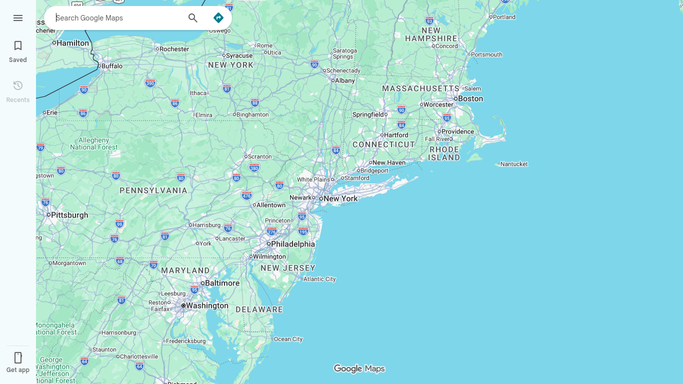
WebRun opens Google Maps to order each driver's stops into a route. - Enter each driver's stops for the day
- Order the stops into an efficient route within each time window
- Flag any stop whose time window looks too tight against drive time
Done when Each driver has an ordered route covering every one of their stops.
-
3
Slack - post the sorted route sheet
slack.com How to Automate Slack

WebRun opens Slack to post the sorted route sheet. - Post each driver's sorted route to the dispatch channel
- List the units, address, and time window for every stop in order
- Flag any tight time window so dispatch can call the customer ahead if needed
Done when Every driver has this morning's sorted route sheet in Slack.
How is each run configured?
Secure by default
Connect once, stays signed in
WebRun signs in once and keeps each session in a persistent environment, so every run picks up right where it left off.
Every action is checked against this policy before it runs.
Questions, answered
Does it decide the exact turn by turn directions?
It orders each driver's stops into an efficient sequence on Google Maps, but your driver still uses their own navigation for turn by turn directions once on the road.
What if a delivery time changes after the digest goes out?
Tell dispatch to update the time in Inflatable Office. The next morning's run reads the live schedule fresh, so a same day change needs a quick manual note to the crew.
Does this route sheet go to customers?
No. The route sheet posts only to your internal Slack dispatch channel for the crew. Customers are not messaged by this workflow.
Related templates
Put this on autopilot.
Turn it on in minutes - or have our team set it up for you.