Review last week's Customer.io campaigns for you
Every Monday, WebRun opens Customer.io, reads the delivery, open, click, unsubscribe, and bounce numbers for last week's campaigns and broadcasts, opens a Trello card for anything below your thresholds, and sends the whole scorecard to your marketing WhatsApp group.
- No credit card
- Under $0.01 per run
- Cancel anytime
How do I review Customer.io campaign performance every week?
WebRun reviews your Customer.io campaigns every Monday. It reads last week's delivery, open, click, unsubscribe, and bounce rates for each campaign and broadcast, compares them to the previous week, opens a Trello card for anything that breaches your thresholds, and sends the full scorecard to your marketing WhatsApp group.
- Underperforming campaigns get an owner and a due date the same Monday
- Unsubscribe and bounce spikes surface within a week
- The team sees week over week movement, not just raw sends
Built for lifecycle marketers · growth teams · email marketing managers · SaaS marketing teams
What does WebRun do on every run?
The exact actions WebRun takes, in order - in plain language, so you can adjust anything.
-
WebRun signs in and gets to work
Opens
fly.customer.ioin a real browser with your saved login - no setup, no API keys. -
1
Customer.io - read last week's campaign metrics
customer.io
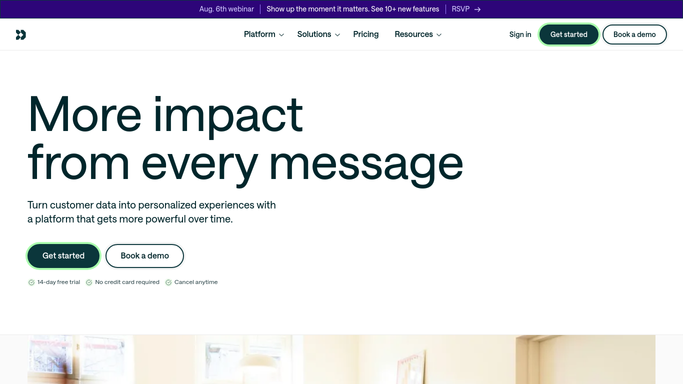
WebRun opens Customer.io to read last week's campaign metrics. - Sign into Customer.io and open the campaigns and broadcasts overview for the past seven days
- Capture sent, delivered, opened, clicked, unsubscribed, and bounced for each one
- Work out the open, click, unsubscribe, and bounce rates and compare them to the previous week
- Flag anything below your open or click threshold, and anything above your unsubscribe or bounce ceiling
Done when Every campaign and broadcast from the past week has its rates, its week over week change, and any threshold breach recorded.
-
2
Trello - open a card per underperformer
trello.com How to Automate Trello

WebRun opens Trello to open a card per underperformer. - Open the marketing board in Trello
- Create one card per flagged campaign with its name, the rate that breached, and the week over week change
- Assign the card to the campaign owner and set a due date inside the week
- Skip campaigns that already have an open card so the board does not fill with duplicates
Done when Every underperforming campaign has one owned, dated Trello card and no duplicates exist.
-
3
WhatsApp - send the scorecard
whatsapp.com How to Automate WhatsApp

WebRun opens WhatsApp to send the scorecard. - Send the weekly scorecard to your marketing group
- Lead with the flagged campaigns and the card now waiting for their owner
- Follow with the week's totals: sends, average open and click rate, unsubscribes, and bounces
- Note the biggest mover up and the biggest mover down against the previous week
Done when The marketing group has the scorecard with flagged campaigns first.
How is each run configured?
Secure by default
Connect once, stays signed in
WebRun signs in once and keeps each session in a persistent environment, so every run picks up right where it left off.
Every action is checked against this policy before it runs.
Questions, answered
Will it send, pause, or edit a campaign?
No. WebRun only reads reporting in Customer.io. It never sends a broadcast, never starts or pauses a campaign, and never edits a message or a segment. Any change to a live campaign stays a human action.
Who decides what counts as underperforming?
You do. Set your own open and click floors and your unsubscribe and bounce ceilings, and WebRun flags only campaigns that breach them, so the Trello board stays short and meaningful.
Does the WhatsApp message contain customer data?
No. The scorecard reports campaign-level rates and totals only. Individual recipients, email addresses, and profile data are never copied out of Customer.io.
Related templates
Put this on autopilot.
Turn it on in minutes - or have our team set it up for you.