How to Automate Juniper Square
Juniper Square automates the fund's own side of the relationship. Capital call and distribution notices are calculated and posted to the investor portal, K-1s are matched and delivered with tracking, and onboarding runs through its AML and KYC workflows. Matching wires, chasing documents and reading side letters stay manual.
 Written by
Samuel Adeyemi
Integrations writer
Written by
Samuel Adeyemi
Integrations writer
 Reviewed by
Aiko Tanabe
Product researcher
Reviewed by
Aiko Tanabe
Product researcher
The fund's investors meet the firm through one login
Juniper Square is the fund operating system that private markets managers run on: real estate sponsors, private equity and venture firms, private credit managers and funds of funds. GPX is the platform, and limited partners meet the firm through its investor portal. It is sold both as software a manager runs itself and as an administration service, with fund accounting, treasury and investor services behind it.
That portal is the relationship, in practice. An investor signs a subscription there, reads the quarterly report there, downloads the K-1 there, and sees the capital account balance that tells them how their money is doing. A family office committed to eleven funds sees eleven versions of that experience, and forms an opinion of each manager partly from how the paperwork feels.
Behind the same login sits the general partner's operations desk, and whoever answers the email when a limited partner cannot find last quarter's statement.
The wire, the passport and the signature arrive separately
Almost everything a fund does to its investors is a deadline with a hundred separate people attached.
A capital call goes out with a due date, and then somebody watches the bank for a fortnight matching wires to investors, chasing the three who have not sent one, and working out whether the payment with no reference belongs to the trust or the LLC of the same family. A close needs a completed subscription document and a finished know your customer file from every new investor, and one of them uploaded a passport that expired last year. K-1s go out in March and the questions start the same afternoon. A side letter promised one investor quarterly look-through reporting, and nobody has read it since the close.
None of that is difficult. All of it is a person, a calendar and a great deal of email.
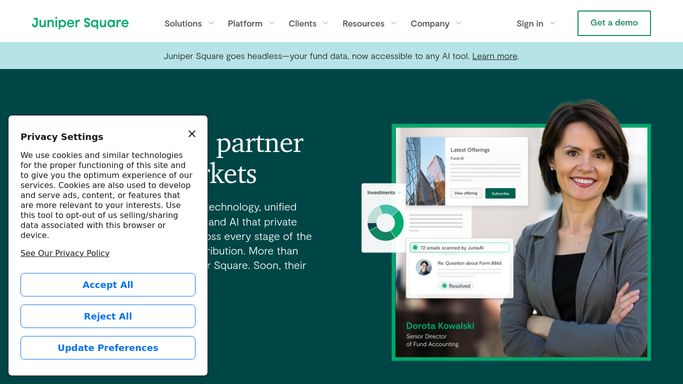
Juniper Square already writes the notice and posts it to the portal
The platform takes a serious amount of this off the desk, and the parts it covers are covered properly.
Treasury Services performs the capital call calculations and produces the notices, reconciles contributions as they arrive, calculates distributions and issues those notices too, with payments made by check, wire or ACH. Investor Reporting generates statements for net asset value, capital accounts, ILPA-compliant capital calls and management fees, personalised to each investor. K-1s are uploaded, matched to the right investor and delivered through the portal, with tracking that confirms who received theirs. Data rooms, DDQ and AML and KYC workflows carry the onboarding side, and Insights records portal logins, email opens and which documents an investor actually opened. Waterfall modeling handles the carried interest arithmetic that otherwise lives in one partner's spreadsheet.
What all of that shares is that it lives on the manager's side of the login.
The wire is at the bank. The signature is with a lawyer or a signature service. The property manager's operating statement, the portfolio company's board deck and the auditor's request list are each somewhere else. A quarterly letter waits on facts Juniper Square has no way to collect.
An LP list that knows who has not acted
Read the fund's own record every morning, then check the places it depends on, and the chase list writes itself.
Capital call payments expected against what actually landed in the bank, matched by investor and fund, so the three still outstanding are named on day four rather than day fourteen. Investors whose subscription pack is signed but whose know your customer file is one document short, listed before the close date instead of during the close. K-1s delivered but never downloaded, by fund, with a note drafted to each investor who has not opened theirs.
Then the obligations with dates buried inside a document. Side letter commitments coming due. Reporting deadlines counted back from the day the investor was promised the number. Management fee calculations checked against the schedule in the partnership agreement rather than the one in a spreadsheet. A distribution run compared against the commitments on file, so each share is checked before a notice is written.
And the quiet signals the portal already records. An investor in a fund now raising who has not logged in since the last annual meeting, surfaced for the partner about to ask them for a commitment.
No capital call goes out without a partner sending it
That line does not move, and it belongs before anything else. Preparing a notice and issuing one are different acts, and only the first is safe overnight.
WebRun is an AI agent that works a real Chrome browser, signed in as you. It opens Juniper Square the way your investor relations team does, reads the calls, the commitments, the documents and the delivery status, checks the bank beside it, and brings back a list with the investor and the fund attached.
It runs on your schedule in your own private environment, and a workflow can be restricted to an explicit list of domains. Every notice, every chase and every message to a limited partner is drafted and waits. No money moves without a person sending it.
The workflows below are already built, and each one names what it opens.
Questions people ask
Will it issue a capital call or send anything to an LP?
No. Notices, reminders and messages are drafted and left for a person. Issuing a call, releasing a distribution and anything that moves investor money stay with the partners who are accountable for them.
Is it safe to let it read investor and bank data?
The session stays inside your own private environment, signed in as your own user, and is not shared with the other tools in a workflow. A run can be locked to an explicit list of domains, so it reaches only the sites you named.
Can one run cover several funds at once?
Yes. It works the screens your operations team works, so a single run reads every fund you administer and groups what it finds by fund and by investor, rather than making somebody check each one in turn.
12 ready-made Juniper Square workflows
Each one names the apps it touches and the exact steps it takes. Open one to read what it will do, then turn it on.





Want one of these running on your own Juniper Square?
Show WebRun the process once and it will run it on schedule, in your own private browser environment.