Log LP inquiries and requests from email into Juniper Square
When an LP email arrives in your designated Gmail inbox, WebRun reads the sender, subject, and request type, matches the LP to their Juniper Square record, creates a tracked inquiry in Juniper Square with the request details and timestamp, and logs the inquiry to a Google Sheet so the IR team can monitor response times and open items.
- No credit card
- Under $0.01 per run
- Cancel anytime
How do I automatically log LP emails into Juniper Square as tracked inquiries?
WebRun monitors your LP inquiries Gmail inbox, extracts the sender, fund reference, and request type from each email, creates a tracked activity record on the LP's Juniper Square profile, and logs every inquiry to a Google Sheet with open status. The IR team reviews and responds, with no manual data entry needed.
- Every LP email becomes a tracked Juniper Square inquiry with zero manual data entry
- IR team sees all open inquiries in a single Google Sheet sorted by age
- Unmatched emails flagged immediately so nothing is lost in the inbox
Built for investor relations teams · private equity fund administrators · LP-facing fund operations · real estate fund managers
What does WebRun do on every run?
The exact actions WebRun takes, in order - in plain language, so you can adjust anything.
-
WebRun signs in and gets to work
Opens
mail.google.comin a real browser with your saved login - no setup, no API keys. -
1
Gmail - read incoming LP email and extract request details
gmail.com How to Automate Gmail

WebRun opens Gmail to read incoming LP email and extract request details. - Monitor the designated LP inquiries Gmail inbox for new messages
- Read the sender email, subject line, and email body
- Extract the LP name, fund referenced, and request type (capital call question, distribution inquiry, document request, general question)
- Flag any email that could not be matched to a known LP for manual triage
Done when The LP's name, fund, email address, and request type are extracted from the incoming email.
-
2
Juniper Square - create tracked inquiry record for the LP
junipersquare.com How to Automate Juniper Square
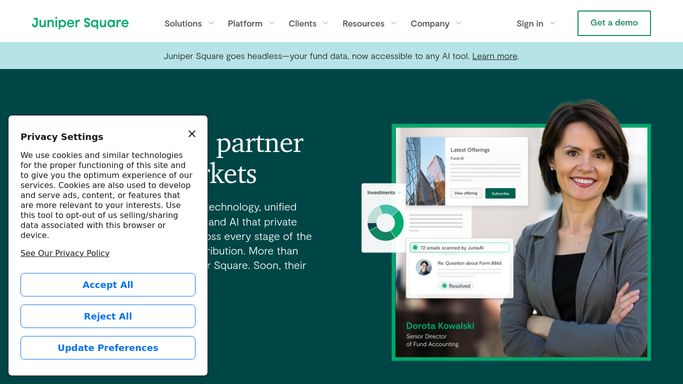
WebRun opens Juniper Square to create tracked inquiry record for the LP. - Match the sender email to the corresponding LP record in Juniper Square
- Create a new inquiry or activity note on the LP's record with the request type, summary, and received timestamp
- Tag the inquiry with the fund name and request category for reporting
Done when A tracked inquiry record exists on the LP's Juniper Square profile with request details and timestamp.
-
3
Google Sheets - log inquiry for IR team monitoring
google.com How to Automate Google Sheets

WebRun opens Google Sheets to log inquiry for IR team monitoring. - Append the inquiry to the IR inquiry log Google Sheet with LP name, fund, request type, received date, and status set to Open
- Flag any inquiry that is more than 48 hours old without a logged response
- Sort the sheet by received date so the oldest open inquiries appear at the top
Done when The inquiry is logged in the Google Sheet with Open status and is visible to the IR team.
How is each run configured?
Secure by default
Connect once, stays signed in
WebRun signs in once and keeps each session in a persistent environment, so every run picks up right where it left off.
Every action is checked against this policy before it runs.
Questions, answered
Does it reply to LP emails automatically?
No. WebRun only reads the incoming email, creates a Juniper Square record, and logs the inquiry. All responses are written and sent by your IR team after reviewing the logged inquiry.
What if an email cannot be matched to a Juniper Square LP record?
Unmatched emails are flagged in the Google Sheet with a status of Needs triage so your team can manually match and log them. No record is created in Juniper Square until a match is confirmed.
Can it handle emails that contain multiple requests?
It creates a single inquiry record with a combined summary. If an email clearly contains separate request types, it notes both in the Juniper Square activity note and the Google Sheet so your team can action each one.
Related templates
Put this on autopilot.
Turn it on in minutes - or have our team set it up for you.