Route fund reports and notices for GP approval before they go out
When a new fund report, investor notice, or capital call document is ready in Juniper Square, WebRun reads the document type and the fund it belongs to, creates a DocuSign approval envelope routed to the designated GP reviewer for that fund, posts a Slack notification to the reviewer asking them to sign off, and tracks approval status in Juniper Square so the document moves to publish only after sign-off is complete.
- No credit card
- Under $0.01 per run
- Cancel anytime
How do I automatically route fund reports and notices for GP approval before publishing?
WebRun detects new fund reports and investor notices ready for review in Juniper Square, creates a DocuSign approval envelope routed to the correct GP reviewer for that fund, and posts a Slack notification requesting sign-off. No document is published or sent to LPs until GP approval is recorded in DocuSign.
- Every fund report and investor notice has a documented GP approval before reaching LPs
- GP reviewer notified in Slack the moment a document is ready for sign-off
- 48-hour follow-up reminders prevent approvals from stalling without manual chasing
Built for GP approval teams · private equity fund operations · fund compliance managers · investor relations teams
What does WebRun do on every run?
The exact actions WebRun takes, in order - in plain language, so you can adjust anything.
-
WebRun signs in and gets to work
Opens
app.junipersquare.comin a real browser with your saved login - no setup, no API keys. -
1
Juniper Square - detect new document ready for approval and read details
junipersquare.com How to Automate Juniper Square
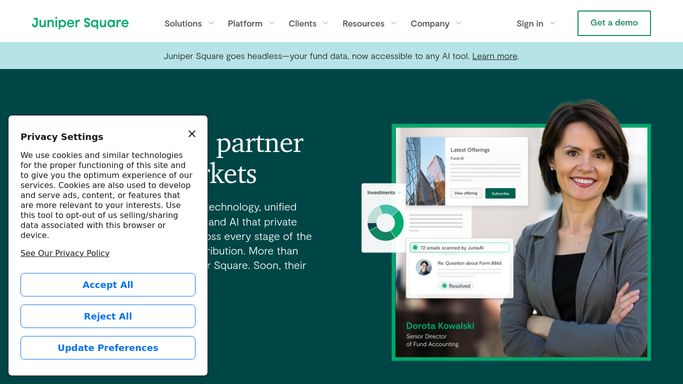
WebRun opens Juniper Square to detect new document ready for approval and read details. - Detect a new fund report, investor notice, or capital call document flagged as ready for review in Juniper Square
- Read the document type, fund name, reporting period, and the GP reviewer assigned to that fund
- Confirm the document is in draft status and has not yet been published or sent to LPs
Done when The document type, fund, and assigned GP reviewer are identified and the document is confirmed as a draft.
-
2
DocuSign - create approval envelope routed to GP reviewer
docusign.com How to Automate DocuSign

WebRun opens DocuSign to create approval envelope routed to GP reviewer. - Create a DocuSign approval envelope containing the document details and a GP sign-off signature field
- Route the envelope to the GP reviewer assigned to that fund in Juniper Square
- Stage the envelope for sending but do not deliver it until the Slack notification confirms the reviewer is ready
Done when A DocuSign approval envelope is ready and staged for the correct GP reviewer.
-
3
Slack - notify GP reviewer that approval is waiting
slack.com How to Automate Slack

WebRun opens Slack to notify GP reviewer that approval is waiting. - Post a Slack message to the designated GP reviewer: document type, fund name, and a link to the DocuSign envelope
- Note that the document will not be published or sent to LPs until they sign off
- If no approval is received within 48 hours, post a follow-up reminder to the same reviewer
Done when The GP reviewer has a Slack notification with the DocuSign link and knows approval is needed before publication.
How is each run configured?
Secure by default
Connect once, stays signed in
WebRun signs in once and keeps each session in a persistent environment, so every run picks up right where it left off.
Every action is checked against this policy before it runs.
Questions, answered
Can it publish a report or send a notice to LPs without GP approval?
No. The document remains in draft status in Juniper Square and is not published or sent to LPs until the GP reviewer completes their DocuSign sign-off. Approval is a required gate, not an optional step.
What if the wrong GP is routed for a specific fund?
WebRun reads the reviewer assigned to each fund from Juniper Square. Update the fund settings in Juniper Square to change which GP receives approval requests for that fund, and future documents will route to the updated reviewer.
What happens if the GP does not respond within 48 hours?
WebRun posts a follow-up Slack reminder to the same reviewer after 48 hours with the document type, fund, and DocuSign link. The reminder continues on a 48-hour cycle until sign-off is received or the document is withdrawn.
Related templates
Put this on autopilot.
Turn it on in minutes - or have our team set it up for you.