How to Automate Google Sheets

You automate Google Sheets in three layers. Formulas and functions handle anything that stays inside the sheet. Apps Script and scheduled triggers handle repeatable jobs on a timer. Getting the numbers in from tools that have no export is the layer most people still do by hand, and the one worth handing to an agent like WebRun.

Google Sheets quietly became the company database

Google Sheets, which plenty of people still call a Google Spreadsheet, is the free spreadsheet in Google Workspace. In most small companies it quietly became the place where the business is actually run. It holds the customer list, the job schedule, the stock count, the commission working and the numbers someone reads out on Monday morning.

It earned that job by being easy to get into. It opens in a browser, several people can type in it at once, and nobody has to ask an administrator for a licence. The bookkeeper, the office manager and the owner can all be in the same tab at the same time, which is more than can be said for most of the software those three were given.

So the spreadsheet sits downstream of every other tool you own. The booking system, the card terminal, the accounting package and the inbox all feed one sheet, because it is the only place all of it can sit side by side.

Every number in it arrives by hand

Almost none of the time spent on a spreadsheet is spent thinking. It goes on moving numbers into it.

Someone opens the booking system every morning, reads yesterday's total off a dashboard, and types it into a cell. Someone exports a report from the CRM, opens the CSV, deletes three columns and pastes the rest into a tab. Someone checks four supplier portals for prices that changed and updates a column by hand. Someone copies the same figures into a second, tidier sheet for a manager who will never open the first one.

Each takes a few minutes, which is exactly why nobody ever fixes them. They become visible only when the person who does them is on holiday and the sheet goes stale for a fortnight, or when a number gets typed wrong and a decision gets made on it.

The google.com homepage, the app these three jobs run in. Google Sheets
Filling the sheet Yesterday's orders, bookings, balances and ad spend, collected from wherever they live and written into the right row before you open the tab.
Working through the sheet Taking each row and doing something with it somewhere else: a reminder sent, a price checked, a status looked up and written back.
Getting the sheet read Turning the tab nobody opens into a short summary that lands in the place your team already looks every morning.

Formulas only reach what is already open to them

The sheet does more on its own than most people use, and it is worth knowing how far that reaches before paying for anything. One sheet can read a range out of another and stay in step with it. A long tab can be filtered down to a short one that updates itself. A table on a public web page can be pulled in and refreshed. Apps Script will run a job on a timer, so a nightly tidy-up or an emailed snapshot really can be set and forgotten.

Every one of those has the same ceiling. They can only reach what is already open to them: another spreadsheet, a public page, a tool with an API and someone on hand to write against it.

The numbers you actually want are almost never in those places. They are behind a login, on a screen, in a supplier portal or a bank or a booking system or a twenty-year-old piece of trade software, sitting there in plain sight with no export button anywhere near it. That is the wall, and it is the reason someone in your office is still retyping figures at nine in the morning.

A spreadsheet that goes and fetches for itself

Change that, and the question stops being what can I import and becomes what do I want to know.

You buy from six suppliers, and every one shows live prices and stock behind its own login. That can be a column instead: this morning's price against what you paid last time, so the line that moved is obvious before you order.

You ship. Tracking numbers go out and somebody spends an afternoon pasting them into courier sites one at a time. Those statuses can be sitting in the sheet by the time you open it, with anything that stopped moving pushed to the top.

The same trick works on anything you can see in a browser. What your competitors are charging today. Which of your listings slipped off the first page. The takings from a system that only ever shows them on a dashboard. Whether the permit you are waiting on has changed status yet. None of it needs an API, a developer, or an integration somebody else has to build first.

One rule holds across all of it: automate the collecting, keep the deciding. A sheet that fills itself overnight is a gift. A sheet that emails your customers on its own is a risk, and should never send without a person saying yes.

An agent does the retyping

Between the portal where the number lives and the cell it belongs in sits a person. Only the deciding needs one.

WebRun is an AI agent that works a real Chrome browser, signed in as you. It opens the supplier portal, reads the price off the screen, and writes it into the right row of your spreadsheet. Because it uses the browser rather than an API, it reaches anything you can reach: no key to generate, no add-on, no integration that has to exist first.

It runs on your schedule in your own private environment. You can watch a run and stop it mid-way, and anything irreversible drafts and waits for you.

The workflows below are already built. Each one names the apps it touches and the steps it takes, so you can read what it does before you switch it on.

Questions people ask

Do I need to turn on the Google Sheets API or share my spreadsheet?

No. WebRun opens Google Sheets in a real browser signed in as you, so it works with the access you already have. There is no API key, no add-on and no change to the sharing settings on the file.

Will it overwrite the data already in my sheet?

Only where you point it. Most workflows append a new row or write into one named column, and each template spells out which cells it touches before you turn it on. Writing to a raw tab that your working tabs read from keeps typed work safe either way.

Can it pull numbers out of a tool that has no export button?

Yes, and that is usually the reason to use it. WebRun reads the figure off the screen the way a person would, then writes it into your spreadsheet, so a dashboard with no export is no longer a dead end.

4,178 ready-made Google Sheets workflows

Each one names the apps it touches and the exact steps it takes. Open one to read what it will do, then turn it on.

Automatic Seasonal Solar Film Campaigns
WebRun pulls past residential customers from Tint Wiz, segments who is a fit for solar and heat-rejection film this season, and drafts a Mailchimp campaign plus a target list so you fill the slow months while approving the send.
Tint WizMailchimpGoogle Sheets
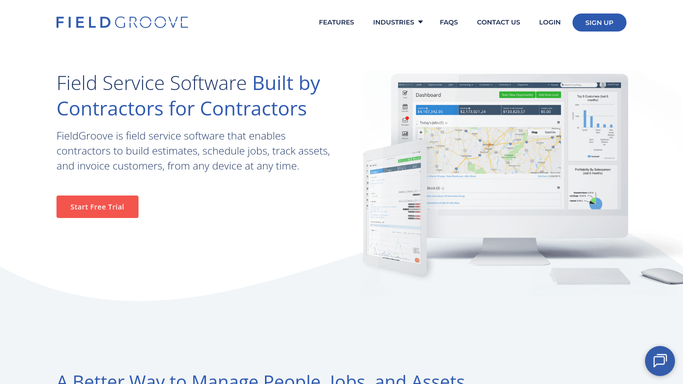
FieldGroove Automated Bag Inventory Alerts
Every morning, WebRun counts cellulose bags used on recent blown-in jobs in FieldGroove, updates your on-hand count in a sheet, and pings Telegram when a product drops below its threshold.
FieldGrooveGoogle SheetsTelegram
Automated ASC 606 Commission Amortization
Each close, WebRun pulls the capitalized commission schedules from QuotaPath Ledger, records the period expense in NetSuite, and files a per-contract schedule in Google Sheets.
QuotaPathNetSuiteGoogle Sheets
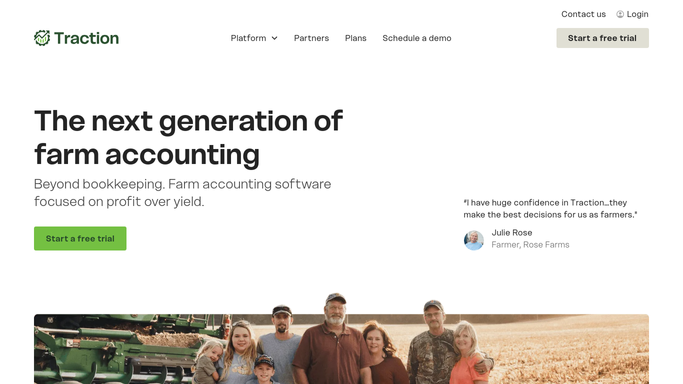
Automated Cost Per Bushel Crop Digest
Each week, WebRun reads your cost and profit per bushel by crop in Traction Ag, logs the numbers to a Google Sheet, and sends you a Telegram digest so you always know where each crop stands.
Traction AgGoogle SheetsTelegram
Automated Food Cost Variance Reporting
Every week, WebRun pulls each location's theoretical versus actual food cost from Restaurant365, writes the variances to a Google Sheet trend, and sends you a Telegram digest of the units and categories drifting most.
Restaurant365Google SheetsTelegram
MenuMetric Automated F&I Penetration Digest
WebRun reads the F&I performance metrics in MenuMetric, calculates product penetration and PVR by manager for the period, logs the numbers to Google Sheets, and posts each manager a Slack digest of their VSC, GAP, and product per deal against target.
MenuMetricGoogle SheetsSlack
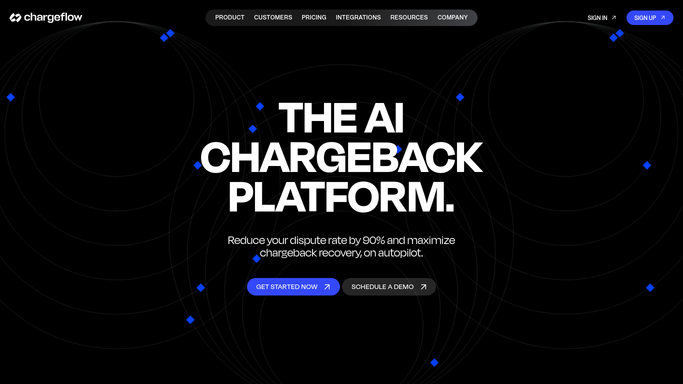
Automated Friendly Fraud Detection
Each week, WebRun scans Chargeflow and Stripe for customers with repeat chargebacks, builds a repeat-offender watchlist, and proposes blocklist candidates for you to approve.
ChargeflowStripeGoogle Sheets
Automated Yards Poured Daily Digest
Every morning, WebRun totals yesterday's delivered yardage from Dispatch360 by plant, job, and mix, builds a running month sheet, and posts a clean yards-poured digest to Slack so the team opens to the numbers.
Dispatch360Google SheetsSlack
Automated Daily Barrels Hauled Digest
Every night, WebRun totals the day's hauls in Engage Mobilize by lease, driver, and fluid type, writes the numbers into a running Google Sheet, and posts the headline totals to Slack.
Engage MobilizeGoogle SheetsSlack
Automated Wastewater Discharge Logging
On a set schedule, WebRun reads the latest wastewater discharge readings in TankSoft Pro, logs each to your ESH register in Google Sheets, and alerts Slack if a reading breaches a permit limit.
TankSoft ProGoogle SheetsSlack
Automated SLA Breach Route Reports
Every week, WebRun analyzes turnaround times across your routes in CXT Software, finds the routes that repeatedly miss their SLA, logs the pattern to a sheet, and posts a Slack summary for planning.
CXT SoftwareGoogle SheetsSlack
Automated Vision Therapy Benefit Checks
Ahead of each new evaluation, WebRun reads the patient's insurance details from Sanet Vision Integrator, checks vision therapy coverage on the payer portal, logs the result in a Google Sheet, and posts a heads up to your billing team on Telegram.
Sanet Vision IntegratorGoogle SheetsTelegram
Automated Garment Prior Auth Tracking
WebRun tracks every compression garment prior authorization against its LymphaTech order, updates a Google Sheet with each one's status and expiry, and posts your billing team a Slack digest of what is pending, approved, or about to expire.
LymphaTechGoogle SheetsSlack
Automated DSO AR Aging Rollup
Each week, WebRun opens Denticon, pulls insurance and patient AR aging for every office, consolidates it in a Google Sheet, and posts a group aging summary to Telegram that flags the worst buckets.
DenticonGoogle SheetsTelegram
Panda Perio Automated Implant Reordering
WebRun tallies implant and surgical supply usage from Panda Perio against your Google Sheets par levels, spots which sizes are running low, and drafts a purchase order email to each supplier for the office manager to approve.
Panda PerioGoogle SheetsGmail
Renvio Automated Chair Utilization Report
WebRun reads Renvio's schedule and treatment log each week, calculates station and shift utilization against capacity, builds a chair-time report in Google Sheets, and posts the open-capacity summary to Slack so your clinic can fill empty stations and add patients.
RenvioGoogle SheetsSlack
Automated Colonoscopy Recall Worklists
WebRun reviews past colonoscopy results and recommended intervals in EndoManager, finds patients now due or overdue for their next screening or surveillance exam, builds a recall worklist in Google Sheets, and drafts outreach for staff to review.
EndoManagerGoogle SheetsSlack
Automated Sedation Record Audits
Every day, WebRun audits yesterday's moderate sedation records in HI-IQ for missing fields, logs the gaps to Google Sheets, and drafts a completion request to the responsible clinician in Outlook for you to approve.
HI-IQGoogle SheetsOutlook
Automated Vet Inventory Reorder Alerts
WebRun checks medication and supply levels in ThoroVet each morning, compares each item against its reorder point, logs the shortfalls to a Google Sheet, and posts your team a reorder list so the farm-call truck never runs dry.
ThoroVetGoogle SheetsSlack
Automated Plant Flow Anomaly Alerts
Every hour, WebRun reads the plant flow figures logged in Operator10, compares them to normal for the time of day, and pings operators in Telegram when something looks off.
AllMax Operator10Google SheetsTelegram
MyApiary Automated Feed Reorder Alerts
Every week, WebRun reads feeding events and consumable usage in MyApiary, tracks your syrup and pollen stock in a Google Sheet, and drafts a reorder email to your supplier when stock runs low, ready for you to send.
MyApiaryGoogle SheetsGmail
Automated Retainer Balance Alerts
Every morning, WebRun compares billed time against each retainer in ExpertClear, logs the remaining balance to a sheet, and posts a Slack alert for any retainer running below your threshold.
ExpertClearGoogle SheetsSlack
Automated Standby Seat Offers
When a flight opens seats after a scrub or a cancellation in TripWorks, WebRun reads your standby list from a Google Sheet and drafts a first-come offer text in Twilio for the next people in line, queued for you to send.
TripWorksGoogle SheetsTwilio
Automated Held Ticket Release Plans
WebRun checks sold-out peak nights in FEARTICKET, works out how much held or comp inventory is safe to release per slot, logs a proposed release to Google Sheets, and pings you in Slack to approve before any tickets go back on sale.
FEARTICKETGoogle SheetsSlack

Want one of these running on your own Google Sheets?

Show WebRun the process once and it will run it on schedule, in your own private browser environment.