Keep dental implant stock from running out
Every Monday, WebRun opens Panda Perio, tallies the implants and surgical supplies used in the past week, compares each item against your par levels in Google Sheets, drafts a purchase order email in Gmail to the right supplier for anything below par, and posts the office manager a Slack reorder summary, leaving every order unsent for approval.
- No credit card
- Under $0.01 per run
- Cancel anytime
How do I automatically track dental implant inventory and reorder low stock?
WebRun opens Panda Perio each Monday, tallies the implants and surgical supplies used that week, and compares each item against your par levels in Google Sheets. It then drafts a purchase order in Gmail to the right supplier for anything below par and leaves it unsent for staff to approve, so you never run out mid-case.
- No implant size runs out mid-surgery
- Reorders drafted the moment stock drops below par
- All supplier orders human-approved before sending
Built for periodontists · surgical dental practices · office managers · implant coordinators
What does WebRun do on every run?
The exact actions WebRun takes, in order - in plain language, so you can adjust anything.
-
WebRun signs in and gets to work
Opens
www.pandaperio.comin a real browser with your saved login - no setup, no API keys. -
1
Panda Perio - tally implant and supply usage
pandaperio.com How to Automate Panda Perio
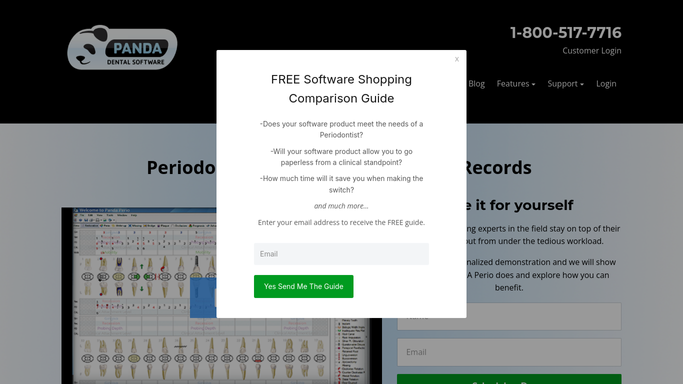
WebRun opens Panda Perio to tally implant and supply usage. - Open Panda Perio and review completed surgical cases from the past week
- Tally the implant fixtures, healing abutments, membranes, and graft material used, by size and brand
- Capture the counts so they can be checked against the on-hand par levels
Done when Every implant and surgical supply used this week is tallied by size and brand.
-
2
Google Sheets - compare usage against par levels
google.com How to Automate Google Sheets

WebRun compares usage against par levels in Google Sheets. - Open the implant inventory sheet in Google Sheets and subtract the week's usage from on-hand counts
- Flag any item now at or below its par level, noting the supplier and reorder quantity
- Update the running on-hand column so next week starts from an accurate count
Done when The inventory sheet shows current on-hand counts with every below-par item flagged.
-
3
Gmail - draft supplier purchase orders for approval
gmail.com How to Automate Gmail

WebRun drafts each supplier purchase order and leaves it unsent. - Draft a purchase order email to the correct supplier for each below-par item, with the size, brand, and reorder quantity
- Group items by supplier so one order goes to each vendor
- Leave every purchase order as an unsent draft in Gmail for the office manager to review and approve. WebRun never places an order on its own
Done when A purchase order is drafted and left unsent for each supplier with low stock.
-
4
Slack - post the office manager a reorder summary
slack.com How to Automate Slack

WebRun posts the reorder summary to the office manager. - Post a reorder summary to the office manager's Slack channel listing every below-par item, its supplier, and the reorder quantity
- Note that each purchase order is drafted in Gmail and awaiting approval before it is sent
- Highlight any item at zero on hand so the most urgent restocks stand out
Done when The office manager has this week's reorder summary in Slack.
How is each run configured?
Secure by default
Connect once, stays signed in
WebRun signs in once and keeps each session in a persistent environment, so every run picks up right where it left off.
Every action is checked against this policy before it runs.
Questions, answered
Will it place orders with suppliers on its own?
No. Every purchase order is drafted and left unsent in Gmail for the office manager to review and approve. Spending money on inventory always stays a human decision.
How does it know our par levels?
From your Google Sheets inventory sheet, where you set the par level and reorder quantity for each item. WebRun subtracts each week's usage and flags anything that drops to or below par.
Where does the usage count come from?
From completed surgical cases in Panda Perio, tallied by implant size, brand, and supply type. WebRun counts only what was actually used, so the reorder list reflects real consumption.
Related templates
Put this on autopilot.
Turn it on in minutes - or have our team set it up for you.