Send each F&I manager their product penetration numbers daily
Every morning, WebRun opens MenuMetric, reads the F&I performance metrics, calculates each manager's product penetration, products per deal, and per vehicle revenue for the month to date, logs the numbers to Google Sheets, and posts each F&I manager a Slack digest of where they stand against target.
- No credit card
- Under $0.01 per run
- Cancel anytime
How do I automatically report F&I product penetration by manager each day?
WebRun opens MenuMetric every morning and reads the F&I performance metrics. It calculates each manager's product penetration, products per deal, and per vehicle revenue month to date against target, logs the numbers to Google Sheets, and posts each manager a Slack digest, so every F&I manager knows exactly where they stand before the day starts.
- Every manager starts the day knowing their penetration and PVR against target
- Weak products surface daily so coaching happens mid month, not at month end
- The director sees the whole team's trend in one sheet without pulling reports
Built for F&I directors · F&I managers · general sales managers · dealer principals
What does WebRun do on every run?
The exact actions WebRun takes, in order - in plain language, so you can adjust anything.
-
WebRun signs in and gets to work
Opens
app.menumetric.comin a real browser with your saved login - no setup, no API keys. -
1
MenuMetric - read F&I performance metrics
menumetric.com How to Automate MenuMetric
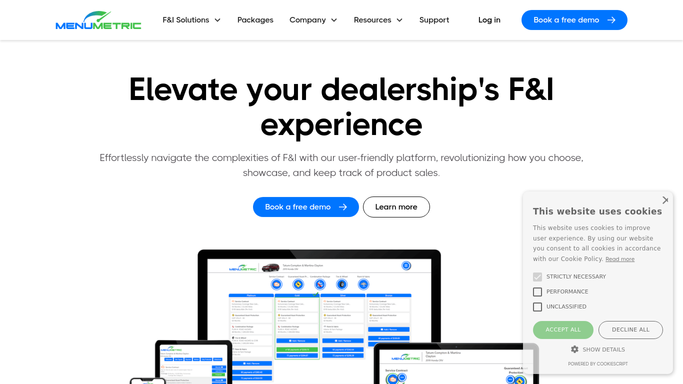
WebRun opens MenuMetric to read F&I performance metrics. - Open MenuMetric and go to the F&I performance metrics and reporting
- For the month to date, read deals, products sold, and income by F&I manager
- Calculate product penetration by product, products per deal, and per vehicle revenue for each manager
- Compare each figure against the manager's target
Done when Every F&I manager has penetration, products per deal, and PVR calculated against target.
-
2
Google Sheets - log penetration by manager
google.com How to Automate Google Sheets

WebRun opens Google Sheets to log penetration by manager. - Open the F&I Penetration Tracker sheet
- Update a row per manager with product penetration, products per deal, PVR, and target
- Keep a rolling daily history so trends over the month are visible
- Highlight any product where penetration sits below target
Done when The tracker holds each manager's current numbers and their trend for the month.
-
3
Slack - digest each manager's numbers
slack.com How to Automate Slack

WebRun opens Slack to digest each manager's numbers. - Post each F&I manager a Slack digest of their product penetration, products per deal, and PVR month to date
- Show each figure against target and whether it is ahead or behind
- Call out the one product with the most room to grow so they know where to focus
Done when Each manager has a Slack digest of their numbers against target for the day.
How is each run configured?
Secure by default
Connect once, stays signed in
WebRun signs in once and keeps each session in a persistent environment, so every run picks up right where it left off.
Every action is checked against this policy before it runs.
Questions, answered
Does the digest go to the customer or stay internal?
It stays internal. WebRun posts each F&I manager and the desk their own Slack digest and logs the numbers in a sheet. Nothing about performance is sent to a customer.
Which numbers does it report?
Product penetration by product, products per deal, and per vehicle revenue month to date, each shown against the manager's target so it is clear who is ahead or behind.
Where do the numbers come from?
Straight from the F&I performance metrics in MenuMetric each morning, so the digest reflects live month to date results rather than a stale export.
Related templates
Put this on autopilot.
Turn it on in minutes - or have our team set it up for you.