How to Automate Google Sheets

You automate Google Sheets in three layers. Formulas and functions handle anything that stays inside the sheet. Apps Script and scheduled triggers handle repeatable jobs on a timer. Getting the numbers in from tools that have no export is the layer most people still do by hand, and the one worth handing to an agent like WebRun.

Google Sheets quietly became the company database

Google Sheets, which plenty of people still call a Google Spreadsheet, is the free spreadsheet in Google Workspace. In most small companies it quietly became the place where the business is actually run. It holds the customer list, the job schedule, the stock count, the commission working and the numbers someone reads out on Monday morning.

It earned that job by being easy to get into. It opens in a browser, several people can type in it at once, and nobody has to ask an administrator for a licence. The bookkeeper, the office manager and the owner can all be in the same tab at the same time, which is more than can be said for most of the software those three were given.

So the spreadsheet sits downstream of every other tool you own. The booking system, the card terminal, the accounting package and the inbox all feed one sheet, because it is the only place all of it can sit side by side.

Every number in it arrives by hand

Almost none of the time spent on a spreadsheet is spent thinking. It goes on moving numbers into it.

Someone opens the booking system every morning, reads yesterday's total off a dashboard, and types it into a cell. Someone exports a report from the CRM, opens the CSV, deletes three columns and pastes the rest into a tab. Someone checks four supplier portals for prices that changed and updates a column by hand. Someone copies the same figures into a second, tidier sheet for a manager who will never open the first one.

Each takes a few minutes, which is exactly why nobody ever fixes them. They become visible only when the person who does them is on holiday and the sheet goes stale for a fortnight, or when a number gets typed wrong and a decision gets made on it.

The google.com homepage, the app these three jobs run in. Google Sheets
Filling the sheet Yesterday's orders, bookings, balances and ad spend, collected from wherever they live and written into the right row before you open the tab.
Working through the sheet Taking each row and doing something with it somewhere else: a reminder sent, a price checked, a status looked up and written back.
Getting the sheet read Turning the tab nobody opens into a short summary that lands in the place your team already looks every morning.

Formulas only reach what is already open to them

The sheet does more on its own than most people use, and it is worth knowing how far that reaches before paying for anything. One sheet can read a range out of another and stay in step with it. A long tab can be filtered down to a short one that updates itself. A table on a public web page can be pulled in and refreshed. Apps Script will run a job on a timer, so a nightly tidy-up or an emailed snapshot really can be set and forgotten.

Every one of those has the same ceiling. They can only reach what is already open to them: another spreadsheet, a public page, a tool with an API and someone on hand to write against it.

The numbers you actually want are almost never in those places. They are behind a login, on a screen, in a supplier portal or a bank or a booking system or a twenty-year-old piece of trade software, sitting there in plain sight with no export button anywhere near it. That is the wall, and it is the reason someone in your office is still retyping figures at nine in the morning.

A spreadsheet that goes and fetches for itself

Change that, and the question stops being what can I import and becomes what do I want to know.

You buy from six suppliers, and every one shows live prices and stock behind its own login. That can be a column instead: this morning's price against what you paid last time, so the line that moved is obvious before you order.

You ship. Tracking numbers go out and somebody spends an afternoon pasting them into courier sites one at a time. Those statuses can be sitting in the sheet by the time you open it, with anything that stopped moving pushed to the top.

The same trick works on anything you can see in a browser. What your competitors are charging today. Which of your listings slipped off the first page. The takings from a system that only ever shows them on a dashboard. Whether the permit you are waiting on has changed status yet. None of it needs an API, a developer, or an integration somebody else has to build first.

One rule holds across all of it: automate the collecting, keep the deciding. A sheet that fills itself overnight is a gift. A sheet that emails your customers on its own is a risk, and should never send without a person saying yes.

An agent does the retyping

Between the portal where the number lives and the cell it belongs in sits a person. Only the deciding needs one.

WebRun is an AI agent that works a real Chrome browser, signed in as you. It opens the supplier portal, reads the price off the screen, and writes it into the right row of your spreadsheet. Because it uses the browser rather than an API, it reaches anything you can reach: no key to generate, no add-on, no integration that has to exist first.

It runs on your schedule in your own private environment. You can watch a run and stop it mid-way, and anything irreversible drafts and waits for you.

The workflows below are already built. Each one names the apps it touches and the steps it takes, so you can read what it does before you switch it on.

Questions people ask

Do I need to turn on the Google Sheets API or share my spreadsheet?

No. WebRun opens Google Sheets in a real browser signed in as you, so it works with the access you already have. There is no API key, no add-on and no change to the sharing settings on the file.

Will it overwrite the data already in my sheet?

Only where you point it. Most workflows append a new row or write into one named column, and each template spells out which cells it touches before you turn it on. Writing to a raw tab that your working tabs read from keeps typed work safe either way.

Can it pull numbers out of a tool that has no export button?

Yes, and that is usually the reason to use it. WebRun reads the figure off the screen the way a person would, then writes it into your spreadsheet, so a dashboard with no export is no longer a dead end.

4,178 ready-made Google Sheets workflows

Each one names the apps it touches and the exact steps it takes. Open one to read what it will do, then turn it on.

Automated Care Plan Summary Drafts
After each consult, WebRun reads the care plan in MilkNotes, drafts a plain-language summary email for the parent in Gmail, and logs each one to a Google Sheet review tracker so nothing sits unsent.
MilkNotesGmailGoogle Sheets
Auditdata Automated Repair Status Updates
Every morning, WebRun reviews open hearing aid repairs in Auditdata Manage, drafts a status update text for patients whose devices are back or overdue, and tracks the whole repair pipeline in a sheet.
Auditdata ManageTwilioGoogle Sheets
Automated Lens Remake Warranty Check
WebRun reviews remake requests in Ocuco Innovations against the original job date and coating warranty, builds a Google Sheet worklist marking each as warranty or chargeable, and drafts an Outlook reply to the account.
Ocuco InnovationsGoogle SheetsOutlook
Panda Perio Automated Eligibility Checks
WebRun pulls next week's surgical schedule from Panda Perio, verifies each patient's benefits and remaining maximum, records the eligibility detail in Google Sheets, and posts your billing team a worklist so no case is a coverage surprise.
Panda PerioGoogle SheetsSlack
nAbleIVF Automated Andrology Intake Tracker
Every few hours, WebRun opens nAbleIVF, reads which andrology and semen samples have been collected, checks each has been scanned in, analyzed, and either used or cryopreserved on schedule, logs progress to Google Sheets, and sends any stalled or unwitnessed sample to Telegram.
nAbleIVFGoogle SheetsTelegram
Automated OAT Denial Appeal Queue
WebRun pulls denied oral appliance therapy claims from DentalWriter, groups them by denial reason and payer in a sheet, drafts an appeal for each, and posts a Slack digest so nothing expires unappealed.
DentalWriterGoogle SheetsSlack
Automated Monitoring Denial Worklist
Every morning, WebRun pulls denied and rejected remote-monitoring claims from Octagos, groups them by denial reason and payer in Google Sheets, and posts your billing team a Slack worklist so appeals go out before each deadline passes.
OctagosGoogle SheetsSlack
Renvio Automated CMS-2728 Form Tracker
WebRun checks Renvio for new-start and eligible patients whose CMS-2728 ESRD Medical Evidence Report is due or incomplete, drafts a follow-up to the responsible physician for staff review, and posts the open-form tracker to Microsoft Teams so no 2728 misses its filing window.
RenvioGoogle SheetsMicrosoft Teams
OmniMD Automated Vein Denial Worklist
Every morning, WebRun pulls denied and rejected vein claims from OmniMD, groups them by denial reason and payer in Google Sheets, and posts your billing team a Slack worklist so appeals start before the deadline passes.
OmniMDGoogle SheetsSlack
OnRamp Automated Pretreatment Inspection Log
Each shift, WebRun reads the pretreatment stage inspections in OnRamp, checks bath concentration, pH, temperature, and stage times against your spec, records a running Google Sheet log, and posts a Slack alert if any wash or rinse stage drifts out of range.
OnRampGoogle SheetsSlack
FieldFlo Automated Containment Inspection Log
Every day, WebRun checks each active abatement job in FieldFlo for its completed containment and negative-air inspection checklist, logs the results to a Google Sheet, and sends your supervisors a Telegram alert for any job missing a check.
FieldFloGoogle SheetsTelegram
Steelhead Automatic Nadcap Audit Records
Every week, WebRun gathers the process, quality, and calibration records tied to your Nadcap requirements in Steelhead, builds an audit-ready index in a Sheet, and flags any gaps in Telegram.
Steelhead TechnologiesGoogle SheetsTelegram
Automated Outbound Feed Load Tracking
Every evening, WebRun reads the day's outbound shipments in Ceres, applies each load to its sale contract, logs tons and destinations in Google Sheets, and sends a Telegram recap of what shipped.
Vertical Software CeresGoogle SheetsTelegram
Agriware Automated Rack and Cart Load Plan
Every afternoon, WebRun reads tomorrow's shipping orders in Agriware 365, works out how many racks and carts each route needs into a Google Sheet, and sends your shipping crew a Telegram load plan.
Agriware 365Google SheetsTelegram
MyApiary Automated Hive Loss Reporting
At season end, WebRun reads hive numbers and dead-out records from MyApiary, builds a loss-rate report by apiary site in a Google Sheet, and drafts a summary email to your partners or association, left for you to review.
MyApiaryGoogle SheetsGmail
User Interviews Automated Panel Reports
Every Monday, WebRun reviews your User Interviews Research Hub panel, scores how fresh each segment is, logs the breakdown to Google Sheets, and sends a freshness report to Telegram.
User InterviewsGoogle SheetsTelegram
Automated Daily Food Hall Sales Log
Every morning, WebRun totals yesterday's sales across every stall from Hallpass, adds Square walk-up and event takings, and appends one clean daily line to the owner's Google Sheet with the hall total and per-stall breakdown.
HallpassSquareGoogle Sheets
Automated Special Occasion Note Capture
Each morning, WebRun scans new balloon bookings in TripWorks for mentions of birthdays, anniversaries, proposals, and other occasions, and logs a tidy crew brief in a Google Sheet so your team can make each flight feel personal.
TripWorksGoogle Sheets
Automated Timed Slot Capacity Release
Through the day, WebRun watches timed-entry capacity in Parker, and when cancellations free up a sold-out window it logs the freed slots to a Google Sheet, posts the box office in Telegram, and drafts a slot-release for a manager to approve before those slots go back on sale.
ParkerGoogle SheetsTelegram
Automated Glamping Turnover Tracking
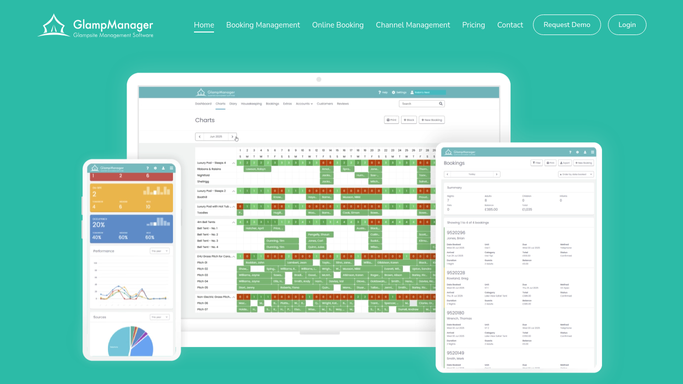
Each morning, WebRun reads today's checkouts and arrivals from GlampManager, builds a turnover cleaning board in a Google Sheet showing which pods and bell tents need cleaning before the next guest, and posts the list to your team on Telegram.
GlampManagerGoogle SheetsTelegram
Automated Favorite Restock Alerts
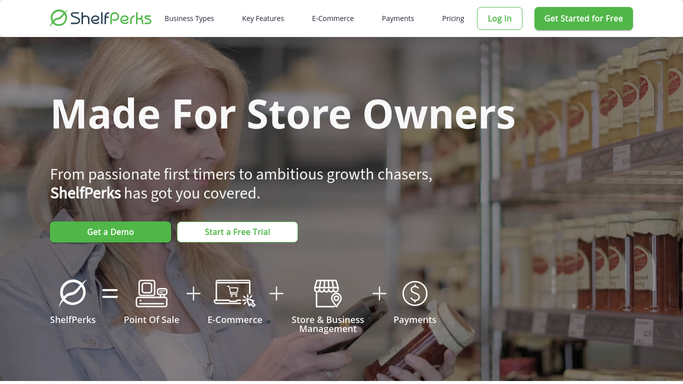
When a customer favorite is restocked in ShelfPerks, WebRun matches it to the regulars who buy it, then drafts a Klaviyo flow message to just those customers for you to review before it sends.
ShelfPerksGoogle SheetsKlaviyo
Automated Exhibit Restock Forecast
Ahead of each exhibit, WebRun reads the opening date from Google Calendar, checks tie-in merchandise stock in GiftLogic, and hands you a restock forecast in a sheet.
GiftLogicGoogle CalendarGoogle Sheets
Automated Workwear Markdown Flags
Every Monday, WebRun reviews seasonal workwear stock in The Uniform Solution, flags slow-moving and aging items, and posts a markdown candidate list to Slack with a sheet to back it.
The Uniform SolutionGoogle SheetsSlack
Runit Automated Markdown Candidate Flags
Every week, WebRun reviews seasonal apparel age and sell-through in Runit, flags the pieces stalling with too many weeks of stock left, and posts a Slack markdown shortlist.
RunitGoogle SheetsSlack

Want one of these running on your own Google Sheets?

Show WebRun the process once and it will run it on schedule, in your own private browser environment.