Get a nightly digest of your Zettle sales
Every night, WebRun opens PayPal Zettle, reads the day's total sales, transaction count, and card totals, saves a dated Z report to Google Drive, and posts a sales summary to Slack comparing it against yesterday.
- No credit card
- Under $0.01 per run
- Cancel anytime
How do I get a daily summary of my Zettle sales?
WebRun checks PayPal Zettle every night for the day's total sales, transaction count, and card totals, saves a dated Z report to Google Drive, and posts a sales summary to Slack comparing it against yesterday. It never processes a refund or a sale itself, it only reports on what already happened.
- You know tonight's total sales without opening the app
- A dated sales archive builds itself in Drive
- Today's total is compared against yesterday automatically
Built for small retailers · market and pop up sellers · cafes and restaurants · Zettle merchants
What does WebRun do on every run?
The exact actions WebRun takes, in order - in plain language, so you can adjust anything.
-
WebRun signs in and gets to work
Opens
www.zettle.comin a real browser with your saved login - no setup, no API keys. -
1
PayPal Zettle - check today's sales totals
zettle.com
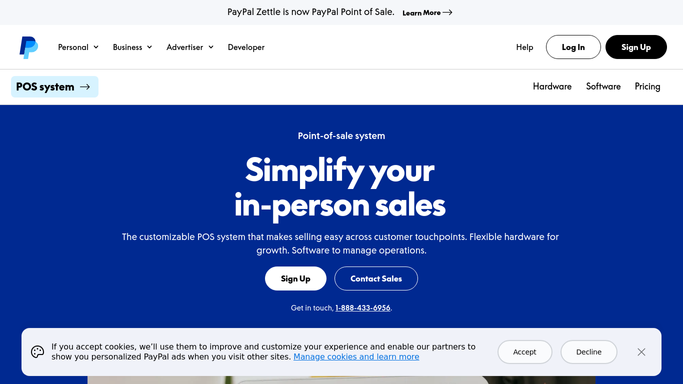
WebRun opens PayPal Zettle to check today's sales totals. - Open Zettle and go to the sales overview
- Read the day's total sales, transaction count, and card totals
- Note the top selling item if it is shown
Done when The day's sales totals and transaction count are captured.
-
2
Google Drive - save the Z report
drive.google.com How to Automate Google Drive

WebRun opens Google Drive to save the Z report. - Save a dated Z report of the day's sales to Drive
- Keep the file organized by month
- Add the day's file without replacing prior reports
Done when A dated Z report for the day is saved to Drive.
-
3
Slack - post the sales summary
slack.com How to Automate Slack

WebRun opens Slack to post the sales summary. - Post tonight's sales summary with the total and transaction count
- Compare it against yesterday's total
- Keep the message short enough to read at a glance
Done when Tonight's sales summary has been posted to Slack.
How is each run configured?
Secure by default
Connect once, stays signed in
WebRun signs in once and keeps each session in a persistent environment, so every run picks up right where it left off.
Every action is checked against this policy before it runs.
Questions, answered
Will WebRun process a refund or void a sale?
No. WebRun only reads the day's sales totals and reports them. Processing a refund or voiding a sale stays something you do yourself in Zettle.
What if I had no sales that day?
You still get tonight's summary confirming there is nothing to report, so a quiet day looks the same as a busy one: confirmed, not guessed.
Can I see how today compares to yesterday?
Yes. Tonight's summary includes a comparison against yesterday's total, so a slow or a record day is easy to spot.
Related templates
Put this on autopilot.
Turn it on in minutes - or have our team set it up for you.