See every vendor backorder in one morning digest
Every morning, WebRun opens The Uniform Solution, reviews open vendor purchase orders, cross-checks vendor confirmation emails in Gmail for backorder and ship notices, and posts a Slack digest of which lines are backordered, the revised dates, and which customer orders they affect.
- No credit card
- Under $0.01 per run
- Cancel anytime
How do I see every vendor backorder in one morning digest?
WebRun reviews your open purchase orders in The Uniform Solution every morning and cross-checks vendor confirmation emails in Gmail for backorder and ship notices. It posts a Slack digest of which lines are delayed, the revised dates, and the customer orders they hold up, so buyers act on delays before they cascade.
- Buyers act on vendor delays before they cascade
- Every backorder is tied to the customer order it holds up
- One digest replaces digging through vendor inboxes
Built for uniform retailers · scrubs stores · group uniform suppliers · multi-location uniform stores
What does WebRun do on every run?
The exact actions WebRun takes, in order - in plain language, so you can adjust anything.
-
WebRun signs in and gets to work
Opens
www.theuniformsolution.comin a real browser with your saved login - no setup, no API keys. -
1
The Uniform Solution - review open purchase orders
theuniformsolution.com How to Automate The Uniform Solution
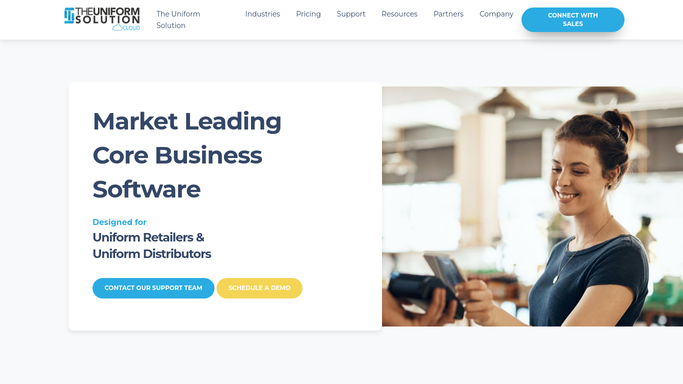
WebRun opens The Uniform Solution to review open purchase orders. - Open The Uniform Solution and list open purchase orders and their expected receipt dates
- Note lines tied to special orders or group orders waiting on that stock
- Flag any purchase order line that is past its expected date
Done when Every open purchase order line has an expected date and a status.
-
2
Gmail - read vendor confirmations
gmail.com How to Automate Gmail

WebRun opens Gmail to read vendor confirmations. - Scan recent vendor emails for backorder, delay, and ship confirmations
- Match each notice to its purchase order and capture the revised date
- Note any items the vendor has discontinued or substituted
Done when Vendor notices are matched to their purchase orders with revised dates.
-
3
Slack - post the backorder digest
slack.com How to Automate Slack

WebRun opens Slack to post the backorder digest. - Post a digest of backordered lines with revised dates and the vendor
- Call out which customer, group, or school orders each backorder holds up
- Put the longest delays and discontinued items first
Done when The team has today's vendor backorder digest in Slack.
How is each run configured?
Secure by default
Connect once, stays signed in
WebRun signs in once and keeps each session in a persistent environment, so every run picks up right where it left off.
Every action is checked against this policy before it runs.
Questions, answered
Does it reply to vendors on its own?
No. WebRun only reads vendor confirmation emails and posts an internal Slack digest. Any reply or follow-up to a vendor stays with your team, so nothing is sent without you.
How does it match emails to purchase orders?
It reads the purchase-order numbers and item details in vendor emails and matches them to open purchase orders in The Uniform Solution, so each backorder notice lands against the right order.
Can it show which customer orders are affected?
Yes. WebRun links each backordered line to the special or group orders waiting on that stock, so you can see instantly which customers to update about a delay.
Related templates
Put this on autopilot.
Turn it on in minutes - or have our team set it up for you.