Track every group bulk order to completion
Every morning, WebRun opens The Uniform Solution, reviews open bulk orders for group and organization accounts, updates a Google Sheet with each order's fill status, and posts a Slack summary of which groups are behind schedule and which ship this week.
- No credit card
- Under $0.01 per run
- Cancel anytime
How do I track group bulk orders through to completion?
WebRun reviews your open group and organization bulk orders in The Uniform Solution every morning, reading quantity filled, promised dates, and blockers. It updates a Google Sheet tracker with percent complete and ship dates, then posts a Slack summary of which groups are behind, so no large order slips its deadline unnoticed.
- No large group order slips its ship date unnoticed
- The team opens Slack to a live status board each morning
- Blockers on each order are spelled out, not buried
Built for uniform retailers · group uniform programs · scrubs stores · public safety uniform suppliers
What does WebRun do on every run?
The exact actions WebRun takes, in order - in plain language, so you can adjust anything.
-
WebRun signs in and gets to work
Opens
www.theuniformsolution.comin a real browser with your saved login - no setup, no API keys. -
1
The Uniform Solution - review open group bulk orders
theuniformsolution.com How to Automate The Uniform Solution
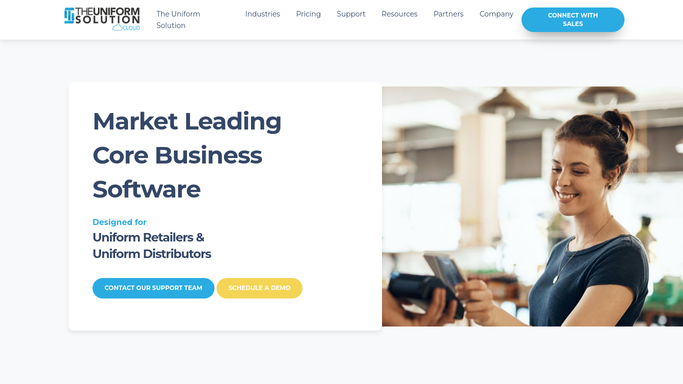
WebRun opens The Uniform Solution to review open group bulk orders. - Open The Uniform Solution and list open orders tied to group and organization accounts
- For each, read the quantity ordered, quantity filled, promised date, and any special-order lines
- Note which lines are on backorder or awaiting embroidery
Done when Every open group order has a fill status and a promised date.
-
2
Google Sheets - update the order tracker
google.com How to Automate Google Sheets

WebRun opens Google Sheets to update the order tracker. - Open the bulk-order tracking sheet
- Update each group's row with quantity filled, percent complete, and expected ship date
- Highlight any order past its promised date
Done when The tracker reflects this morning's fill status for every group order.
-
3
Slack - summarize what is behind
slack.com How to Automate Slack

WebRun opens Slack to summarize what is behind. - Post a summary of which groups are behind schedule and which ship this week
- List the blockers per order, such as backorders or pending logo setup
- Put the most overdue groups first
Done when The team has today's group-order status in Slack.
How is each run configured?
Secure by default
Connect once, stays signed in
WebRun signs in once and keeps each session in a persistent environment, so every run picks up right where it left off.
Every action is checked against this policy before it runs.
Questions, answered
Does it contact the group accounts directly?
No. WebRun only updates your internal tracker and posts a Slack summary for your team. It never emails or messages a group contact, so all outreach stays in your hands.
How does it know an order is behind?
It compares quantity filled against quantity ordered and the promised date in The Uniform Solution, so any group order short on units or past its date is flagged as behind.
Can it show what is blocking each order?
Yes. WebRun reads each order's lines and notes blockers like backordered items or pending embroidery setup, so you see why a group order is stalled at a glance.
Related templates
Put this on autopilot.
Turn it on in minutes - or have our team set it up for you.