Never miss a new hire onboarding step
Every morning, WebRun opens TriNet, checks the forms, benefits enrollment, and I-9 status for everyone starting that week, updates a Trello checklist card for each new hire, and posts a Teams summary of what's still outstanding to HR.
- No credit card
- Under $0.01 per run
- Cancel anytime
How do I track new hire onboarding paperwork status in TriNet?
WebRun checks TriNet every morning for employees starting that week, tracks their forms, benefits enrollment, and I-9 status on a Trello onboarding card, and posts a Teams summary of anything still outstanding to your HR admin. Nothing is submitted or sent to the new hire directly, so HR always has an accurate, same-day view of onboarding progress.
- HR sees outstanding onboarding items every morning, not at week's end
- New hires starting within 2 days with gaps get flagged automatically
- Nothing is submitted on the new hire's behalf without a human
Built for Small business HR · PEO clients · People ops · HR administrators
What does WebRun do on every run?
The exact actions WebRun takes, in order - in plain language, so you can adjust anything.
-
WebRun signs in and gets to work
Opens
login.trinet.comin a real browser with your saved login - no setup, no API keys. -
1
TriNet - check new hire paperwork status
trinet.com
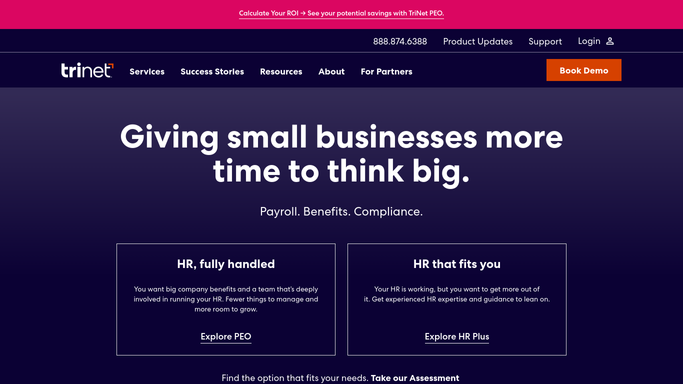
WebRun opens TriNet to check new hire paperwork status. - Open TriNet and list employees starting this week
- Check the status of required forms, benefits enrollment, and I-9 for each
- Note anything still outstanding
Done when Every new hire has a current status for forms, benefits, and I-9.
-
2
Trello - build the onboarding checklist card
trello.com How to Automate Trello

WebRun opens Trello to build the onboarding checklist card. - Create or update an onboarding card for each new hire
- Add a checklist item for every outstanding task
- Check off items TriNet already shows as complete
Done when Every new hire has an onboarding card with an accurate checklist.
-
3
Microsoft Teams - notify HR of what's outstanding
microsoft.com How to Automate Microsoft Teams

WebRun opens Microsoft Teams to notify HR of what's outstanding. - Post a summary to the HR channel of who still has outstanding items
- Tag the HR admin responsible for each new hire
- Flag anyone starting within 2 days with unfinished paperwork
Done when HR has today's outstanding items summary in Teams.
How is each run configured?
Secure by default
Connect once, stays signed in
WebRun signs in once and keeps each session in a persistent environment, so every run picks up right where it left off.
Every action is checked against this policy before it runs.
Questions, answered
Does it submit any paperwork for the new hire?
No. WebRun only reads status from TriNet and tracks it on a checklist. Every form is still completed and submitted by the new hire or HR.
Does it contact the new hire directly?
No. It only posts internal updates to Trello and Teams for your HR team. It never emails or messages the new hire.
What happens once everything is complete?
The Trello card is checked off item by item as TriNet shows each piece complete, so HR can see progress at a glance without re-checking TriNet.
Related templates
Put this on autopilot.
Turn it on in minutes - or have our team set it up for you.