Send day-before reminders so guests show up prepared
Every evening, WebRun opens FareHarbor and pulls tomorrow's bookings, drafts a personalised day-before reminder for each guest with meeting time, location, gear, and weather notes, queues the drafts in Gmail for operator review, and posts a summary of tomorrow's headcount to Slack.
- No credit card
- Under $0.01 per run
- Cancel anytime
How do I send automatic day-before reminders to tour guests?
Each evening, WebRun pulls tomorrow's FareHarbor bookings and drafts a personalised day-before reminder for every guest, covering meeting point, start time, and a gear checklist. Drafts are queued in Gmail for operator review, and a headcount summary posts to Slack so the team is ready.
- No-show rates drop because guests receive a timely, detailed reminder
- Guests arrive with the right gear, reducing start delays
- Ops team sees tomorrow's headcount in Slack each evening
Built for tour operators · activity guides · adventure tour companies · water sports and outdoor businesses
What does WebRun do on every run?
The exact actions WebRun takes, in order - in plain language, so you can adjust anything.
-
WebRun signs in and gets to work
Opens
fareharbor.comin a real browser with your saved login - no setup, no API keys. -
1
FareHarbor - pull tomorrow's bookings
fareharbor.com
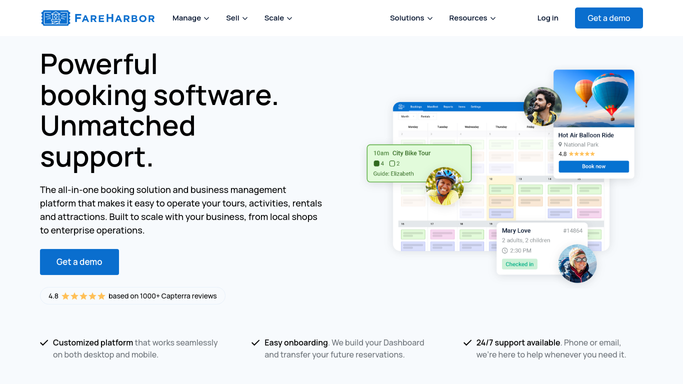
WebRun opens FareHarbor to pull tomorrow's bookings. - Open FareHarbor and filter bookings to tomorrow's date
- For each booking, capture guest name, tour name, start time, meeting point, party size, and any special requests
- Note any tours that are at capacity or have a waitlist
Done when All of tomorrow's bookings are listed with full guest and tour details.
-
2
Gmail - draft day-before reminders
gmail.com How to Automate Gmail

WebRun opens Gmail to draft day-before reminders. - Draft a reminder email for each guest with their tour start time and meeting point
- Include a gear and clothing checklist appropriate for the tour type
- Add a contact number for same-day questions or cancellations
- Leave all drafts unsent for operator review before they go out
Done when One unsent reminder draft exists in Gmail for every guest on tomorrow's schedule.
-
3
Slack - post tomorrow's headcount summary
slack.com How to Automate Slack

WebRun opens Slack to post tomorrow's headcount summary. - Post a summary to the ops channel listing each tour, its start time, and total guest count
- Flag any tour at full capacity or with special-needs guests noted
Done when The team has tomorrow's headcount and logistics summary in Slack.
How is each run configured?
Secure by default
Connect once, stays signed in
WebRun signs in once and keeps each session in a persistent environment, so every run picks up right where it left off.
Every action is checked against this policy before it runs.
Questions, answered
Will it email guests automatically without me checking first?
No. Every reminder is drafted and left in Gmail for your review. You approve and send the batch, so nothing reaches a guest without your sign-off.
Can it include weather or tide information in the reminder?
Yes. Give WebRun a weather source or a note template and it will pull the relevant conditions for tomorrow and weave them into each draft.
What happens if a booking is cancelled after the reminders are drafted?
The draft stays in Gmail until you act on it. Because reminders are not auto-sent, you can simply delete the draft for any cancelled booking before sending the batch.
Related templates
Put this on autopilot.
Turn it on in minutes - or have our team set it up for you.