Confirm tour bookings and fill open seats
When a new booking lands in FareHarbor, WebRun reads the tour details, drafts a confirmation email with meeting point, gear checklist, and prep tips, logs the booking to Google Sheets, and queues the draft in Gmail for your review before it goes to the guest.
- No credit card
- Under $0.01 per run
- Cancel anytime
How do I automatically send booking confirmations for tour guests?
WebRun monitors FareHarbor for new bookings, reads the tour details, and drafts a confirmation email with the meeting point, gear checklist, and prep tips for each guest. It logs every booking to Google Sheets and queues the draft in Gmail for operator review before anything reaches the guest.
- Every guest gets a detailed confirmation draft within minutes of booking
- Operators review once and send, rather than writing from scratch each time
- All bookings tracked in one Google Sheet with confirmation status
Built for tour operators · activity companies · outdoor adventure businesses · kayak and hiking guides
What does WebRun do on every run?
The exact actions WebRun takes, in order - in plain language, so you can adjust anything.
-
WebRun signs in and gets to work
Opens
fareharbor.comin a real browser with your saved login - no setup, no API keys. -
1
FareHarbor - read new booking details
fareharbor.com
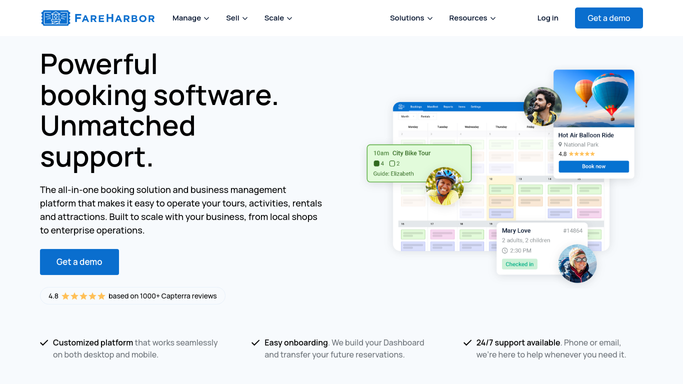
WebRun opens FareHarbor to read new booking details. - Open FareHarbor and navigate to the Bookings dashboard
- Read the new booking: guest name, tour name, date, time, party size, and any special notes
- Note the meeting point, required gear, and cancellation policy for this tour
Done when All booking details and tour logistics are captured.
-
2
Google Sheets - log booking to tracker
google.com How to Automate Google Sheets

WebRun opens Google Sheets to log booking to tracker. - Open the bookings log sheet
- Append a new row with guest name, tour, date, party size, and booking ID
- Mark the confirmation status as Pending
Done when Booking is logged in the tracker with Pending status.
-
3
Gmail - draft confirmation for review
gmail.com How to Automate Gmail

WebRun opens Gmail to draft confirmation for review. - Draft a confirmation email addressed to the guest
- Include meeting point, start time, gear checklist, and what to bring
- Add the cancellation policy and a contact number for questions
- Leave the draft unsent for the operator to review and send
Done when A complete confirmation draft is waiting in Gmail for operator approval.
How is each run configured?
Secure by default
Connect once, stays signed in
WebRun signs in once and keeps each session in a persistent environment, so every run picks up right where it left off.
Every action is checked against this policy before it runs.
Questions, answered
Will it send the confirmation without my approval?
No. WebRun drafts the confirmation and leaves it in Gmail for you to review and send. Nothing goes to the guest until you click Send.
Can it handle multiple tour types with different gear lists?
Yes. It reads the tour name from FareHarbor and pulls the matching prep details, so each confirmation reflects the right gear list and meeting point for that specific tour.
What if the guest booked through an OTA like Viator?
If the OTA booking syncs to FareHarbor, WebRun picks it up and drafts the confirmation. Bookings that stay only on the OTA and are not synced will not trigger the workflow.
Related templates
Put this on autopilot.
Turn it on in minutes - or have our team set it up for you.