Recover failed payments before they cost you a booking
Every morning, WebRun opens FareHarbor and finds bookings where a payment has failed in the last 24 hours, drafts a clear, empathetic recovery email for each guest with a secure retry link, logs all failed payments to a Google Sheet, and queues the drafts in Gmail for operator review before sending.
- No credit card
- Under $0.01 per run
- Cancel anytime
How do I automatically recover failed tour booking payments?
Every morning, WebRun checks FareHarbor for payments that failed in the last 24 hours, drafts a clear and empathetic recovery email for each guest with a secure payment retry link, logs all cases to Google Sheets sorted by days to tour, and queues drafts in Gmail for operator review before anything is sent.
- Failed payments are identified and a recovery draft is ready within hours, not days
- Urgent cases with tours in less than 48 hours are surfaced first in the log
- Operators recover revenue that would otherwise be lost to silent payment failures
Built for tour operators · activity booking managers · online booking tour businesses · adventure tour companies
What does WebRun do on every run?
The exact actions WebRun takes, in order - in plain language, so you can adjust anything.
-
WebRun signs in and gets to work
Opens
fareharbor.comin a real browser with your saved login - no setup, no API keys. -
1
FareHarbor - find failed payments
fareharbor.com
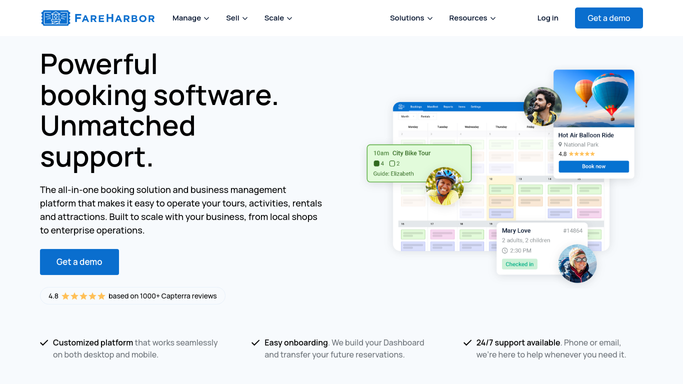
WebRun opens FareHarbor to find failed payments. - Open FareHarbor and navigate to the payments section, filtering for failed transactions in the last 24 hours
- For each failed payment, capture guest name, email, tour name, tour date, amount, and failure reason if available
- Note how many days remain before the tour date to prioritise urgent cases
Done when All failed payments from the last 24 hours are listed with guest and booking details.
-
2
Google Sheets - log failed payment cases
google.com How to Automate Google Sheets

WebRun opens Google Sheets to log failed payment cases. - Open the failed-payment recovery log
- Log each case with guest name, tour, amount, failure date, days to tour, and recovery status set to Pending
- Sort by days to tour so the most urgent cases are visible first
Done when All failed payment cases are logged and sorted by urgency in the tracker.
-
3
Gmail - draft payment recovery emails
gmail.com How to Automate Gmail

WebRun opens Gmail to draft payment recovery emails. - Draft a clear, empathetic recovery email for each guest explaining the payment did not go through
- Include a secure link to retry the payment and the tour date as context
- For tours within 48 hours, note that the booking may need to be confirmed quickly
- Leave all drafts unsent in Gmail for operator review before sending
Done when One recovery draft per failed payment is ready in Gmail, prioritised by urgency.
How is each run configured?
Secure by default
Connect once, stays signed in
WebRun signs in once and keeps each session in a persistent environment, so every run picks up right where it left off.
Every action is checked against this policy before it runs.
Questions, answered
Will it contact guests about a failed payment without my approval?
No. Every recovery email is drafted and held in Gmail for your review. You send the batch once you have checked the cases, so no guest is contacted before you confirm.
What if the guest already retried and paid successfully before the draft is sent?
Because drafts are held for your review, you can check FareHarbor for any payments settled since the run and delete the drafts for guests who have already paid, before approving the batch.
Can it flag payments that fail a second time?
Yes. The Google Sheets log tracks each case with its failure date, so if a payment fails again on a subsequent run, the log shows it as a second failure and the new draft can be flagged for more urgent follow-up.
Related templates
Put this on autopilot.
Turn it on in minutes - or have our team set it up for you.