Get a daily digest of your Threads replies and mentions
Every morning, WebRun opens Threads, reads every new reply and mention on your posts since yesterday, archives the full list to a Google Drive log, and posts a digest to Slack with anything that needs a personal reply flagged.
- No credit card
- Under $0.01 per run
- Cancel anytime
How do I keep up with replies and mentions on Threads?
WebRun checks Threads every morning for new replies and mentions on your posts, archives the full list to a Google Drive log, and posts a daily digest to Slack with anything that reads like a question or complaint flagged first. It never replies on Threads itself, leaving every public response to a person on your team.
- Replies and mentions are never lost to a scrolling feed
- The team sees a digest every morning instead of checking Threads by hand
- Questions and complaints get flagged ahead of routine mentions
Built for Social media managers · content creators · brand teams · community managers
What does WebRun do on every run?
The exact actions WebRun takes, in order - in plain language, so you can adjust anything.
-
WebRun signs in and gets to work
Opens
www.threads.net/loginin a real browser with your saved login - no setup, no API keys. -
1
Threads - check new replies and mentions
threads.net
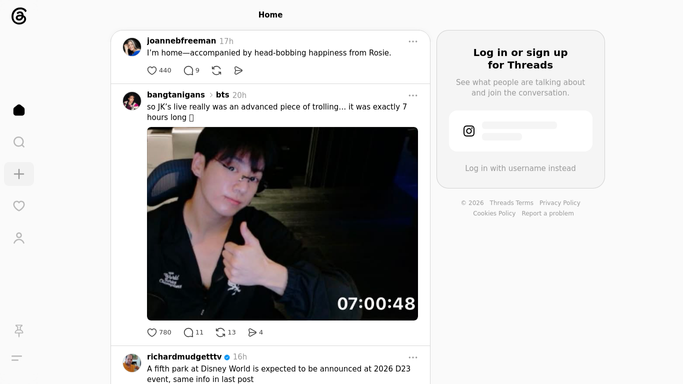
WebRun opens Threads to check new replies and mentions. - Open Threads and review replies and mentions on your posts since yesterday
- Note the author and content of each one
- Flag anything that reads like a question or a complaint
Done when Every new reply and mention since yesterday has been reviewed.
-
2
Google Drive - archive the full list
drive.google.com How to Automate Google Drive

WebRun opens Google Drive to archive the full list. - Open the running Threads activity log in Google Drive
- Append every reply and mention from today's check
- Keep the flagged, needs a reply items marked separately
Done when Today's replies and mentions are archived in the Drive log.
-
3
Slack - post the daily digest
slack.com How to Automate Slack

WebRun opens Slack to post the daily digest. - Post the daily digest to your social channel in Slack
- List anything flagged as needing a personal reply first
- Leave the actual reply for a person to write and post on Threads
Done when The team has today's Threads digest in Slack.
How is each run configured?
Secure by default
Connect once, stays signed in
WebRun signs in once and keeps each session in a persistent environment, so every run picks up right where it left off.
Every action is checked against this policy before it runs.
Questions, answered
Does WebRun reply to people on Threads?
No. It only reads and archives replies and mentions. Writing and posting a reply on Threads is always done by you.
How far back does the archive go?
Every day's replies and mentions are appended to the same Drive log, so you build a searchable history instead of losing it to the feed.
What makes something get flagged for a personal reply?
Anything that reads like a direct question or a complaint gets called out first in the Slack digest, ahead of routine mentions.
Related templates
Put this on autopilot.
Turn it on in minutes - or have our team set it up for you.