Track athletic trainer credentials and flag expiries before they lapse
Every Monday, WebRun opens Healthy Roster, reviews staff credential and certification records, identifies any expiring within the next 60 days, logs the full list to a Google Sheet with renewal deadlines, and posts an expiry alert to the sports medicine director's Slack channel.
- No credit card
- Under $0.01 per run
- Cancel anytime
How do I automatically track and get alerts for athletic trainer credential expiries?
WebRun reviews all staff credential and certification records in Healthy Roster every Monday, flags any expiring within 60 days, and sorts them by days remaining in a Google Sheet. It posts a Slack expiry alert to the sports medicine director so renewals are actioned weeks in advance and no athletic trainer's certification ever lapses unnoticed.
- No athletic trainer credential lapses without at least 60 days of advance warning
- The director sees an urgency-sorted renewal list every Monday without manual auditing
- Credentials renewed in Healthy Roster are automatically cleared from the worklist
Built for sports medicine directors · athletic training department heads · college athletic programs · high school and industrial sports medicine programs
What does WebRun do on every run?
The exact actions WebRun takes, in order - in plain language, so you can adjust anything.
-
WebRun signs in and gets to work
Opens
app.healthyroster.comin a real browser with your saved login - no setup, no API keys. -
1
Healthy Roster - find staff credentials expiring within 60 days
healthyroster.com How to Automate Healthy Roster
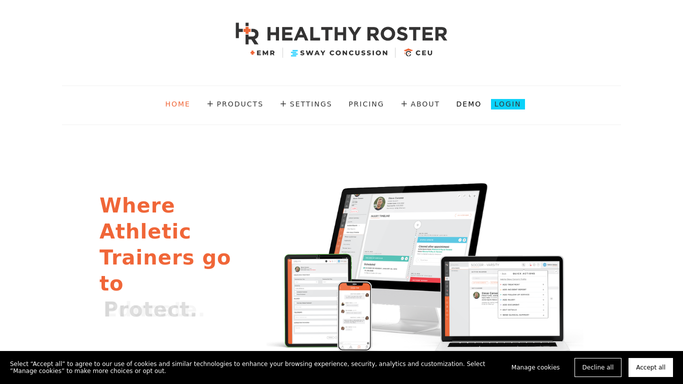
WebRun opens Healthy Roster to find staff credentials expiring within 60 days. - Open Healthy Roster and navigate to the staff credential and certification section
- Filter for any certification, license, or required training with an expiry date within the next 60 days
- Capture the staff member name, credential type, issuing body, and exact expiry date for each
Done when Every credential expiring within 60 days is listed with its holder and deadline.
-
2
Google Sheets - log the credential expiry worklist
google.com How to Automate Google Sheets

WebRun opens Google Sheets to log the credential expiry worklist. - Append each expiring credential to the renewal tracking sheet with expiry date and days remaining
- Sort rows by days remaining so the most urgent renewals appear at the top
- Update any row where a renewal has since been completed and uploaded to Healthy Roster
Done when The credential renewal sheet is current with all upcoming expirations and their urgency order.
-
3
Slack - alert the program director
slack.com How to Automate Slack

WebRun opens Slack to alert the program director. - Post a credential expiry alert to the sports medicine director's Slack channel
- List each staff member and credential alongside days remaining until expiry
- Flag in red any credential expiring within 14 days for immediate action
Done when The director has an up-to-date credential expiry alert in Slack.
How is each run configured?
Secure by default
Connect once, stays signed in
WebRun signs in once and keeps each session in a persistent environment, so every run picks up right where it left off.
Every action is checked against this policy before it runs.
Questions, answered
What types of credentials does it track?
WebRun tracks whatever certifications, licenses, and required trainings are recorded in your Healthy Roster staff profiles, such as BOC certification, CPR/AED, state licensure, and continuing education deadlines.
Will it notify the staff member directly?
The Slack alert goes to the program director or designated admin, not the individual staff member. If you want staff notified directly, the director can forward the alert or you can add an approval step.
What happens once a credential is renewed?
Once the renewed credential is uploaded and updated in Healthy Roster, WebRun marks it as current on the next Monday run and removes it from the expiry list automatically.
Related templates
Put this on autopilot.
Turn it on in minutes - or have our team set it up for you.