Track every athlete referral from order to return report
Every Monday, WebRun opens Healthy Roster, finds all open referrals where a return report has not yet been received, categorizes them by days outstanding, logs the full list to a Google Sheet, and posts a digest to Slack so the trainer knows exactly which referrals need a follow-up call.
- No credit card
- Under $0.01 per run
- Cancel anytime
How do I track open athlete referrals and get notified when reports are overdue?
WebRun opens Healthy Roster every Monday, finds all open referrals where a return report is still pending, and ages each one by days outstanding. It logs the full worklist to Google Sheets and posts a digest to Slack, so the athletic trainer can prioritize follow-up calls and no athlete waits weeks for a specialist report.
- No open referral goes unnoticed past 14 days without a follow-up prompt
- The trainer has a live aging sheet without manual data entry
- Weekly Slack digest keeps the entire sports medicine team informed on referral status
Built for athletic trainers · sports medicine physicians · college and high school athletic programs · sports medicine outreach clinics
What does WebRun do on every run?
The exact actions WebRun takes, in order - in plain language, so you can adjust anything.
-
WebRun signs in and gets to work
Opens
app.healthyroster.comin a real browser with your saved login - no setup, no API keys. -
1
Healthy Roster - find open referrals awaiting return reports
healthyroster.com How to Automate Healthy Roster
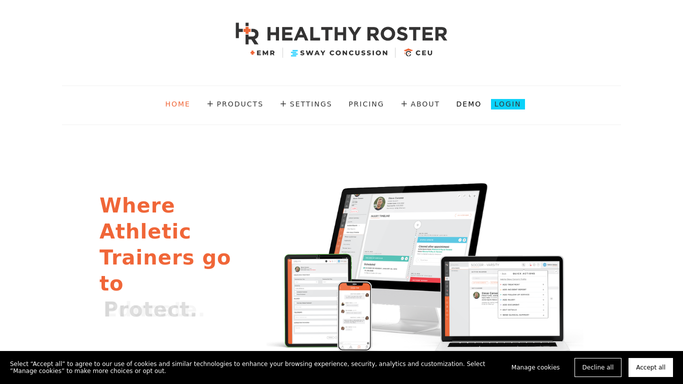
WebRun opens Healthy Roster to find open referrals awaiting return reports. - Open Healthy Roster and run the referral report filtered to open or pending status
- Capture athlete name, sport, referring provider, specialty referred to, referral date, and days outstanding
- Flag any referral open longer than 14 days for priority follow-up
Done when All open referrals are listed with their age and provider details.
-
2
Google Sheets - log and age the referral worklist
google.com How to Automate Google Sheets

WebRun opens Google Sheets to log and age the referral worklist. - Append new referrals to the tracking sheet and update the days-outstanding column for existing rows
- Mark referrals older than 14 days in a priority column
- Record the date of each weekly update for audit purposes
Done when The referral tracking sheet is current with all open cases and their ages.
-
3
Slack - post weekly referral digest
slack.com How to Automate Slack

WebRun opens Slack to post weekly referral digest. - Post a weekly referral digest to the sports medicine Slack channel
- List total open referrals, count by specialty, and call out any overdue more than 14 days
- Note that the full worklist is in the tracking sheet for detailed follow-up
Done when The team has this week's referral digest in Slack.
How is each run configured?
Secure by default
Connect once, stays signed in
WebRun signs in once and keeps each session in a persistent environment, so every run picks up right where it left off.
Every action is checked against this policy before it runs.
Questions, answered
Will it contact the specialist's office on my behalf?
No. WebRun builds the worklist and surfaces overdue referrals for the trainer to act on. Any outreach to a specialist, athlete, or parent remains the trainer's decision.
How does it handle referrals where the report has come back?
Once a referral is marked as closed or complete in Healthy Roster, WebRun removes it from the open worklist automatically on the next Monday run.
Can I track referrals to multiple specialties at once?
Yes. The Google Sheet log captures the specialty for each referral, so you can filter by orthopedics, neurology, cardiology, or any other specialty your program uses.
Related templates
Put this on autopilot.
Turn it on in minutes - or have our team set it up for you.