Send recall reminders before athletes lapse on follow-up care
Every Monday, WebRun opens Healthy Roster, finds athletes with follow-up care due this week, drafts a reminder for the trainer to review and send for each athlete, logs the recall list to a Google Sheet for tracking, and posts a summary to Slack.
- No credit card
- Under $0.01 per run
- Cancel anytime
How do I automatically remind athletes about upcoming follow-up care in sports medicine?
WebRun opens Healthy Roster every Monday, identifies athletes with follow-up care due that week, and drafts a reminder for each one for the trainer to review before sending. It logs the full recall list to Google Sheets and posts a weekly summary to Slack, so no athlete falls through the gap between visits.
- No athlete with a pending follow-up slips through unnoticed each week
- Trainers have ready-to-send drafts instead of writing each reminder from scratch
- A running Google Sheet log proves outreach for compliance and documentation
Built for athletic trainers · sports medicine teams · college athletic departments · high school sports programs
What does WebRun do on every run?
The exact actions WebRun takes, in order - in plain language, so you can adjust anything.
-
WebRun signs in and gets to work
Opens
app.healthyroster.comin a real browser with your saved login - no setup, no API keys. -
1
Healthy Roster - find athletes with follow-up due this week
healthyroster.com How to Automate Healthy Roster
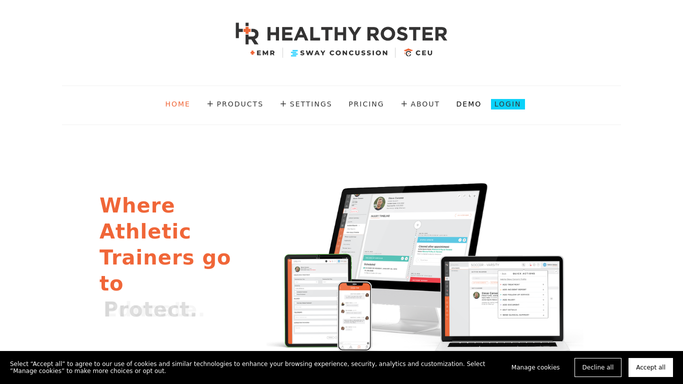
WebRun opens Healthy Roster to find athletes with follow-up due this week. - Open Healthy Roster and run a report for athletes with follow-up appointments due in the next 7 days
- Capture each athlete's name, sport, injury category, and assigned provider
- Note any athlete who had a prior recall reminder but has not yet scheduled
Done when Every athlete with care due this week is listed with their details.
-
2
Google Sheets - log the recall list for tracking
google.com How to Automate Google Sheets

WebRun opens Google Sheets to log the recall list for tracking. - Append each athlete to the weekly recall tracking sheet with date, status, and provider
- Mark athletes who are repeat non-responders with a priority flag
Done when The recall log is updated with this week's entries.
-
3
Slack - post weekly recall summary
slack.com How to Automate Slack

WebRun opens Slack to post weekly recall summary. - Post a weekly recall summary to the training room Slack channel
- List athlete count by sport and provider, and highlight repeat non-responders
- Note that individual reminder drafts are queued in Healthy Roster for trainer review
Done when The team has this week's recall summary in Slack.
How is each run configured?
Secure by default
Connect once, stays signed in
WebRun signs in once and keeps each session in a persistent environment, so every run picks up right where it left off.
Every action is checked against this policy before it runs.
Questions, answered
Will it send the recall reminders to athletes automatically?
No. WebRun drafts each reminder and queues it for the athletic trainer to review and send. No message reaches an athlete, parent, or coach without trainer approval, protecting all health information.
What if an athlete already scheduled their own follow-up?
WebRun reads the live appointment data in Healthy Roster each Monday, so athletes who have already booked are automatically excluded from the recall list.
Can I track which reminders were actually sent?
Yes. WebRun logs each athlete's recall status and outreach date to a Google Sheet every week, giving you a running record of who was contacted and when.
Related templates
Put this on autopilot.
Turn it on in minutes - or have our team set it up for you.