Get a weekly provider utilization digest for your sports medicine team
Every Monday, WebRun opens Healthy Roster, pulls last week's visit volume and encounter counts for each athletic trainer and provider, logs the data to a Google Sheet for trending, and posts a clean utilization digest to the Slack leadership channel.
- No credit card
- Under $0.01 per run
- Cancel anytime
How do I get a weekly provider utilization report from my sports medicine EMR?
WebRun pulls last week's visit and encounter data from Healthy Roster every Monday, breaks it down by provider, and logs 4-week rolling averages to a Google Sheet. It then posts a clean utilization digest to the sports medicine Slack channel so leadership can spot workload imbalances and make informed staffing decisions without manual number-crunching.
- Leadership sees last week's provider workload every Monday without pulling a manual report
- Overloaded or underutilized providers are flagged automatically for staffing review
- A 4-week trending sheet builds a data record for budget and staffing conversations
Built for sports medicine directors · athletic training department heads · college athletic departments · outreach athletic training program managers
What does WebRun do on every run?
The exact actions WebRun takes, in order - in plain language, so you can adjust anything.
-
WebRun signs in and gets to work
Opens
app.healthyroster.comin a real browser with your saved login - no setup, no API keys. -
1
Healthy Roster - pull last week visit and encounter data by provider
healthyroster.com How to Automate Healthy Roster
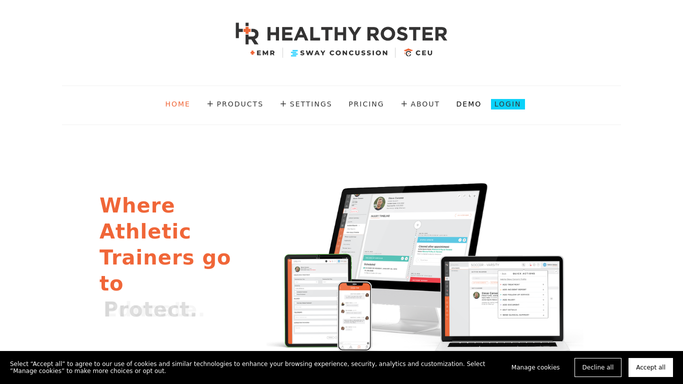
WebRun opens Healthy Roster to pull last week visit and encounter data by provider. - Open Healthy Roster and run the encounter and visit report for the prior 7 days
- Break down total visits, unique athletes seen, and treatments logged by provider
- Note any provider with a visit count significantly above or below the team average
Done when Last week's visit and encounter totals are captured for every active provider.
-
2
Google Sheets - log utilization data for weekly trending
google.com How to Automate Google Sheets

WebRun opens Google Sheets to log utilization data for weekly trending. - Append this week's figures to the utilization tracking sheet with the week-ending date
- Calculate a 4-week rolling average for each provider and flag anyone more than 25 percent above or below
Done when The utilization tracking sheet is updated with last week's data and rolling averages.
-
3
Slack - post utilization digest to leadership channel
slack.com How to Automate Slack

WebRun opens Slack to post utilization digest to leadership channel. - Post a clean utilization digest to the sports medicine leadership Slack channel
- Show total encounters by provider, highlight outliers, and link to the full Google Sheet
- Keep all data internal: this digest contains aggregate provider metrics only, not individual athlete records
Done when Leadership has last week's utilization summary in Slack.
How is each run configured?
Secure by default
Connect once, stays signed in
WebRun signs in once and keeps each session in a persistent environment, so every run picks up right where it left off.
Every action is checked against this policy before it runs.
Questions, answered
Does the Slack digest include individual athlete information?
No. The digest contains aggregate provider-level metrics only: visit counts, encounter totals, and rolling averages. No athlete names, injuries, or protected health information appear in the Slack post.
How does it define an outlier provider?
WebRun flags any provider whose weekly encounter count is more than 25 percent above or below the 4-week rolling team average. You can adjust this threshold to match your program's standards.
Can I use this for billing justification or compliance reporting?
The Google Sheet log provides a dated record of weekly provider encounter counts that you can reference for staffing decisions. For formal billing or compliance reports, export the underlying data from Healthy Roster's own reporting suite.
Related templates
Put this on autopilot.
Turn it on in minutes - or have our team set it up for you.