Make sure every volunteer shift is covered and remembered
Every morning, WebRun opens Petstablished, finds the volunteer shifts scheduled for the next day, drafts a reminder email for each confirmed volunteer, queues the drafts in Gmail for coordinator review, and posts a shift coverage summary to Slack.
- No credit card
- Under $0.01 per run
- Cancel anytime
How do I automatically send volunteer shift reminders for my animal shelter?
WebRun opens Petstablished every morning, reads the next day's volunteer shifts, and drafts a personalised reminder email for each confirmed volunteer in Gmail. It then posts a coverage summary to Slack so coordinators know which drafts to send and which shifts still need filling. No volunteer misses their reminder and no gap goes unnoticed.
- Every confirmed volunteer receives a personalised reminder before their shift
- Coordinators see tomorrow's coverage gaps first thing each morning
- No-shows drop because reminders go out consistently on schedule
Built for animal shelters · rescue organisations · volunteer coordinators · humane societies
What does WebRun do on every run?
The exact actions WebRun takes, in order - in plain language, so you can adjust anything.
-
WebRun signs in and gets to work
Opens
www.petstablished.comin a real browser with your saved login - no setup, no API keys. -
1
Petstablished - read upcoming volunteer shifts
petstablished.com
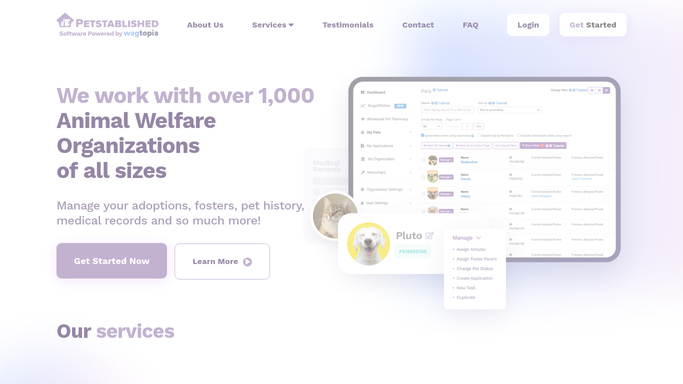
WebRun opens Petstablished to read upcoming volunteer shifts. - Open Petstablished and navigate to the volunteer scheduling section
- Find all shifts scheduled for the next day and read each volunteer's name, email, shift time, and assigned role
- Flag any shifts that are unfilled or have a low volunteer count
Done when All upcoming shifts are listed with volunteer contact details and coverage status.
-
2
Gmail - draft shift reminder emails
gmail.com How to Automate Gmail

WebRun opens Gmail to draft shift reminder emails. - Draft a friendly reminder email for each confirmed volunteer
- Include the shift time, role, shelter address, and any preparation notes
- Leave all drafts unsent in Gmail for a coordinator to review before sending
Done when A draft reminder email is queued in Gmail for every confirmed volunteer.
-
3
Slack - post shift coverage summary
slack.com How to Automate Slack

WebRun opens Slack to post shift coverage summary. - Post a shift coverage summary to the volunteer coordination Slack channel
- List tomorrow's shifts with confirmed volunteer counts and flag any gaps
- Remind coordinators to review the Gmail drafts and fill any open shifts
Done when Coordinators have tomorrow's coverage summary and a draft review reminder in Slack.
How is each run configured?
Secure by default
Connect once, stays signed in
WebRun signs in once and keeps each session in a persistent environment, so every run picks up right where it left off.
Every action is checked against this policy before it runs.
Questions, answered
Will it send reminder emails to volunteers without staff approval?
No. All reminder emails are drafted and left unsent in Gmail. A coordinator reviews each draft and clicks Send, so no message reaches a volunteer without a human review.
What happens if a shift has no volunteers confirmed?
Unfilled or under-covered shifts are flagged in the Slack summary so coordinators can reach out to recruit volunteers before the day.
Can it include specific role instructions in the reminder?
Yes. It reads the assigned role from Petstablished and can include role-specific preparation notes or instructions in the draft email.
Related templates
Put this on autopilot.
Turn it on in minutes - or have our team set it up for you.